Why Customers Can't Find Your Business on Google Maps — and How to Fix It
Your store is around the corner, yet Google Maps shows a competitor? We break down how local ranking works, 8 common visibility gaps, a four-scenario self-audit and a practical 30-day action plan.

Why being close to customers does not guarantee map visibility
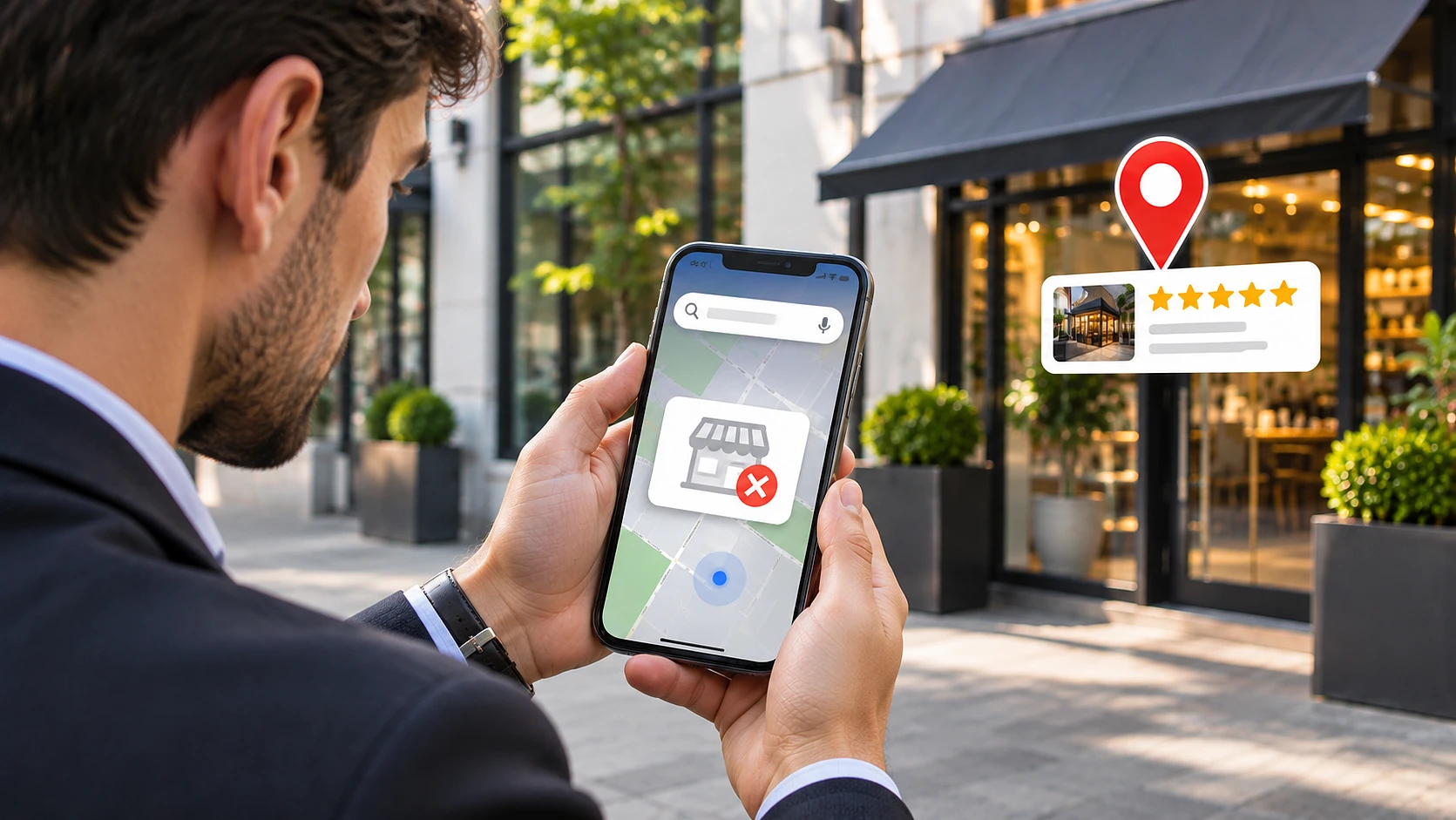
Being close to a customer does not guarantee visibility in Google Maps. Google considers how well a business matches the search, its distance, and its prominence. That is why we start google business profile optimization with a diagnosis: the listing is missing, does not appear for services, ranks below nearby competitors, or gets views without inquiries.
Imagine a store just a two-minute walk away, yet the customer sees a competitor in the next block on the map. The reason could be the profile's category or its status. Each requires a different fix, so it is too early to start adding lots of photos or collecting reviews.
This article covers visibility for services and locations. Brand reputation management and detailed guidance on handling negative feedback are outside its scope.
Searches by name and service serve different purposes
People who search for a company by name already know it. A search for "dentist near me" helps someone find a clinic when they have not yet chosen one. If a profile appears only for its name, that does not mean new customers can find it by searching for services.
So the question "Why is my business missing from Google Maps?" needs clarification: is the listing missing entirely, or does it not appear for a specific search? This is the first distinction in our diagnosis.
Why results change within the same neighborhood
Results depend on the searcher's location. A check from your office shows the situation near the office, but not near the residential complex where your customers live. We recommend checking from several points in the neighborhood using the same set of searches.
How Google Maps local results work and what affects rankings
Google Maps rankings depend on three groups of factors: relevance, distance, and prominence. Relevance means how well a business matches a search. Distance connects the result to the user's location, while prominence reflects the company's presence online. Creating a profile alone does not secure high rankings.
Google's local results include the map section in Search and the results within Maps. These results can differ. From a listing, a customer can call, get directions, or visit the website.
Relevance, distance, and prominence in plain language
- Relevance. The category and business details help Google understand whether the company matches a search. A refrigerator repair service should clearly state its specialty.
- Distance. Google considers the user's location or the place specified in the search. Correcting an inaccurate address helps, but expanding the service area does not make the business physically closer.
- Prominence. Reviews and ratings matter, along with information about the business on other websites. Review count alone does not explain a ranking.
Google does not disclose the exact weight of each factor. We work with verifiable data and do not base plans on promises that a single setting will improve rankings.
Why the nearest business is not always first
A business farther away may match the search more closely. For example, when someone searches for dishwasher repair, a specialist may be more visible than the nearest repair shop with a vague description of its services. This illustrates what to check, not a universal ranking rule.
Comparing only distance or reviews is not enough. You need to examine the whole profile and the conditions of the specific search.
8 reasons your business has poor visibility in Google Maps
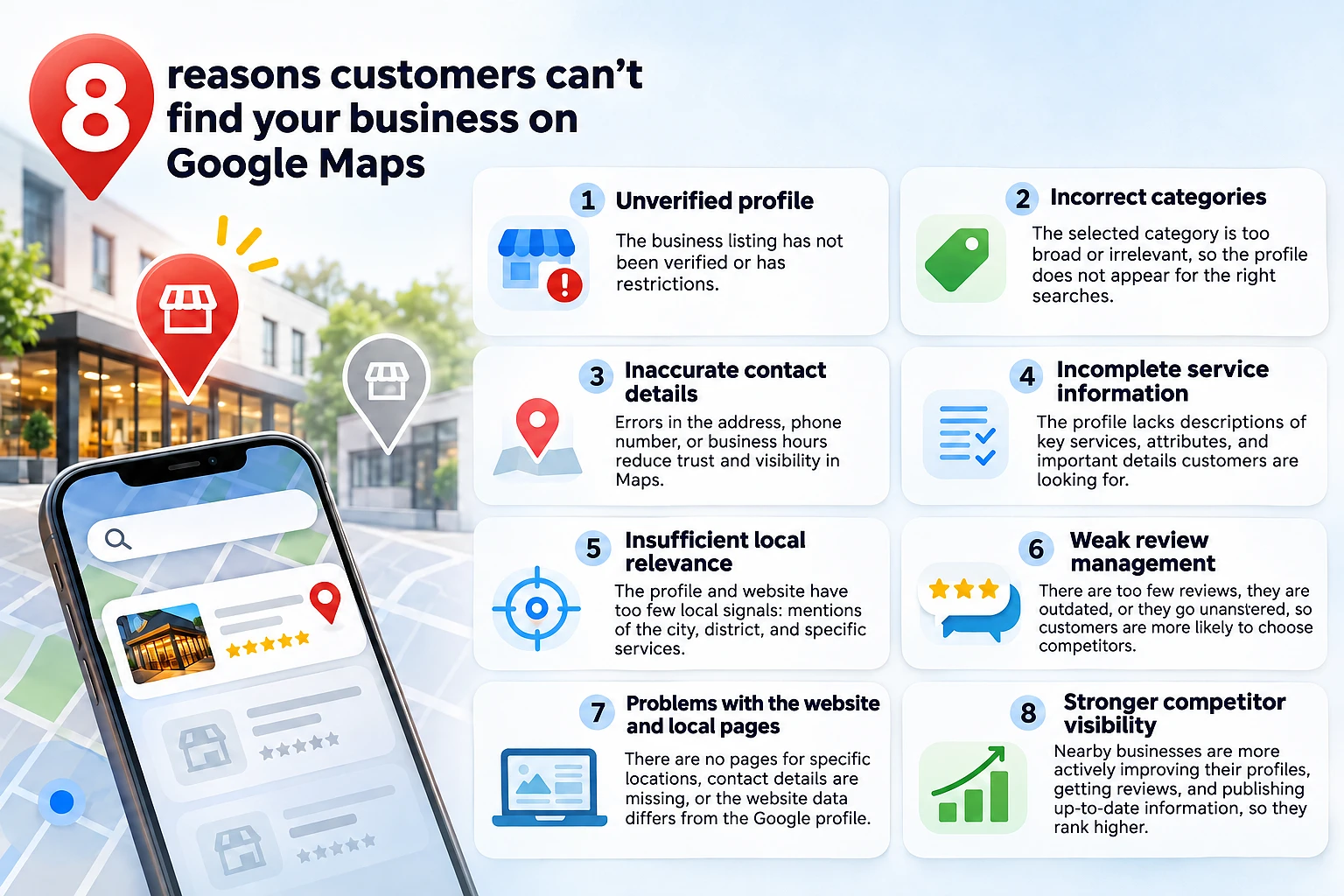
To understand why your business is not visible in Google Maps, check eight possible causes: profile status, duplicates, location, categories, service details, branch settings, prominence, and competition. Several issues can occur together: fixing an address will not resolve an incorrect category.
Profile status and duplicates
- Status issues. The profile is missing, needs verification, or is restricted. It may also be incorrectly marked "Permanently closed". An unverified listing can sometimes already be visible to users, so a lack of verification does not automatically explain its disappearance.
- Duplicate listings. Several listings exist for one business. Customers may find outdated contact details, while reviews and information are spread across profiles.
Errors in the address, categories, and services
- Incorrect location. The address or map pin points to a different building. A business in a shopping center may be missing a suite number and clear entrance directions.
- Inaccurate category. The primary category does not reflect what the business does. Additional categories list activities the business does not actually offer.
- Insufficient service information. The listing does not make it clear whether the business can meet the customer's needs. Service descriptions and available profile attributes are missing.
Branches, prominence, and competition
- Inconsistent branch profiles. One location has current details, while another has an old phone number or a link to the wrong address. Network-wide statistics hide these differences.
- Low prominence. There are few genuine reviews and little up-to-date information about the company on other sites. This makes it harder for potential customers to assess the business.
- Strong nearby competition. Many businesses in the area match the search. Even a correctly completed profile will not necessarily rank at the top for every search.
Google Business Profile: how to set up your business listing correctly
Google Business Profile lets you manage your business information in Search and Maps for free. Optimizing your Google Business Profile starts with verifying ownership and providing accurate details. Profile features are described on Google's official page.
Before creating a listing, search for your company by name and address. If a profile already exists, request access to manage it. Creating a second listing will complicate future work.
The profile is intended for businesses that serve customers in person, either at their own premises or at the customer's location. A fully remote business with no in-person service does not qualify.
Verification, name, address, and business hours
- Verification. Complete the verification method offered by Google. Record who owns the profile and check employee access.
- Name. Use the real business name as it appears on your signage. Do not add lists of services and cities to target searches.
- Address. Enter the actual location and suite number, if applicable. Check the map pin and the route to the entrance.
- Service area. If you only travel to customers and do not serve them at your address, hide the address and specify the area you serve.
- Hours. Enter your regular schedule and special hours for holidays.
The business should retain primary ownership and give contractors a separate role. This approach complements protecting customer data when working with IT contractors: control of digital assets should not depend on a contractor's personal account.
Photos, attributes, contact details, and links
Review the listing from the perspective of a first-time visitor. They should understand where the entrance is and how to contact the business. Photos and contact details must match that specific location.
- Add photos of the building exterior, entrance, and interior.
- Complete the available attributes, such as entrance accessibility information.
- Check the phone number and website link.
- Add appointment scheduling, reservations, or pickup and delivery options if these features are available for your profile.
How to monitor listing changes
Google may update information using various sources, and users can suggest edits. Assign someone to check notifications and key fields. After a move or a schedule change, check the published listing, not just the edits you submitted.
Changes must also reach the website. When assigning responsibilities, it helps to agree in advance on what website maintenance includes and how much it costs: who updates contact details, checks forms, and resolves inconsistencies.
Categories and services: how to improve relevance for local searches
Categories help Google identify the type of business, while the service list clarifies its specialty. The primary category should reflect the company's main activity. Additional categories should cover only activities the business actually offers.
How to choose primary and additional categories
Start by asking "What kind of business are we?" For a dental clinic, find the most suitable clinic category and list specific procedures under services. Choose from Google's available list without trying to cover every related search.
Look at the categories of nearby businesses that appear for your main services. Use the comparison to check your own accuracy. Another company's categories may reflect a different specialty.
The same logic applies to the website. For example, SEO for dental clinics means structuring a clinic's website around the treatments it actually offers. Visitors arriving from the listing should immediately find the procedure they need and a way to book.
How to describe services without overloading your business name
We do not recommend adding search phrases to your business name. If those words are not part of the real name, this violates Google's rules and puts the profile at risk of restrictions. Service details belong in the fields provided for them.
- Name each service in words customers understand.
- Briefly explain what the work includes.
- Provide a current price or explain how pricing works, if the field is available.
- Remove services you no longer offer.
If you want to appear in Google Maps for a specific service, first check that it is listed in your profile and on your website. Repeating the search phrase in every field is no substitute for accurate information.
Reviews and photos: how to help customers choose your business
Reviews in Google Business Profile help people assess other customers' experiences, while photos reduce uncertainty before a visit. Google recommends responding to reviews and adding photos. For a business, this helps build trust and makes choosing easier.
Genuine reviews without incentives or manipulation
Ask for a review after a completed service or purchase. You can send a link in a message or display a code at checkout that takes customers to the review form. The request should leave customers free to describe any experience honestly.
- Do not buy reviews or commission ratings from people who were not customers.
- Do not offer a discount, gift, or payment for a review.
- Do not send requests only to people you expect to leave a positive rating.
- Respond to the substance of the review without disclosing the customer's personal information.
Make review requests a regular part of your service process. Recent reviews help people assess how the business operates today, but a set posting frequency does not guarantee better rankings.
Which photos customers need before a visit
Start with photos that help people find the business. For an office in a courtyard, showing the turn toward the entrance is more useful than posting another general interior shot. Update images after changing your signage or renovating.
Get the necessary permissions before publishing photos of your work. Add news and offers when you have something relevant to share. We do not treat posting volume as a guarantee of visibility on its own.
Local SEO for your website: how to connect your Google profile to your business
Local SEO connects your profile with reliable website information and helps turn a map visit into an inquiry. The business name, address, and phone number should convey the same information across all sources. The page linked from the listing should match the specific location or service area.
A profile can work without a dedicated website. However, a website lets you explain services in more detail and measure the path to an inquiry. That is why website SEO and profile management require consistent information.
Consistent contact details and branch pages
Maintain a separate profile and website page for each branch that meets Google's guidelines. The profile link should lead to the page for that branch's address. A network's homepage often forces visitors to search for the right location again.
- Provide local contact details and hours.
- Show the entrance and explain how to get there.
- List the services available at that location.
- Check branch information in the directories you use.
When opening locations in another country, digital support for entering new markets includes localizing pages and contact options. Translating a service name alone is not enough if the address or booking process remains unclear to local customers.
Service pages, mobile usability, and technical checks
A service page should explain how the service works and what to do next. For example, SEO for appliance repair services requires website pages that clearly distinguish between in-home repairs and drop-off service. Customers need to know in advance whether they must bring the appliance themselves.
Open the page on a phone and follow the path to an inquiry. Test the call button and form submission. If an inquiry never reaches an employee, map visibility will not prevent the loss of a customer.
A technical SEO website audit helps check local page indexing, loading performance, and errors in business markup. Markup provides structured information, but it does not entitle a business to a particular map ranking.
How to check your business visibility in Google Maps yourself
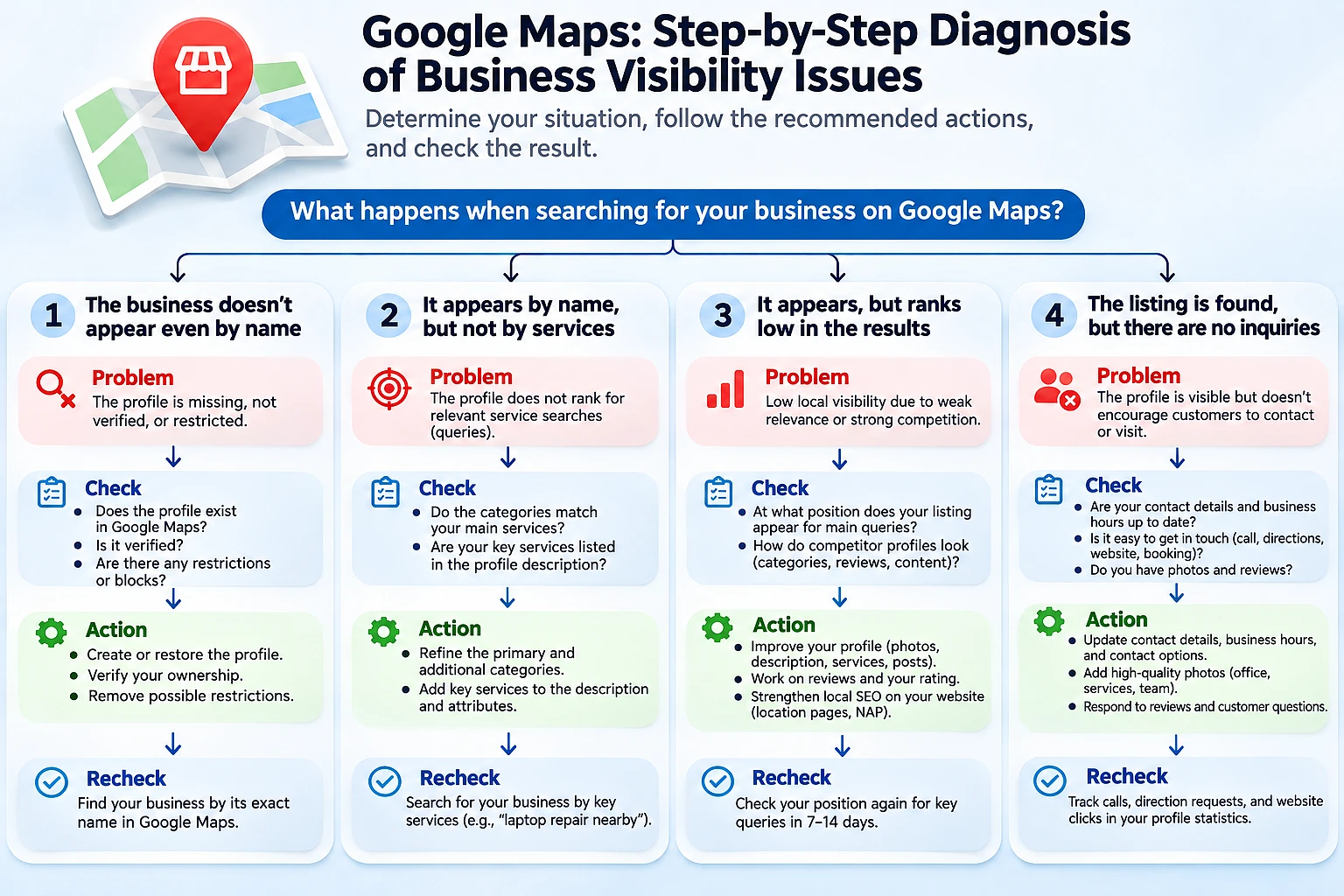
The check consists of searches by name, searches by service, and measurements from different points in the neighborhood. The result identifies one of four scenarios: the listing is missing, appears only by name, ranks low, or brings no inquiries. Each scenario needs its own sequence of actions.
Checking by name, service, and neighborhood
- Search for the company by its exact name and address. Save the link to the profile you find.
- Choose 3-5 core services. Use the wording your customers use.
- Repeat the searches on a phone from several points in the target neighborhood. Allow location access.
- Sign out of your account if possible. This reduces the influence of some personal settings, but does not remove location-based results.
- Record the date, checking location, search query, and the company's position. Note Search and Maps results separately.
Use the same locations and searches for follow-up measurements. Otherwise, it is difficult to distinguish a visibility change from a change in checking conditions.
Comparing nearby competitors
Choose businesses that appear for your main searches. Compare their primary categories, service details, and address accuracy. Then assess their photos and how recent their reviews are.
Account for the distance between the checking location and each business. Do not copy a competitor's keyword-stuffed name: a competitor's violation does not make the tactic safe.
How to find the cause using four scenarios
- Missing even by name. Check whether the listing exists, its status, access rights, and duplicates. Claim ownership, verify the profile, or resolve the cause of the restriction. Once the changes have been processed, repeat the search by name and address.
- Found by name, but not by service. Compare the searches with your categories and services. Correct anything that does not match the actual business. Repeat the same set of searches from the same locations.
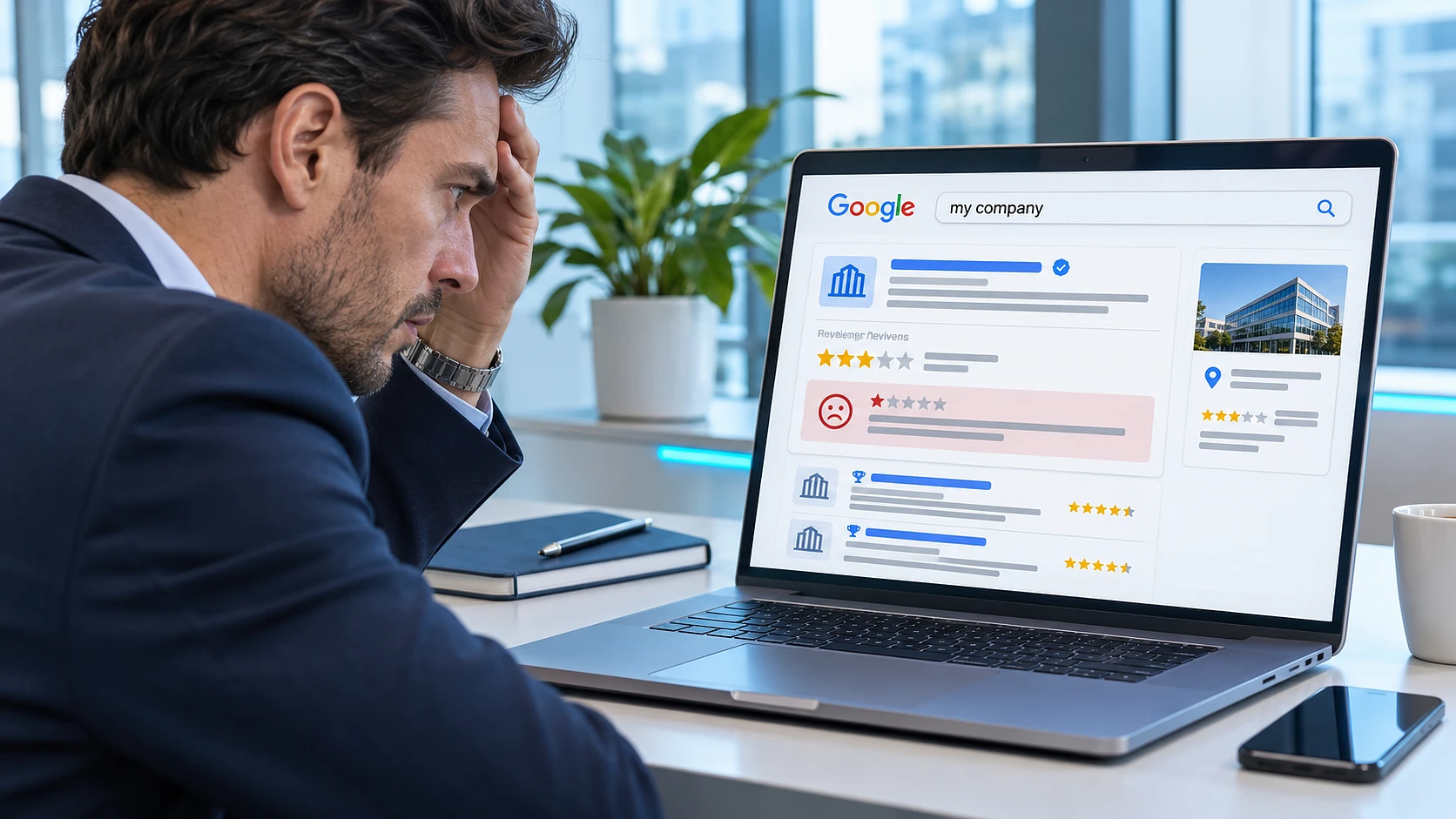
- Visible, but ranking low. Compare distance, profile details, and signs of prominence with nearby competitors. Address the gaps you find and establish an honest review collection process. Compare new measurements with the baseline.
- Viewed, but not generating inquiries. Check the phone number, hours, and path to submitting an inquiry. Remove obstacles in the listing and on the website. Then compare contact actions with the inquiries actually received.
We recommend changing one group of settings at a time and keeping a change log. Critical errors are the exception: fix an incorrect phone number or address immediately.
A 30-day plan to improve Google Maps visibility
You can divide the first month into checking status, refining content, and setting up measurement. First, fix errors that prevent people from finding or contacting the business. This is a work plan, not a promise of higher rankings within 30 days.
| Symptom | Likely cause | What to check | Action | Priority |
|---|---|---|---|---|
| Missing even by name | Profile is missing, unverified, or restricted | Profile existence and status | Create, verify, or restore after checking | Critical |
| Incorrect address | Wrong location | Address, map pin, and entrance | Correct the details and check directions | Critical |
| Found by brand, but not by service | Categories and relevance | Categories, services, and searches | Refine categories and services | High |
| Ranking below nearby competitors | Competition, distance, and prominence | Measurements from neighborhood locations | Improve signals you can influence and measure again | High |
| Uneven visibility across branches | Errors in individual profiles | Each branch separately | Correct the profiles | High |
| Few calls despite views | Contact difficulties or a weak listing | Contact details, hours, photos, and available actions | Make contact easier and complete the information | High |
| Website visits but few inquiries | A landing page that is hard to use | Mobile usability, forms, and contact details | Improve the website and inquiry tracking | High |
| Weak review presence | Few genuine reviews | Quality and recency | Establish ethical review collection and responses | Medium |
Week 1: status and basic details
Save baseline measurements before making changes. Check ownership, verification, and profile restrictions. Address duplicates without deleting listings at random: first identify the main profile and the available correction process.
Verify the name, address, and contact details. The week's result should be a list of verified information and unresolved status issues. If verification is still being processed, note that dependency in the plan.
Week 2: categories and local pages
Refine the categories and complete the services. Link the profile to the appropriate website page and resolve inconsistent contact details. For a network, use the same checklist for every branch.
Weeks 3-4: reviews and follow-up measurements
Build review requests into your service process and assign someone to respond. Update photos that no longer reflect the location. Repeat the measurements and check that a test inquiry from the website is received.
At the end of the month, record completed work and unresolved issues. A lack of immediate ranking changes does not, by itself, prove that the fixes were ineffective.
How to measure local SEO results: calls, directions, and inquiries
Evaluate results on two levels: profile actions and actual inquiries to the business. Listing views, phone button clicks, and direction requests show interest. They do not confirm a completed conversation, visit, or sale.
Profile performance and visibility by neighborhood
Review search terms and user interactions in the available profile performance data. The metrics available depend on the business type and profile features. The calls metric usually reflects button clicks, so check calls actually answered separately.
Compare performance data with neighborhood measurements. Compare periods of equal length and account for holidays, seasonality, and changes in operating hours. Keep separate results for each branch.
How to connect actions to actual inquiries
Add a traffic source tracking parameter to the website link and check that it reaches your analytics. Record each inquiry's source in your customer management system. For phone inquiries, use an agreed tracking method without replacing the business's accurate contact details.
- Identify inquiries for the relevant service and area.
- Separate new inquiries from repeat contacts.
- Check missed calls and forms that fail to submit.
- Connect inquiries with bookings, orders, or decisions not to proceed.
If website visits increase but inquiries do not, the next step is to check the website and how inquiries are handled. In this analysis, digital marketing connects the visitor's source to a business outcome rather than stopping at view counts.
When you need a Google Maps audit and how Webdelo can help
An audit is useful if your own checks have not explained the issue, the business has several branches, or visibility has changed sharply. At Webdelo, we examine the profile alongside local pages and inquiry tracking. The deliverable is a prioritized plan of fixes without promises of specific rankings.
What a local visibility audit includes
- Profile management. Status, access, duplicates, and information changes.
- Listing content. Categories, services, contact details, and location.
- Branches and website. Information consistency and landing page relevance.
- Search visibility. Measurements by service and neighborhood location, with comparisons to nearby businesses.
- Inquiries. Form functionality, source tracking parameters, and connections to the customer management system.
We agree in advance on the access needed to check inquiries. Sharing the full customer database is usually unnecessary to check a source tracking parameter. When discussing access, you can review our data security practices.
Priority fixes and responsibilities
Each task in the plan should have a reason, an owner, and a verification criterion. For example: correct a branch link, then confirm that it opens the right page and preserves the traffic source. A task labeled "improve the listing" does not provide that level of control.
For ongoing work, support and incident-response commitments are agreed separately. It is important to distinguish the team's tasks from Google's procedures, whose timelines the contractor does not control.
Book a Google Maps and Google Business Profile local visibility audit with Webdelo to get a prioritized plan of fixes. We will identify errors that prevent customers from finding and contacting your business, without guaranteeing a top-three ranking.
Proximity helps, but visibility also depends on relevance to the search and the company's prominence. Start by identifying your scenario and taking baseline measurements. Then fix issues in priority order and check the results under the same conditions.
Each issue you find should have an owner and a way to verify the fix. This makes map optimization a manageable process whose results can be measured through customer inquiries.
Frequently Asked Questions
Why is my business not showing on Google Maps?
Most often, the cause is the profile status: the listing is missing, unverified, restricted, or incorrectly marked as permanently closed. First, figure out whether your business is missing entirely or only fails to appear for specific searches. Search for it by its exact name and address, then check access rights and duplicate listings. If a profile already exists, request ownership instead of creating a second one. Then verify the profile or fix the cause of the restriction. Once the changes are processed, search again by name and address.
Why do competitors rank higher on Google Maps even when they are farther away?
Google looks at more than distance. It also weighs how well a business matches the search and how prominent it is. So a business farther away can rank higher if its category is more accurate and its services are described more clearly. Google does not disclose how much each factor counts. Compare yourself with those competitors: primary category, services, address accuracy, photos, and how recent their reviews are. Also factor in the distance from the spot where you run the search. Close the gaps you find, but don't copy business names stuffed with keywords: a competitor breaking the rules doesn't make the tactic safe.
How do I check whether my Google Business Profile is optimized?
Go through the key fields of your profile and look at the listing the way a first-time visitor would. Make sure the profile is verified, your company holds primary access, and your contractor has a separate role. The name should match your storefront sign, with no added services or city names. The address and map pin should lead to the entrance, and your hours should include holiday schedules. Check the phone number, website link, photos of the storefront and entrance, attributes, and services. After making edits, check the published listing, because Google and users can change details too.
Which categories should I choose for my Google Business Profile?
Your primary category should reflect your main line of business. Add secondary categories only for services you actually provide. Start by asking "Who are we?" and pick the most accurate option from Google's list. For example, a dental office should use the best-matching clinic category and describe specific treatments in the services section. Look at the categories of nearby businesses that show up for your main services, but use them only to check your own choice, since a competitor may have a different specialty. Don't try to cover every related search with categories.
Can my business appear on Google Maps without a website?
Yes, a Google profile can work without a website, as long as your business serves customers in person, either at your location or at theirs. A website, however, lets you describe your services in more detail, show where the entrance is, and track the path to an inquiry. If you do have a site, the listing link should point to the page for that specific location or service area, not a generic homepage. Your name, address, and phone number should match across all sources. Open the page on a phone and test the call button and the form.
Why does my business appear for its name but not for service searches?
People who search by name already know your business. People who search for a service haven't chosen yet, and here relevance decides. The usual culprits are an inaccurate primary category, unnecessary secondary categories, or service descriptions that say too little. Take 3-5 of the main searches your customers use and compare them with the categories and services in your listing and on your website. Fix anything that doesn't reflect your actual business, but don't add keywords to your business name. Then repeat the same searches from the same spots in the neighborhood.
How do I optimize Google Maps visibility for multiple locations?
Give each location that meets Google's guidelines its own profile and its own page on your website. The profile link should point to that location's page, not to your chain's homepage. Check every location against the same checklist: address, map pin, local phone number, hours, services, and photos. Track visibility measurements and profile performance separately for each location. Chain-wide totals can hide problems at a single location, such as an outdated phone number or a link to another branch's address.
How can I measure leads from Google Maps?
Measure results on two levels: actions in your profile and actual inquiries to your business. A tap on the call button or a directions request shows interest, but it doesn't prove a conversation, visit, or sale happened. Add a source tag to your website link and confirm it reaches your analytics. Record the source of every inquiry in your CRM. Separate new inquiries from repeat contacts, check for missed calls, and connect each inquiry to a booking or order. Compare periods of equal length and account for seasonality.
Frequently Asked Questions
Why is my business not showing on Google Maps?
Most often, the cause is the profile status: the listing is missing, unverified, restricted, or incorrectly marked as permanently closed. First, figure out whether your business is missing entirely or only fails to appear for specific searches. Search for it by its exact name and address, then check access rights and duplicate listings. If a profile already exists, request ownership instead of creating a second one. Then verify the profile or fix the cause of the restriction. Once the changes are processed, search again by name and address.
Why do competitors rank higher on Google Maps even when they are farther away?
Google looks at more than distance. It also weighs how well a business matches the search and how prominent it is. So a business farther away can rank higher if its category is more accurate and its services are described more clearly. Google does not disclose how much each factor counts. Compare yourself with those competitors: primary category, services, address accuracy, photos, and how recent their reviews are. Also factor in the distance from the spot where you run the search. Close the gaps you find, but don't copy business names stuffed with keywords: a competitor breaking the rules doesn't make the tactic safe.
How do I check whether my Google Business Profile is optimized?
Go through the key fields of your profile and look at the listing the way a first-time visitor would. Make sure the profile is verified, your company holds primary access, and your contractor has a separate role. The name should match your storefront sign, with no added services or city names. The address and map pin should lead to the entrance, and your hours should include holiday schedules. Check the phone number, website link, photos of the storefront and entrance, attributes, and services. After making edits, check the published listing, because Google and users can change details too.
Which categories should I choose for my Google Business Profile?
Your primary category should reflect your main line of business. Add secondary categories only for services you actually provide. Start by asking "Who are we?" and pick the most accurate option from Google's list. For example, a dental office should use the best-matching clinic category and describe specific treatments in the services section. Look at the categories of nearby businesses that show up for your main services, but use them only to check your own choice, since a competitor may have a different specialty. Don't try to cover every related search with categories.
Can my business appear on Google Maps without a website?
Yes, a Google profile can work without a website, as long as your business serves customers in person, either at your location or at theirs. A website, however, lets you describe your services in more detail, show where the entrance is, and track the path to an inquiry. If you do have a site, the listing link should point to the page for that specific location or service area, not a generic homepage. Your name, address, and phone number should match across all sources. Open the page on a phone and test the call button and the form.
Why does my business appear for its name but not for service searches?
People who search by name already know your business. People who search for a service haven't chosen yet, and here relevance decides. The usual culprits are an inaccurate primary category, unnecessary secondary categories, or service descriptions that say too little. Take 3-5 of the main searches your customers use and compare them with the categories and services in your listing and on your website. Fix anything that doesn't reflect your actual business, but don't add keywords to your business name. Then repeat the same searches from the same spots in the neighborhood.
How do I optimize Google Maps visibility for multiple locations?
Give each location that meets Google's guidelines its own profile and its own page on your website. The profile link should point to that location's page, not to your chain's homepage. Check every location against the same checklist: address, map pin, local phone number, hours, services, and photos. Track visibility measurements and profile performance separately for each location. Chain-wide totals can hide problems at a single location, such as an outdated phone number or a link to another branch's address.
How can I measure leads from Google Maps?
Measure results on two levels: actions in your profile and actual inquiries to your business. A tap on the call button or a directions request shows interest, but it doesn't prove a conversation, visit, or sale happened. Add a source tag to your website link and confirm it reaches your analytics. Record the source of every inquiry in your CRM. Separate new inquiries from repeat contacts, check for missed calls, and connect each inquiry to a booking or order. Compare periods of equal length and account for seasonality.