Start With One Process Before Choosing Technology
AI workflow automation starts with one repetitive process. If you want to learn how to automate business processes with AI, map the work first. Assign predictable steps to code, interpretation tasks to AI, and risky decisions to people. Test that design in a limited pilot before expanding it.
At Webdelo, we build B2B platforms, CRM/ERP systems, and AI integrations. CRM systems organize customer relationships, while ERP systems manage operations such as inventory and purchasing. Rebuilding our own AI content pipeline reinforced a practical lesson: the way you divide the work matters more than adding another AI tool.
This guide explains how to select a process, design its controls, and prepare a pilot. All business scenarios below are illustrative. The separately labeled Webdelo case contains our published measurements.
What Is AI Business Process Automation?
AI business process automation uses AI to complete tasks within a workflow, either independently or with people. A workflow is the sequence that turns an input into a result, such as turning an email into an assigned sales inquiry. IBM's definition of AI workflow automation includes both automated work and human participation.
Consider an illustrative customer email: "We need replacement equipment for three locations." AI identifies the request and extracts the locations. Code prepares a customer record, and a sales manager approves the response.
Rules, RPA, LLMs, and AI Agents
- Rules and scripts: code follows explicit instructions, such as assigning inquiries from existing customers to their account managers.
- RPA, or robotic process automation: software operates screens and clicks buttons. It can connect older applications that lack a supported data connection.
- LLM, or large language model: an AI model interprets and generates text. It can classify an email or draft a reply, but its answer still needs checking.
- AI agent: a model chooses actions and uses tools to pursue a goal. Its access and permitted actions need clear boundaries.
The practical distinction in RPA vs AI automation is screen interaction versus interpretation. They can work together, but neither is necessary for every task. If a decision follows a stable rule, our starting recommendation is to implement that rule directly.
Which Business Processes Should You Automate First?
The best business processes to automate with AI are frequent, well understood, and supported by usable data. Start with work where mistakes are easy to detect and reverse. A draft awaiting review is a safer first pilot than an automated payment.
Evaluate each candidate against these criteria:
- Frequency and repeatability: does the same type of work arrive regularly?
- Manual effort: how much reading, copying, or checking does each request require?
- Data quality and access: are the necessary records complete and available?
- Standardization: can the team describe the normal path and its exceptions?
- Cost of error: what happens if a classification or action is wrong?
- Security and integration: what sensitive information and system permissions are involved?
In McKinsey's 2026 State of AI survey, nearly three quarters of AI high performers reported fundamental workflow redesign. Around one quarter of other respondents reported the same. This association does not prove causation, but it supports examining the process before selecting technology.
An Illustrative Process Selection Matrix
These qualitative ratings describe hypothetical situations, not measured company results. Replace them with evidence from your team before choosing a pilot.
| Process | Frequency | Data quality | Integration complexity | Cost of error | Where to start |
|---|---|---|---|---|---|
| Incoming leads / CRM | High | Mixed free text | Low with a supported connector | Low for reviewed drafts | Classify and suggest an owner |
| Customer support | High | Good if guidance is current | Moderate | Moderate | Draft answers for agents |
| Invoices | Regular | Varies by supplier | Moderate | High for payment actions | Extract fields without authorizing payment |
| Orders | High | Mixed | High across inventory and fulfillment | High for incorrect changes | Prepare change requests for review |
| Reports | Scheduled | Good when reconciled | Moderate across sources | Moderate | Summarize verified figures |
Incoming inquiries often offer a manageable starting point because staff can check the proposed classification before anything changes. For example, an illustrative inquiry workflow supporting appliance repair seo could separate service requests from general questions. A workflow supporting beauty salons seo could distinguish booking inquiries from product questions without making scheduling decisions.
Our readiness test is simple: describe the process and its main exceptions on one page. If the team cannot agree on that description, resolve the disagreements before automating it.
AI Automation Examples by Business Function
AI is useful when people must interpret unstructured information before taking a structured action. The following six AI automation examples for business are illustrative scenarios, not Webdelo client cases. Each separates AI interpretation from system actions and human responsibility.
| Illustrative scenario | Input | AI task | Code or integration | Human role | Operational measure | Limit |
|---|---|---|---|---|---|---|
| Sales inquiries | Email or form submission | Classify intent and extract contact details | Check duplicates and create an approved lead | Review uncertain requests and large deals | Time to first response | No autonomous pricing commitments |
| Customer support | Question and approved support guidance | Draft a relevant answer | Retrieve permitted records and save the draft | Edit and send the answer | Share of drafts requiring edits | Escalate unsupported answers |
| Document extraction | Invoice or contract | Extract specified fields | Validate formats and calculate totals | Review missing or ambiguous values | Field extraction accuracy | No autonomous payment or legal interpretation |
| Orders | Free-text order or change request | Identify requested items and changes | Check ERP stock, prices, and order status | Approve exceptions | Share of erroneous records | No invented stock or delivery dates |
| Marketing operations | Product facts or campaign feedback | Draft descriptions or categorize feedback | Apply templates and route drafts | Approve claims and publication | Share accepted without substantive edits | No unsupported product claims |
| Reporting | Verified operational figures | Explain changes in plain language | Calculate and reconcile figures | Check conclusions | Share of summaries requiring correction | No unsupported causal explanations |
Sales and Customer Support
Support drafting has research behind it, but results depend on the working environment. The 2023 NBER working paper Generative AI at Work studied 5,179 support agents at one company. It reported a 14% average increase in issues resolved per hour and a 34% increase among novice and lower-skilled agents. Effects were small for experienced, highly skilled agents, so these figures are not a forecast for your team.
Documents and Orders
Order automation must respect the system that holds the authoritative information. For an ecommerce website, AI can interpret "send the same items to our new office." The order system must still verify the customer, delivery address, and available inventory before a person approves the change.
Marketing Operations and Reporting
In digital marketing, an illustrative pilot could group campaign feedback for a weekly review. Keep original comments accessible so the reviewer can check whether the categories reflect what customers actually said.
For seo and geo, meaning visibility in AI-generated search answers, AI can prepare content briefs from approved material. Editors should verify facts and language before publication. Reporting follows the same division: code calculates the figures, and AI explains them.
Worked Example: From Customer Inquiry to CRM
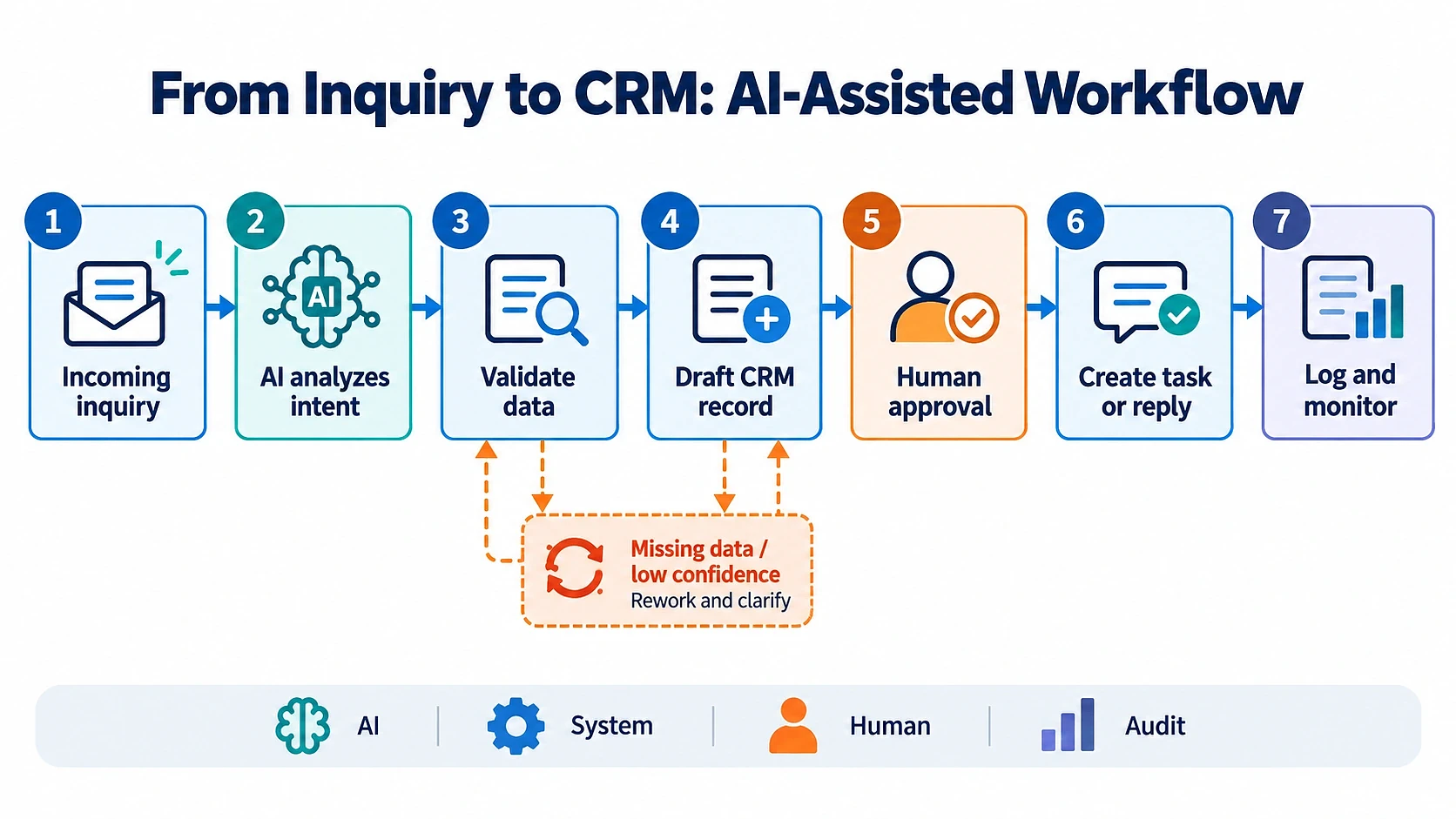
This illustrative workflow turns an incoming customer inquiry into an approved CRM task in seven operations. AI interprets the message, code validates the data, and a person authorizes the action. Missing information or uncertain interpretation sends the inquiry to a review queue.
The Seven Operations Step by Step
Imagine a prospect submitting this message through a corporate website: "We need inventory software for three warehouses. Please arrange a demo next week." The system should preserve the original request alongside every proposed interpretation.
- Incoming inquiry: capture the message and contact details with a unique reference. This lets staff trace the request throughout the process.
- AI analyzes intent: identify a demo request and extract the stated requirements. Treat urgency as an interpretation, not a confirmed fact.
- Validate data: check the email format, required fields, and possible duplicate contacts. Invalid data goes to review.
- Draft CRM record: prepare the proposed fields in a staging area without changing the live customer record. Staff can inspect the result safely.
- Human approval: show the draft beside the original message. A manager confirms the information or corrects it.
- Create task or reply: save the approved record and assign the demo request to an owner. Prepare a reply without inventing appointment availability.
- Log and monitor: record the action, approval, and outcome. Operations can identify delays and repeated errors.
When Data Is Missing or Interpretation Is Uncertain
Suppose the inquiry contains no usable email address. The workflow should create an exception for staff rather than invent the missing value. Escalation should use validation failures and tested uncertainty rules, not rely solely on the model's own confidence score.
If the CRM is unavailable, retain the inquiry and retry a limited number of times. After that limit, alert the responsible employee. Keep the request marked as incomplete until the system confirms that it was saved.
How to Implement AI Automation in 7 Steps
The seven AI automation implementation steps are to map the process, establish a baseline, prepare data, assign AI and human roles, pilot, test, and launch with monitoring. Each step needs an owner and a concrete output. A checkpoint prevents unresolved problems from moving into production.
The voluntary NIST AI Risk Management Framework offers a useful organizing structure. Its four functions cover accountability, context, measurement, and risk management. They apply throughout implementation rather than forming a one-time legal checklist.
- Govern: assign responsibility and decision rights.
- Map: understand the task, affected people, and potential harm.
- Measure: test quality and risk against agreed criteria.
- Manage: respond to failures and adjust controls.
Step 1: Map the Current Process and Its Exceptions
Ask the people doing the work to walk through a recent request from arrival to completion. Record every handoff and decision. Then examine a request that went wrong, including how the team recovered.
For an inquiry workflow, define exactly when the work is complete. An assigned CRM task and a sent customer response are different outcomes. This distinction prevents the pilot from appearing successful while work remains unfinished.
- Owner: the process owner, supported by frontline staff.
- Output: a one-page workflow map with inputs, decisions, exceptions, and completion conditions.
- Checkpoint: staff agree that the map represents actual work.
- Common mistake: documenting only the normal path and omitting informal workarounds.
Step 2: Choose a Pilot and Record the Baseline
Select a narrow slice of the process. For example, classify demo inquiries from one channel rather than automate all sales communication. Record current performance before changing the workflow.
A baseline is the starting measurement used for comparison. Capture handling time and errors using clear definitions. Separate time spent actively working from time spent waiting for another person or system.
- Owner: the process owner with an operations analyst or team lead.
- Output: a pilot scope and baseline sheet with defined performance measures.
- Checkpoint: the baseline covers representative normal requests and exceptions.
- Common mistake: relying on estimates from memory instead of recorded work.
Step 3: Prepare Data and Access Rights
List the fields the workflow needs and identify the authoritative source for each. For a sales pilot, that could include contact information and account ownership. Remove information that is unnecessary for the task.
Check whether the team is allowed to send the selected data to the chosen AI service. Use a separate system account with restricted permissions. Where possible, begin testing with synthetic or appropriately de-identified records.
- Owner: the process owner and IT, with privacy or security review where needed.
- Output: a data inventory and access matrix showing who or what can read and change each field.
- Checkpoint: required data is usable, access is approved, and unnecessary permissions are removed.
- Common mistake: giving the automation a shared administrator account.
Step 4: Design the AI, Code, and Human Roles
Assign each operation to the simplest reliable mechanism. AI can interpret the customer's message. Code should check required fields and duplicates, while a person approves uncertain or consequential changes.
Write down what each step receives and must return. A classification step might return an intent selected from an approved list plus supporting text from the inquiry. Any value outside that list should fail validation.
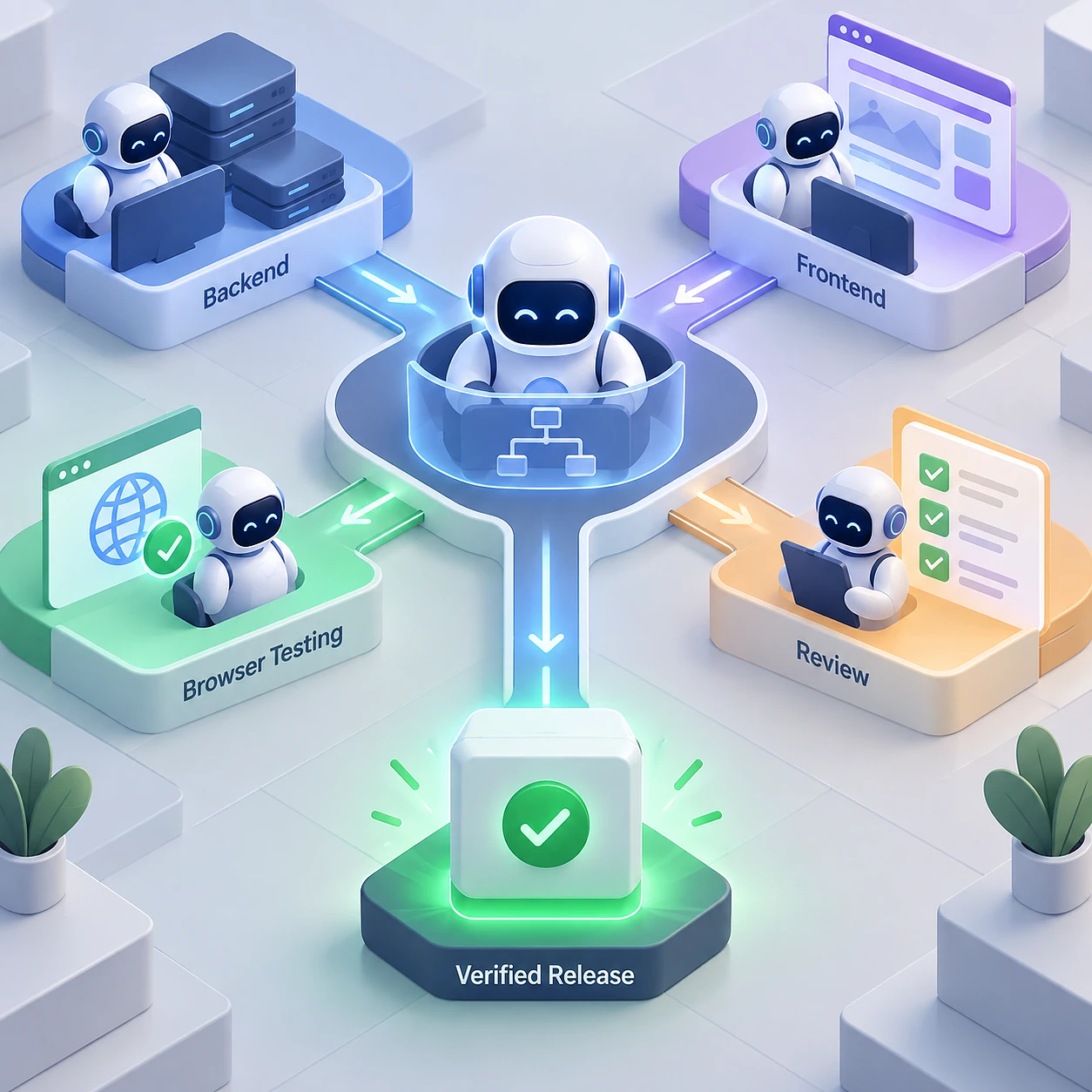
Our content-pipeline case informed this recommendation: move predictable preparation and validation into code. Reserve model calls for work that actually requires interpretation or writing.
- Owner: the technical lead and process owner.
- Output: a workflow diagram with decision points, allowed actions, and failure paths.
- Checkpoint: every system change has validation and an accountable owner.
- Common mistake: asking an agent to manage the entire process without action boundaries.
Step 5: Run a Limited Pilot
Limit the pilot to one team and one input channel for an agreed period. Start with drafts that staff approve before they affect customers or operational records. Keep the existing manual process available.
Define success criteria before reviewing results. These should include acceptable quality and handling time, plus conditions that require an immediate stop. Give reviewers enough time to check outputs rather than adding approval work to an already full queue.
- Owner: the pilot lead and participating team manager.
- Output: a pilot plan covering scope, reviewers, success criteria, and stop conditions.
- Checkpoint: the team can pause automation and continue manually.
- Common mistake: expanding the pilot after a few convincing demonstrations.
Step 6: Test Quality, Security, and Edge Cases
Test requests that challenge the workflow's assumptions. Include incomplete submissions and integration failures alongside ordinary examples. Check the final business outcome, not just whether the AI produced readable text.
- Submit missing fields and conflicting contact details.
- Send duplicate requests and repeat a request after a timeout.
- Test supported languages and unexpected language combinations.
- Include a message that tries to instruct the AI to ignore its rules.
- Remove a permission or interrupt the CRM connection.
When a web design agency creates the review screen, the original request and proposed changes should be easy to compare. Reviewers also need clear correction and rejection controls. A confusing interface can turn human approval into a routine click.
- Owner: the testing lead, with operations and security reviewers.
- Output: a test log showing expected results, actual results, defects, and retests.
- Checkpoint: the team makes a documented go/no-go decision against the baseline and quality thresholds.
- Common mistake: treating successful model responses as proof of a reliable end-to-end process.
Step 7: Launch, Monitor, and Improve
Expand gradually after the pilot passes its checks. Assign someone to watch exceptions and confirm that alerts reach the right people. Document how to pause the workflow and recover incomplete work.
Review performance monthly and after material changes to the model or connected systems. Reduce human review only for clearly defined actions supported by test evidence. Continue sampling those actions after the review requirement changes.
- Owner: a named operations lead, supported by IT.
- Output: a runbook, meaning written operating instructions, plus a monitoring dashboard and review schedule.
- Checkpoint: the team successfully demonstrates alert handling and manual recovery.
- Common mistake: treating launch as the end of the project.
Choosing the Right AI Automation Tools
Choose AI automation tools for business according to the task and the control it requires. Predictable steps usually belong in rules and supported system connections. Use AI for interpretation, and introduce agents only when a fixed workflow cannot reasonably describe the required actions.
An API, or application programming interface, is a controlled connection through which systems exchange data. No-code and low-code platforms provide visual workflow builders, reducing how much custom programming some connections require.
| Solution | Best fit and when to use | Advantages | Limits | Control |
|---|---|---|---|---|
| Rules and API scripts | Stable decisions and supported system connections | Explicit behavior and repeatable tests | Unstructured text needs separate interpretation | High within defined rules |
| RPA | Legacy applications without suitable APIs | Works through existing screens | Screen changes can break the flow | Fixed actions with interface dependencies |
| No-code / low-code | Simple flows with available connectors | Visual setup and accessible maintenance | Complex exceptions may exceed platform capabilities | Depends on platform permissions and logging |
| LLM-enabled workflows | Text interpretation inside a predefined sequence | Combines language handling with explicit controls | Outputs vary and require validation | High over sequence, variable over generated content |
| Autonomous agents | Bounded tasks requiring dynamic action selection | Can adapt their next action | Harder to predict execution and resource use | Requires strict tool and action limits |
| Custom AI integration | Distinct business rules or demanding system requirements | Tailored validation, access, and recovery | Requires engineering and ongoing maintenance | Design-dependent, with extensive control possible |
A no-code tool may be enough to route an approved draft. A workflow involving custom permissions or several operational systems may need Web Development to implement the supporting application and integrations. Choose based on the requirements, not the size of the company alone.
When Plain Code Beats an LLM
Use code for arithmetic and checks with explicit rules. Our published pipeline comparison showed why we avoid making agents the default: routine operations generated many unnecessary model calls.
- Calculate totals using trusted numeric inputs.
- Validate formats and required fields.
- Detect duplicates using defined matching rules.
- Route requests by fixed ownership rules.
- Check links and language-specific publishing requirements.
Integrating AI with CRM, ERP, and Other Systems
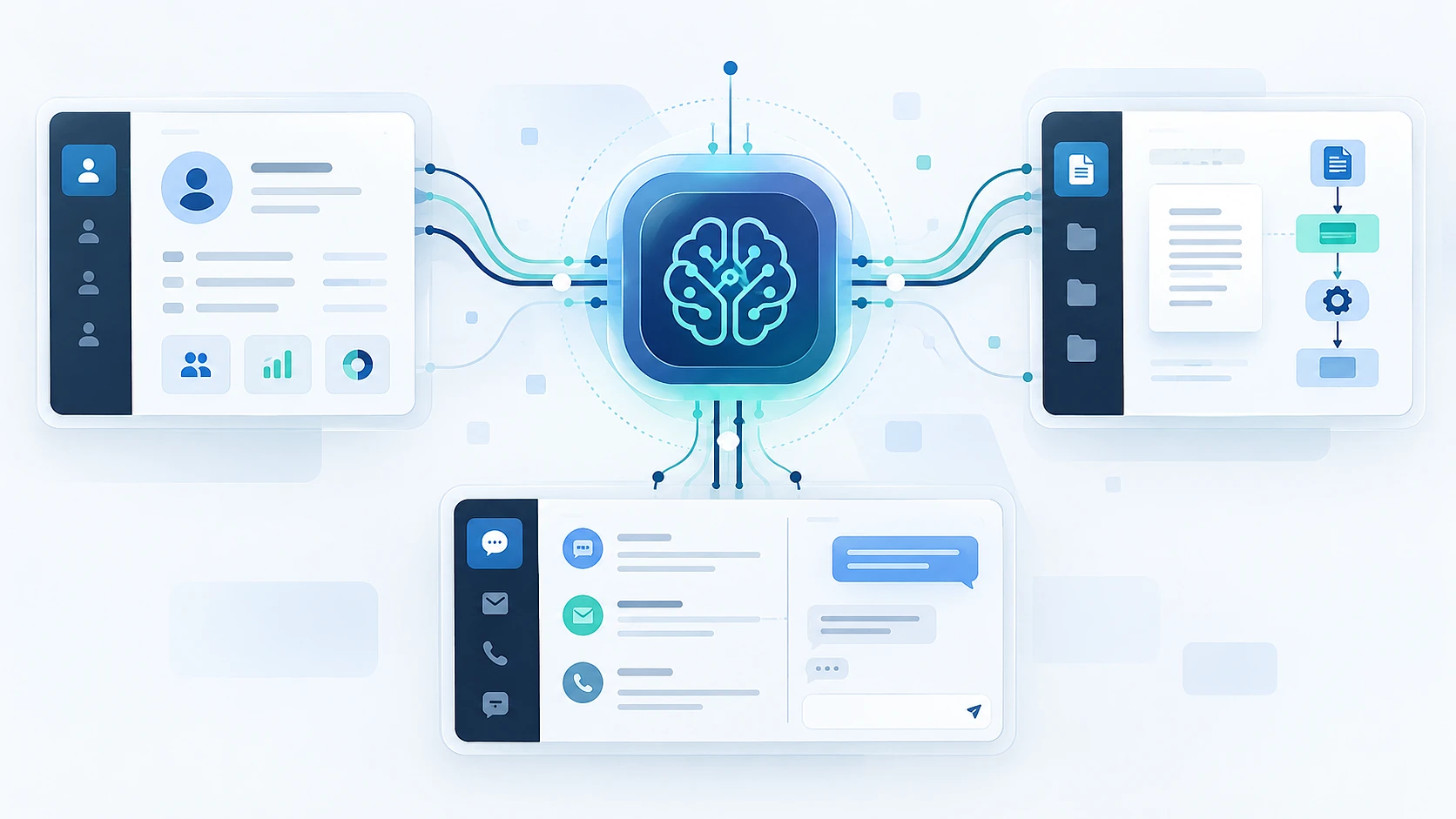
AI in CRM and AI in ERP should operate through controlled integrations. The AI proposes an interpretation or change, validation checks it, and risky actions require approval. A restricted integration service performs the actual write and records the outcome.
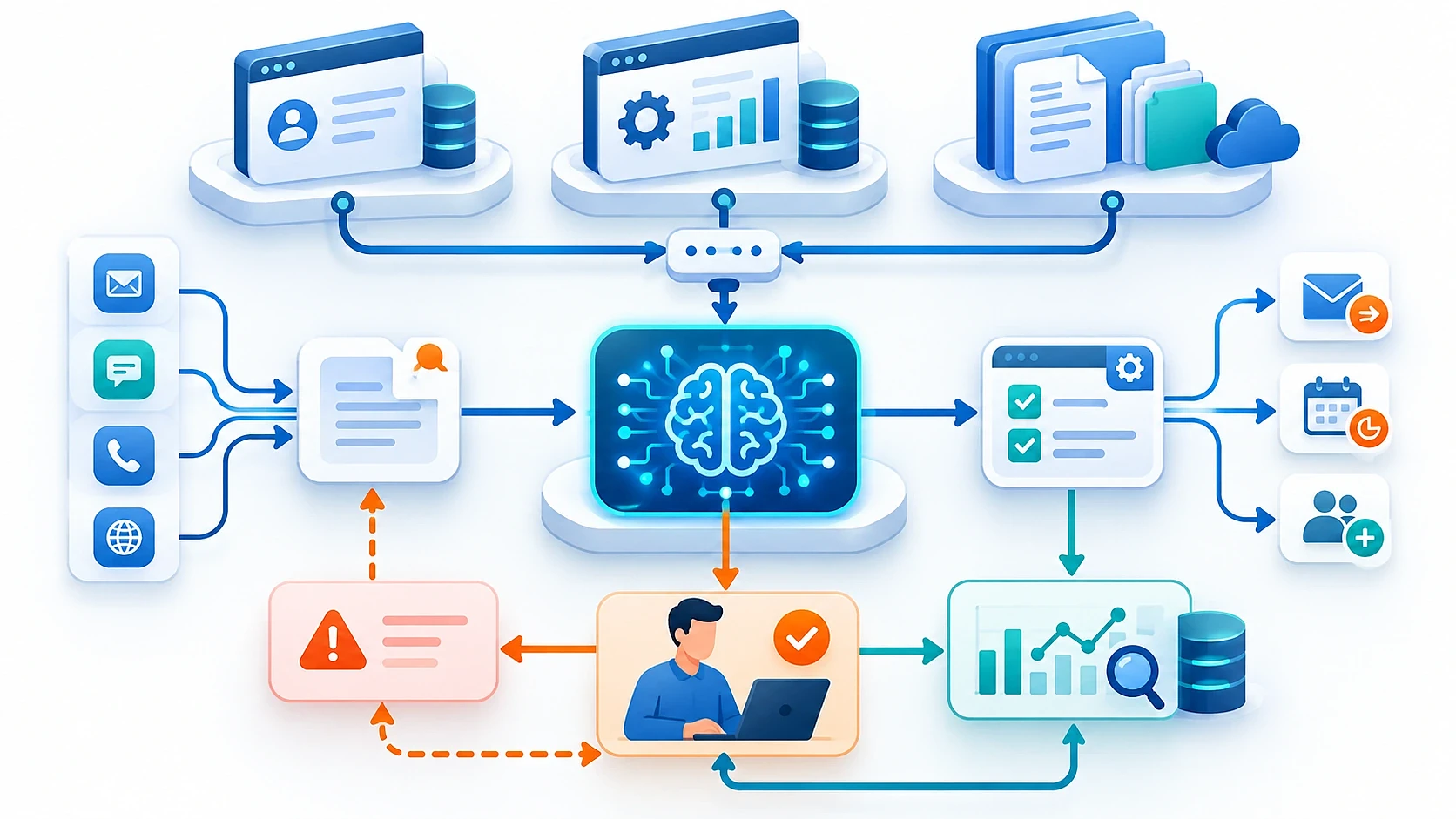
- Input channels: forms and messages supply the original request.
- Integration API: the controlled connection passes permitted data between systems.
- CRM: the customer system holds contacts, opportunities, and assigned follow-up.
- ERP: the operations system provides authoritative inventory and order information.
- AI module: the model interprets the request and proposes structured fields.
- Validator: code checks whether those fields meet defined rules.
- Employee review: a person resolves uncertainty and approves consequential actions.
- System logs: records show what happened and whether each action succeeded.
A Short Data Exchange Example
A form sends a name, email address, and message. AI returns an intent such as "demo request" and extracts the stated product interest. The validator checks required fields and existing contacts before preparing a draft.
When planning crm integration, confirm which fields and actions the existing system exposes. AI ERP integration needs the same assessment for operational records. A connector's existence does not mean it supports every permission or transaction your process requires.
Access, Data Quality, and Failure Handling
Use separate service accounts with only the permissions each task needs. For example, inquiry classification should not require permission to delete contacts. Clean essential customer fields before using them to make routing decisions.
Set timeouts so a stalled connection does not block requests indefinitely. Use limited retries and a unique request identifier that prevents repeated attempts from creating duplicate records. If a write has an uncertain outcome, check whether it succeeded before trying again.
Security, Human Oversight, and AI Risks
AI process automation needs controls for incorrect answers, data exposure, and unauthorized actions. Human in the loop means a person reviews or approves AI output before it has real consequences. Specify which decisions always require that approval.
| Risk | Example | Practical control |
|---|---|---|
| Hallucination, or invented information | A draft promises an unsupported delivery date | Use approved source data and review commitments |
| Data exposure | A model receives unnecessary personal details | Minimize submitted data and review provider handling terms |
| Excessive permissions | An inquiry tool can alter customer pricing | Restrict accounts and permitted actions |
| Prompt injection | A customer message instructs the model to reveal records | Treat incoming text as untrusted data and enforce permissions outside the model |
| Weak audit trail | No one can identify who approved a change | Record approvals and outcomes with restricted log access |
During an initial pilot, keep external commitments and consequential record changes under human approval. Reviewers need the original input and a visible explanation of the proposed action. Logs also need retention limits because they can contain sensitive information.
GDPR and the EU AI Act: What to Check
The European Commission published its guidelines on Article 50 transparency obligations on July 20, 2026. The relevant obligations apply from August 2, 2026. Their scope depends on the AI system and whether your organization provides or deploys it.
Ask a qualified legal advisor to assess applicable transparency duties and GDPR requirements for your workflow. That review should cover the purpose of processing and how personal data is handled. This guide is not legal advice or a promise of compliance.
How to Test and Measure AI Automation
Compare the pilot with its recorded baseline using operational measures. Define quality gates, meaning thresholds the workflow must pass before expansion. Measure completed work, including exceptions and corrections, rather than counting successful AI responses.
- Extraction accuracy: correct extracted fields divided by reviewed fields.
- Manual edit rate: outputs requiring substantive correction divided by reviewed outputs.
- Time per request: elapsed time from receipt to the agreed completion point.
- Exception rate: requests routed outside the normal path divided by all requests.
- Retries: repeated integration attempts, tracked by system and cause.
- Erroneous record rate: incorrect saved records divided by reviewed saved records.
- Cost per completed operation: the defined operating costs divided by successfully completed operations.
Agree on acceptable thresholds before seeing pilot results. Record critical failures separately so good averages cannot hide them. Review quality by request type, since a workflow may handle standard inquiries well and fail on order changes.
Webdelo's Measured Case: Moving Routine Work into Code
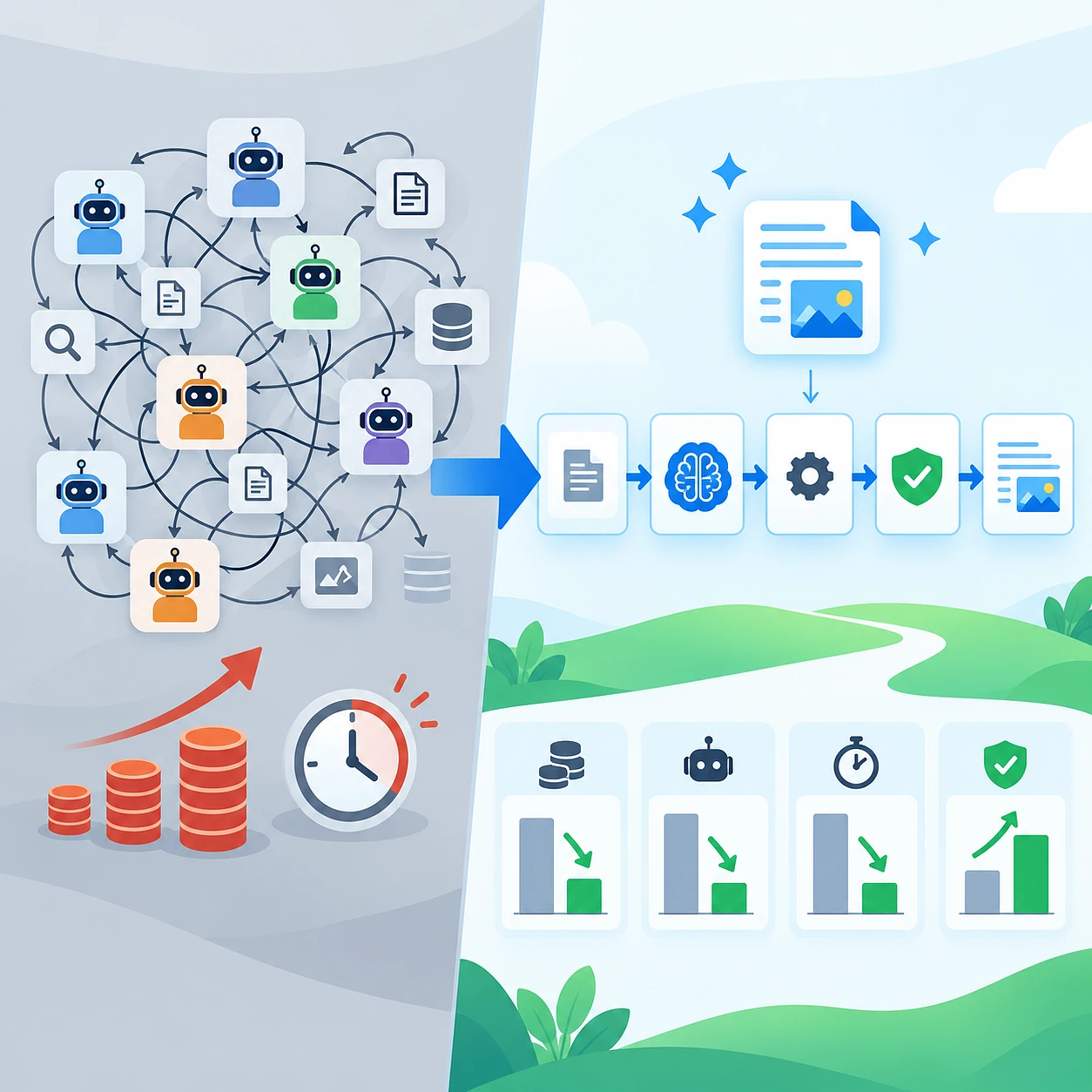
In our published September 16, 2026 case, "AI Workflow Optimization: 2.7x Cheaper Pipeline Case Study," we replaced an agent-based content workflow with a scripted pipeline. Code prepared context and validated output. The model handled interpretation and writing.
The comparison below covers three specific test briefs. Each pair shows model calls for the agent-based architecture and the scripted pipeline.
Brief A: agent-based 197
Brief A: scripted pipeline 13
Brief B: agent-based 163
Brief B: scripted pipeline 10
Brief C: agent-based 117
Brief C: scripted pipeline 6
Source: Webdelo's published pipeline case study, September 16, 2026. These comparative runs are not a general market benchmark.
Across those briefs, the model-price equivalent decreased from $95.32 to $35.13, a factor of 2.71. These amounts are calculated equivalents based on model pricing, not paid invoices. The workflow ran on a subscription.
Total processing time decreased from 94.2 to 36.8 minutes, a factor of 2.56. The findings apply to those runs and do not promise equivalent results elsewhere.
The architectural lesson is directly useful when designing a pilot: keep link checks and locale validation in code. Measure whether the model's remaining tasks produce acceptable outputs. Fewer calls alone do not establish business quality.
Common AI Automation Mistakes and Checklist
AI automation can fail because ownership and operating rules remain unclear. An unreliable data source or an unmonitored exception queue can undermine a capable model. Use a readiness checklist to decide whether the pilot is controlled enough to proceed.
A common mistake is automating a process that staff already handle inconsistently. Another is granting broad permissions to avoid resolving access requirements. Missing baseline measurements then make it difficult to tell whether the new workflow actually improved the work.
Go/No-Go Checklist for Your Pilot
- The process map includes exceptions and a clear completion condition.
- A named owner is accountable for the workflow.
- Baseline performance measures are recorded.
- Data sources and essential fields have been checked.
- System permissions are limited to necessary actions.
- AI, code, and human responsibilities are documented.
- Risky actions require an identified human approver.
- Edge cases and failure recovery have been tested.
- Logs and alerts work, with someone assigned to respond.
- Success thresholds and stop conditions are agreed.
Glossary: Key Terms in Plain Words
- Workflow: the sequence of actions that turns an input into a completed result.
- LLM: a large language model that interprets and generates text.
- AI agent: an AI system that chooses actions and uses tools toward a goal.
- API: a defined connection through which software systems exchange data or request actions.
- RPA: software that performs repetitive actions through application screens.
- CRM: a system for managing customer information and relationships.
- ERP: a system for managing connected business operations such as inventory and purchasing.
- Human-in-the-loop: a design in which a person reviews or approves AI-assisted work.
Book a consultation with Webdelo and request a focused audit of one business process. Bring a process description and representative examples that you are authorized to share. The audit can clarify data requirements, integrations, risks, and a realistic pilot scope.
Build Confidence Before Expanding Automation
Start with one well-defined workflow and a measurable completion point. Keep predictable work in code, use AI where interpretation helps, and assign people to consequential decisions. Expand only after the pilot demonstrates acceptable quality and reliable recovery from failures.
Frequently Asked Questions
Which business processes are best suited for AI automation?
The best candidates are frequent, repeatable processes with usable data, a clearly described normal path, and errors that are easy to detect and reverse. Classifying incoming inquiries for a CRM is often a good start because staff can check the proposed result before anything changes. Processes that trigger payments or irreversible order changes should stay under human approval in an early pilot.
How should a small company start automating business processes with AI?
Choose one narrow part of a process, such as demo requests from a single channel, and describe it on one page together with its exceptions. Record current handling time and errors as a baseline, then run a limited pilot in which staff approve AI drafts and the manual process remains available. The right tool depends on the process requirements, not on company size.
Can you automate business processes with AI without programming?
Partly. No-code and low-code platforms offer visual workflow builders and can be enough for simple flows with ready-made connectors, such as routing an approved draft. Complex exceptions, custom access rights, or work across several operational systems often exceed what these platforms can handle and require custom development. Before choosing a platform, check its permission settings and logging.
What is the difference between RPA and AI automation?
RPA (robotic process automation) operates application screens and clicks buttons in fixed steps, which helps with older systems that lack a data connection, but it can break when the screen changes. AI automation, typically based on an LLM, interprets unstructured text such as emails, and its varying outputs need validation. The two can work together, and if a decision follows a stable rule, plain code is usually the better choice than either.
Can AI be integrated with an existing CRM or ERP system?
Usually yes, through a controlled API integration: AI proposes a change, code validates it, a person approves risky actions, and a service account with limited rights writes the result. First confirm which fields and actions your system actually exposes, because an available connector does not guarantee every needed permission. Timeouts, limited retries, and unique request IDs protect against stalled connections and duplicate records.
What are the main risks of AI process automation?
Key risks include hallucinations (invented information), exposure of personal data, excessive system permissions, prompt injection through customer messages, and a weak audit trail. Practical controls are approved source data, minimal data sharing, restricted accounts, permissions enforced outside the model, and logged approvals. Depending on the use case, GDPR and the EU AI Act transparency obligations that apply from August 2, 2026 may be relevant, so a qualified legal review is advisable.
How do you know whether an AI automation pilot is working?
Compare the pilot with the baseline you recorded beforehand, using measures such as extraction accuracy, manual edit rate, time per request, exception rate, erroneous record rate, and cost per completed operation. Agree on thresholds and stop conditions before seeing results, and track critical failures separately so good averages cannot hide them. Measure completed business outcomes, not successful AI responses or a lower number of model calls alone.