AI Software Development Company: How Agent Teams Work
From one IDE to a dozen agent sessions: how Webdelo picks agentic development environments, runs lead and worker agents in isolation, verifies work in a real browser and keeps a human accountable for every merge.

Quick answer: In 2026 the hard part of building enterprise software is no longer writing code. It is coordinating several AI agents so their work is verifiable, safe and maintainable. At Webdelo we run lead and worker agents in isolated environments, verify results in a real browser, and keep a human accountable for every merge. That is what an AI software development company sells now: engineering process, not a model name.
Introduction
Two years ago an engineer on our team had one window open. An IDE. Today the same engineer has a dozen agent sessions running, each chewing on a different piece of the same feature. Nobody planned that. It happened month by month, and now it is how the work looks.
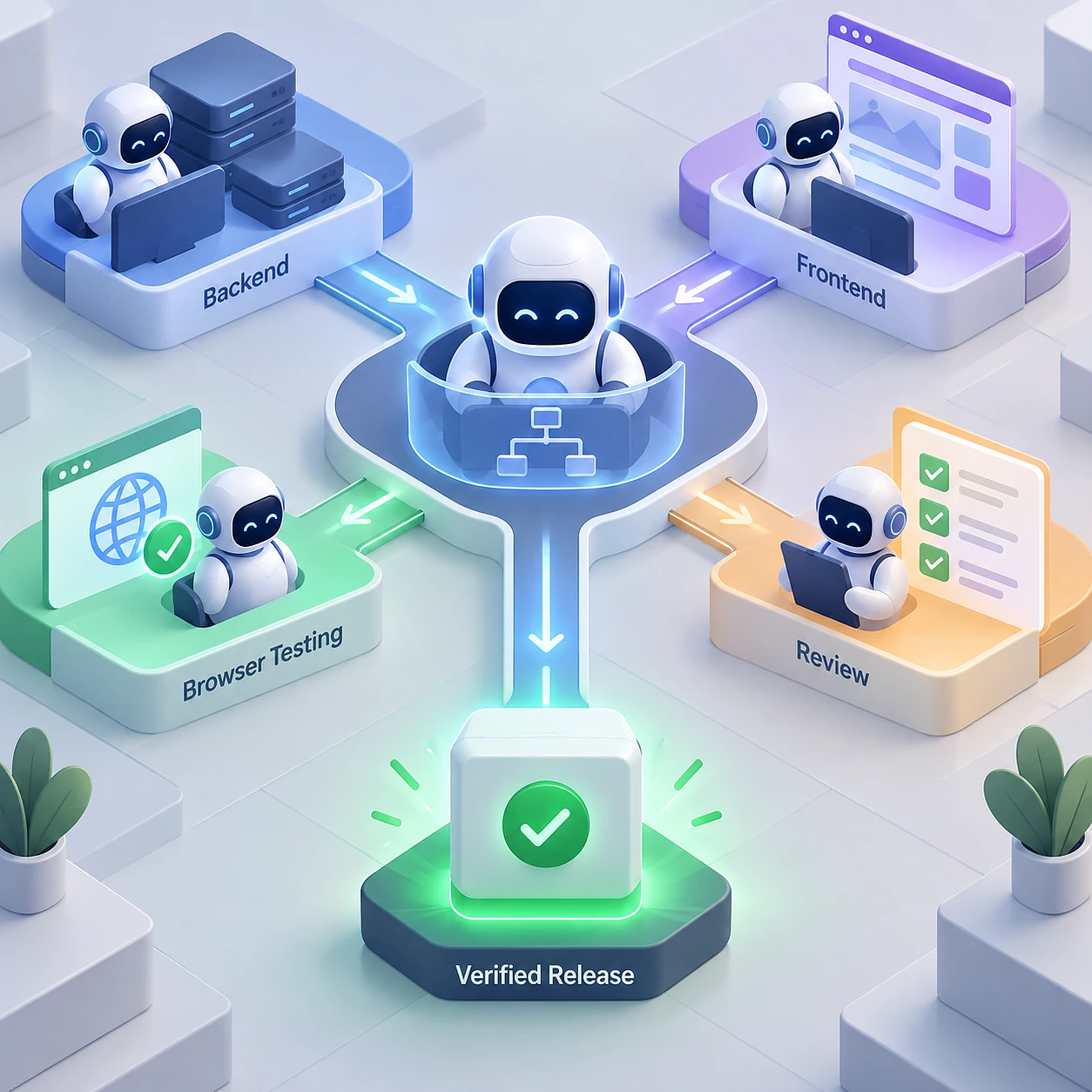
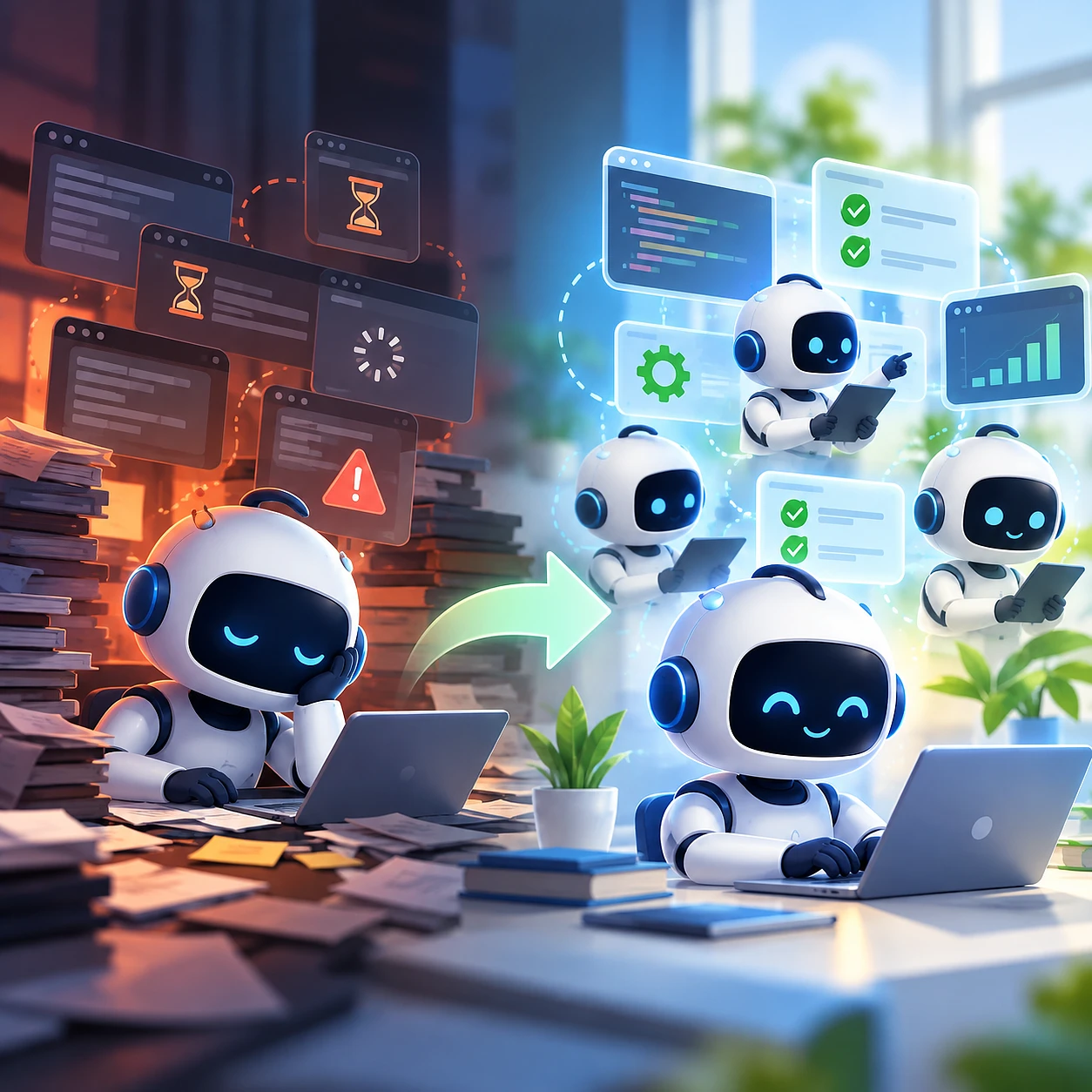
Here is the ladder we climbed. Stage 1: developer to IDE to code, and the working unit is a file. Stage 2: the same, with an AI assistant and autocomplete on top. Stage 3: the developer juggles Agent 1, Agent 2 and Agent 3 by hand, copying context between them. Stage 4, where the good tools are heading: a human states an outcome, a lead agent breaks it down, specialized agents implement, something verifies the result, and a pull request comes out. The working unit becomes a feature.
For an enterprise buyer, none of that matters on its own. Lines of generated code are not a deliverable. Predictable timelines are, along with testable results, security, integration with what you already run, and five-year maintainability.
You will get: how we pick tools, how we run agent teams on CRM and ERP work, what the independent data says, where agents slow a team down, and what governance an enterprise needs. We name limits, Alpha labels and roadmap gaps as we go. A vendor who shows you only the good half is selling, not engineering.
A note on dates, names and numbers
Everything about pricing and plans here is stated as of September 11, 2026. Plans change fast. On September 10, 2026, OpenAI temporarily paused new Pro $200 subscriptions and upgrades, which is a useful reminder that access itself is a moving target.
We keep two things separate that get mixed up constantly. Models are one thing: Astra and Fable 5.1 are models. Agent environments are another: Codex and Claude Code are environments, and Work and Cowork are different products again. When a vendor says "20x", that number belongs to that vendor's plan. OpenAI 20x and Anthropic 20x do not mean the same quantity of tokens.
Every benchmark a vendor publishes about its own product is labelled here as vendor-reported, and scores from different harnesses are not apples-to-apples. We publish no internal Webdelo performance percentages, because we have run no controlled internal measurement. Where we cite a number, it has a named external source.
Why the bottleneck moved from writing code to coordinating AI work
Code generation stopped being scarce somewhere in 2025. Coordination took its place. When three agents touch the same feature, the expensive part is deciding who owns what, keeping their context in sync, resolving changes that fight each other and proving the result works. That is a management problem wearing an engineering costume.
On our own screens the shift was gradual. In 2024 the AI part of the day was autocomplete. By mid-2026 an engineer might have a planning agent, two implementation agents and a review agent running at once. Typing got faster. Deciding who does what got harder. Review capacity became the wall, then coordination capacity became the wall behind it.
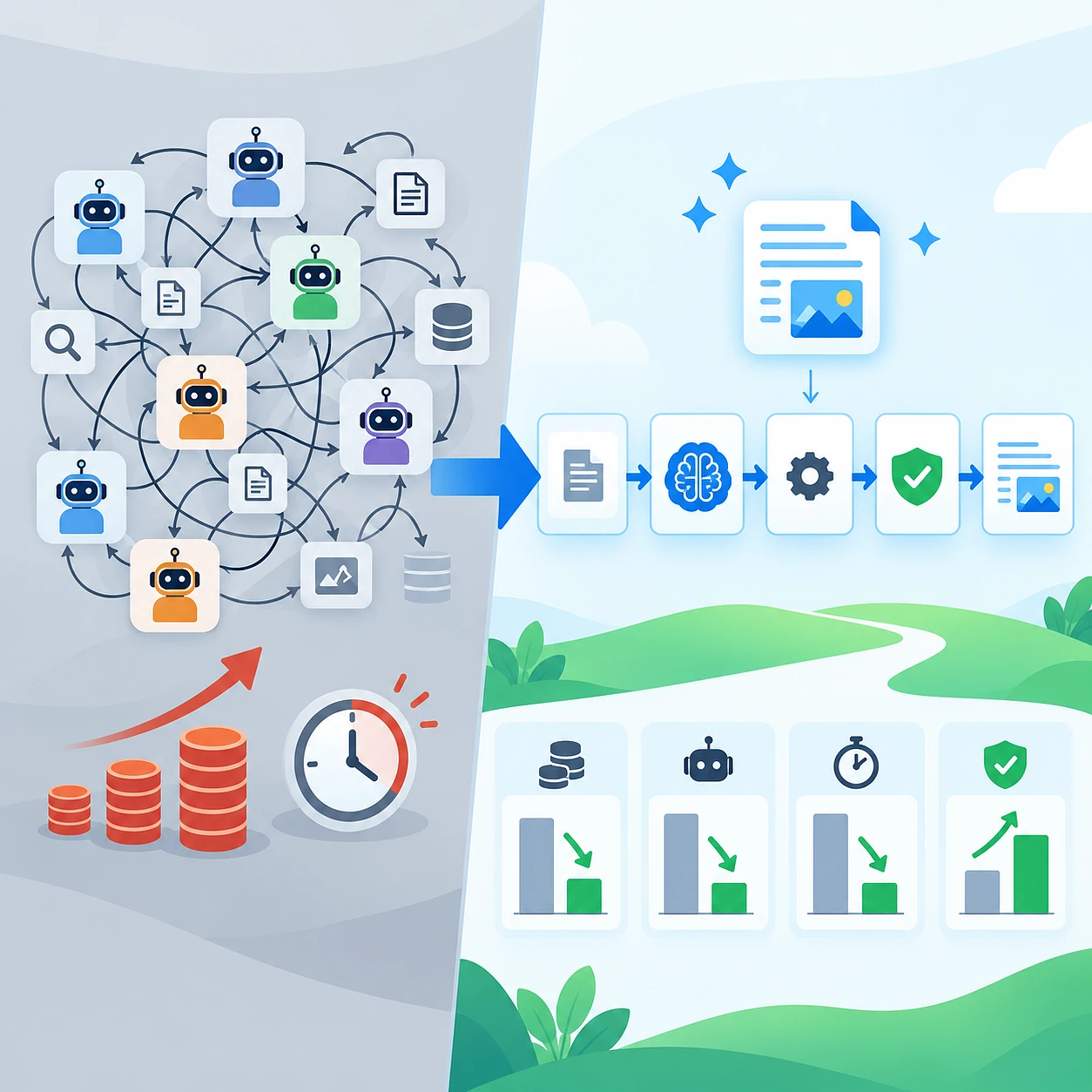
More agents does not mean more throughput. Each extra agent adds coordination overhead, more merge conflicts, duplicated work when two agents solve the same thing differently, real token and compute cost, and more verification load on the humans at the end.
The most useful independent framing comes from DORA's 2025 report on AI-assisted software development. Its main conclusion: AI amplifies the engineering system you already have. Architecture, short feedback loops and internal platform quality decide whether local time savings turn into a company-level result. If the underlying process is weak, adding agents makes the weakness arrive faster. It does not make it smaller.
What actually got faster and what did not
Faster: bounded work with a clear acceptance test. Add an endpoint, write a migration, cover a module with tests. The agent knows when it is done because something external can tell it.
Not faster: changes inside large mature systems the team already knows deeply. The engineer carries years of context that never got written down. Explaining it costs more than doing the work. That split decides whether we put agents on a task at all, and it raises the next question: what kind of environment runs several agents without chaos?
What an Agentic Development Environment (ADE) is and how it differs from an AI-enabled IDE
An AI-enabled IDE helps a person edit a file. An agentic development environment runs and coordinates the work of several autonomous agents: isolated Git working copies, parallel sessions, shared context, review, tests, browser verification, pull requests and audit. The difference is the working unit. In an IDE it is an editor tab. In an ADE it is a feature, an issue or a business task.
We did not invent the term. It appeared because the old words stopped describing the thing. Calling a system that runs eight agents across six worktrees an "IDE" is like calling a warehouse a shelf. For a non-developer executive: an IDE is a text editor with power tools, built for one human. An ADE is a workspace for a small team of software workers who happen to be programs. It answers the questions any workshop answers. Who has which copy of the work, how do they stay in sync, who checks the result, who signs it off.
A real ADE ships most of this list, in a working version rather than a marketing one:
- isolated Git working copies, usually worktrees, so two agents never edit the same files at once
- several agents running in parallel
- persistent sessions that survive a restart or a disconnect
- task and state management
- shared context, so the second agent knows what the first decided
- diff review a human can read quickly
- tests and CI wired into the loop
- browser-based verification of the running application
- pull requests as the output format
- remote execution
- automations for the repetitive parts
- API, CLI and MCP surfaces so other software can drive it
- role distribution between agents
- access rights, observability and audit
An AI-enabled IDE is a better pen. An ADE is a small factory floor with a foreman. Both are useful, and they are not competing for the same job.
Three paradigms side by side
The autocomplete assistant optimizes for keystrokes. The agentic IDE optimizes for one task inside one session: read the repository, plan a change, edit several files, run a command. The agentic development environment optimizes for many tasks at once, with isolation and verification built in.
A plain agentic IDE is still the right answer more often than the hype suggests. Small team, one repository, one change at a time, strong human review. Adding orchestration there buys overhead and nothing else.
How we evaluate ADEs at Webdelo: isolation, context, orchestration, verification, remote runtime and review
We score every environment on six axes: isolation, context, orchestration, verification, remote runtime and review. These came out of our own delivery pain, not from a vendor comparison chart. Each one maps to a way a project went sideways for us at least once. A tool can be brilliant on one axis and unusable on another, so a single overall rating tells you nothing.
Isolation. Can agents work without stepping on each other? Separate worktrees, separate ports, separate environment variables. The test question: if two agents both touch the auth module, what happens? If the answer is "conflicts, probably", this is a single-agent tool with extra buttons.
Context. Does the tool understand the whole repository and the whole feature? Context window means how much text the model holds at once. Prompt caching means the environment does not pay full price to re-send the same background every turn. Both are cost questions as much as quality questions.
Orchestration. Can one agent direct others? A lead agent, specialized workers, message passing, gates where work stops for approval, and a defined escalation path to a human. Without this you get parallelism, not teamwork.
Verification. Can the result be proven rather than merely compiled? Tests, CI, browser and computer-use checks, and proof-of-work artifacts attached to the change. Most tools are weakest here, and this is where the difference matters most to a client.
Remote runtime. Can repositories, terminals and agents live on a server while a laptop or phone is a control client? For long-running work that stops being convenience and becomes architecture.
Review. How does a human approve a change? Diff quality, cross-provider code review, approval gates, audit trail. If a reviewer cannot read the change in a few minutes, it gets approved unread.
A capability matrix scoring every tool named below against these axes appears after the tool sections. We do not look for the best tool. We look for the tool that fails least badly on the axis that matters for a given project. On a CRM portal, verification wins. On a multi-repository ERP change, isolation and context win.
Orca as our current balanced production baseline
Orca is what we run day to day. Not because it wins any single axis, but because it is the most balanced across all six. It gives parallel agents in separate worktrees, several CLI agents, change review, an embedded Chromium browser, Design Mode, automations, remote servers, a mobile client and a separate orchestration skill. Those capabilities are vendor-reported. What we add is that the ones we use daily hold up under real client work.
We call it a baseline rather than a favourite on purpose. A baseline is what you fall back to when a project has no special requirement, so it has to be predictable more than exciting. What we use in delivery: worktree isolation, so two agents on one feature never collide. Multiple CLI agents, so review runs on a different model from implementation. Change review inside the environment. The embedded browser, so an agent can open the running application and check its own work. Automations for the repeated steps. Remote servers, so a long job is not tied to whether someone closed a lid.
Design Mode deserves its own explanation. A human points at a UI element. The agent receives the DOM for that element, the computed CSS, an image of it, and when a source map exists, the source file and line number. Instead of "fix the button in the top right, no, the other one", the agent gets coordinates in the codebase.
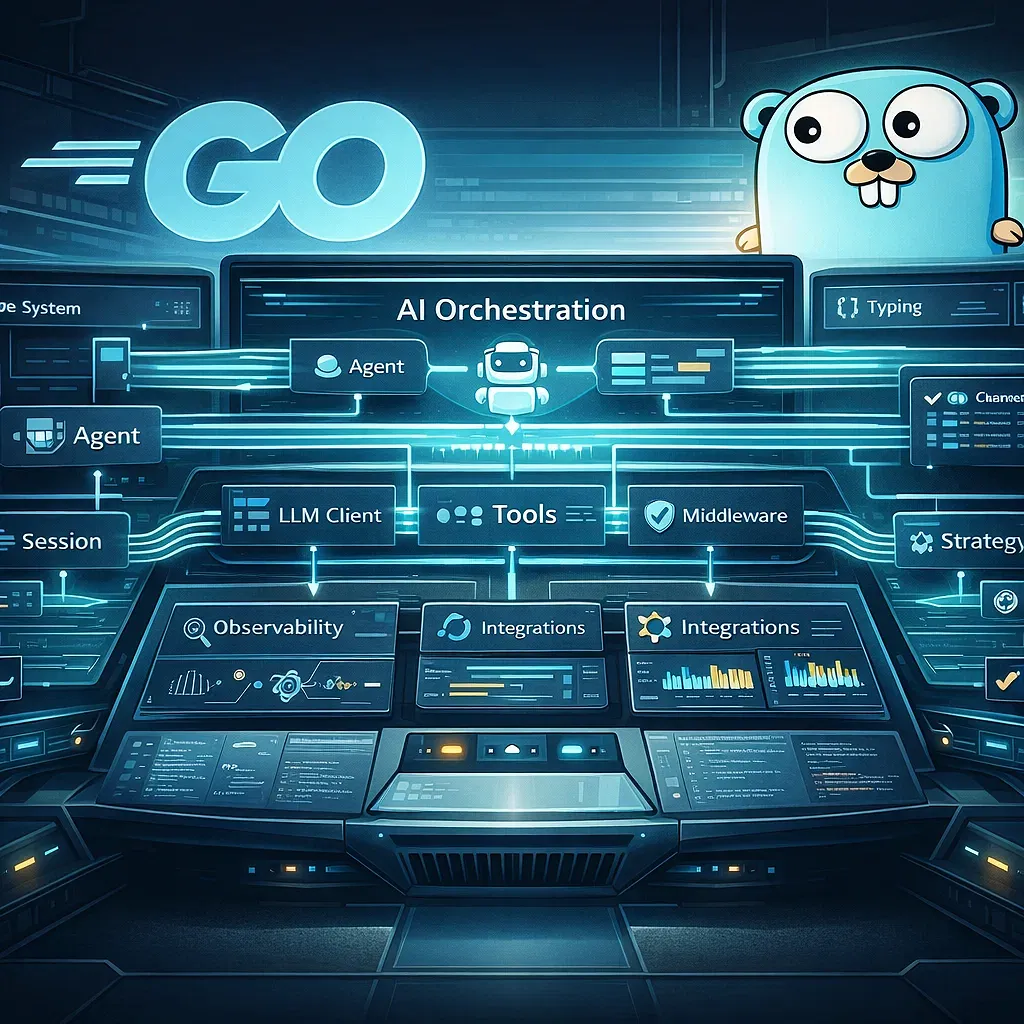
Orca also separates interface from runtime. Repositories, terminals, worktrees and agents can live on a separate machine while a laptop or phone acts as a control client. The orchestration skill adds runs, tasks, supervised workers, messages and gates. The signal is not the feature list. It is that the coordination layer is moving inside the environment. We used to build that layer ourselves with MCP servers and glue scripts. Now it ships.
For a client building a portal or a CRM, the practical effect is less context lost between steps. Fewer "what were we doing again" moments between a defect report and a fix. That is not a percentage we can quote, and we will not invent one.
super.engineering and direct agent-to-agent collaboration
super.engineering replaces five independent chat windows with a team. A lead agent distributes work across specialized roles, backend, frontend, tests and an independent reviewer, and those roles can run on different models and even different providers. The agents message each other, and important decisions land in a machine-readable coordination state. It is the clearest picture we have seen of where multi-agent development is going. It is also still Alpha.
We experiment with it because of that gap. A tool that shows the shape of the future is worth understanding before it is worth deploying. We would not move a production process onto it today, and we say so to clients directly. Cross-provider role assignment is the part we find genuinely valuable. Put the reviewer on a different model family from the implementer and it catches a different class of mistake. Models share blind spots with themselves. A second model from another lineage does not inherit the first one's confident errors. We do this deliberately in our own pipeline. It is the cheapest quality improvement we have found.
The coordination state is the other idea worth stealing. In plain words: a structured record of decisions, who owns which sub-task, what is blocked, which version of a contract is agreed, checkpoints, handoffs and review results. A shared notebook that software can read. Without one, every handoff is a fresh explanation from scratch.
Why that matters for B2B work: one feature can touch an SPA, an API, an authentication service, billing and notifications at once. The shared context belongs to the feature. Each agent still needs an isolated working environment inside the relevant repository. Getting both at the same time is the real engineering problem.
The honest limitations: Alpha status, macOS only, experimental orchestration. That makes it a good place for practical experiments and a bad place to bet a client delivery. Watching it has also changed how we read our own history. We built MCP-based orchestration in house because nothing existed. It looked like a detour. It was an early version of the layer the market is now converging on.
ADE and Superset as strong challengers with different strengths
ADE (ade-app.dev) bets on the Lane, a unit that bundles the working copy, terminals, agent context, ports, environment variables, history, diff and pull request state, plus a graph of parallel worktrees with conflict risk scoring. Superset bets on the embedded browser as a shared surface for human and agent. They solve different halves of the same problem. ADE manages dependencies between changes. Superset manages proof that a change works.
ADE and the Lane abstraction
A Lane is more than a branch or a worktree. A branch holds code. A Lane holds the code, the terminals attached to it, the agent's accumulated context, the ports the dev server uses, the environment variables, the history, the current diff and the pull request state. Everything the work needs to resume exactly where it stopped.
That sounds like convenience until ten agents run at once. Then the hard problem stops being "launch another agent" and becomes "manage dependencies between their changes". ADE is building a graph of parallel worktrees with conflict risk scoring, which is the right shape of answer: know which two changes will fight before they both reach review.
Synchronized desktop, terminal and mobile clients point the same way as everything else here. The agent runtime is becoming a standalone service. The caution is simple. The project is young, and claims about mobile client maturity and individual features should be re-verified before anyone relies on them for delivery.
Superset and the browser as a shared surface
Superset has persistent workspaces, terminals, agents, remote devices, automations and an orchestration mechanism. The embedded browser is what makes it distinctive. Its Design Mode passes the DOM, the styles, React metadata and a screenshot to the agent, and the agent can also drive the browser programmatically. Those two directions combine into a loop that is genuinely new: the human sees the page and points at the problem, the agent gets precise technical context, changes the source, reloads and verifies the result on the running application.
The framing has to be precise, because roadmap and shipped product are different things. Baseline orchestration exists today. Orchestration Chat, self-verification, snapshots and revert, the attention queue, cloud sandboxes and iOS are roadmap items, and we do not quote them to clients as capabilities.
Against our six axes: ADE is strongest on isolation and context, because a Lane is fundamentally a context container. Superset is strongest on verification, because the browser loop closes the gap between "it built" and "it works". Orchestration on both is real but early. If your main risk is parallel changes colliding, ADE's bet pays off. If it is UI defects reaching acceptance, Superset's does.
Emdash, Conductor, Mux, Herdr and Codex: what each approach adds
The rest of the field is not noise. Emdash is the broad open platform. Conductor is disciplined about the path from workspace to diff to checks to pull request. Mux brings its own multi-model runtime. Herdr goes a level lower with a persistent terminal runtime. The Codex App shows the same movement inside a single ecosystem. Each solves one axis better than the generalists. All capability descriptions below are vendor-reported.
- Emdash. Parallel worktrees, dozens of CLI agents, a browser, automations, issues, skills and MCP, CI and remote development. Worth a look when you want breadth and the ability to change your mind later.
- Conductor. A disciplined pipeline: workspace to agent to diff to checks to pull request. Hosted MCP and an API let an external lead agent create workspaces, dispatch work and collect results. Good when you already have an orchestrator and need reliable workers.
- Mux. Its own multi-model runtime, local, worktree or SSH execution, review, and Plan and Exec modes that separate deciding from doing.
- Herdr. A persistent terminal runtime for many agents. Sessions keep running after the client disconnects, and another agent can create sessions, dispatch jobs and poll working, blocked or done states through an API. This is infrastructure, not a workbench.
- Codex App. Parallel agents, worktrees, skills, automations and remote control inside one ecosystem. The interesting part is that a single vendor arrived at the same primitives independently.
- OpenAI Symphony. An architectural signpost. The project board becomes a control plane, each task gets an isolated environment and an agent, and the result must arrive with proof of work: tests, CI and review.
Look at that list as a whole and the pattern is hard to miss. Nine independent teams, different funding and different starting points, converging on the same primitives: isolation, persistence, orchestration, verification, remote runtime and review. When competitors who are not copying each other land on the same building blocks, those blocks are the real product. Interfaces churn. The primitives are stable enough to build a process on.
Capability matrix: tools against our six evaluation axes
| Tool | Isolation | Context | Orchestration | Verification | Remote runtime | Review |
|---|---|---|---|---|---|---|
| Orca | Shipped | Shipped | Shipped (skill) | Shipped (browser) | Shipped (server, mobile) | Shipped |
| super.engineering | Shipped | Shipped (coordination state) | Alpha | Partial | Partial (macOS only) | Shipped (reviewer role) |
| ADE (ade-app.dev) | Shipped (Lane) | Shipped (Lane) | Partial (risk graph) | Partial | Shipped (synced clients) | Shipped (diff, PR) |
| Superset | Shipped | Shipped | Partial (chat on roadmap) | Shipped (browser) | Shipped (remote devices) | Partial (revert on roadmap) |
| Emdash | Shipped (worktrees) | Shipped | Partial | Shipped (browser, CI) | Shipped | Shipped |
| Conductor | Shipped (workspaces) | Shipped | Shipped (MCP, API) | Shipped (checks) | Partial | Shipped (diff to PR) |
| Mux | Shipped (worktree, SSH) | Shipped | Partial (Plan, Exec) | Partial | Shipped (SSH, web) | Shipped |
| Herdr | Shipped (sessions) | Partial | Shipped (API) | Partial | Shipped (persistent) | Partial |
| Codex App | Shipped (worktrees) | Shipped | Partial | Partial | Shipped | Shipped |
Use the table as a starting filter, not a verdict. Find the axis your project lives or dies on, read down that column, then test two or three candidates on a real piece of your own work for a week. Every cell is a claim about a fast-moving product.
From sessions to work: lead/PM agent, specialized workers and independent review
The shift that matters most is not a better model. It is that you stop switching between agent windows and start stating an outcome. A lead agent decomposes the task, assigns roles, assembles the result and escalates only what genuinely needs a human. That is our standard operating model: one agent plans, several implement, a separate one verifies, an engineer signs off.
It clicked on an ERP integration where an engineer spent most of a day being a message bus between three agent windows, re-explaining the same contract three times. Eventually the obvious question landed. Why is a senior engineer doing routing work?
Our pipeline on serious work, regardless of which environment we are in:
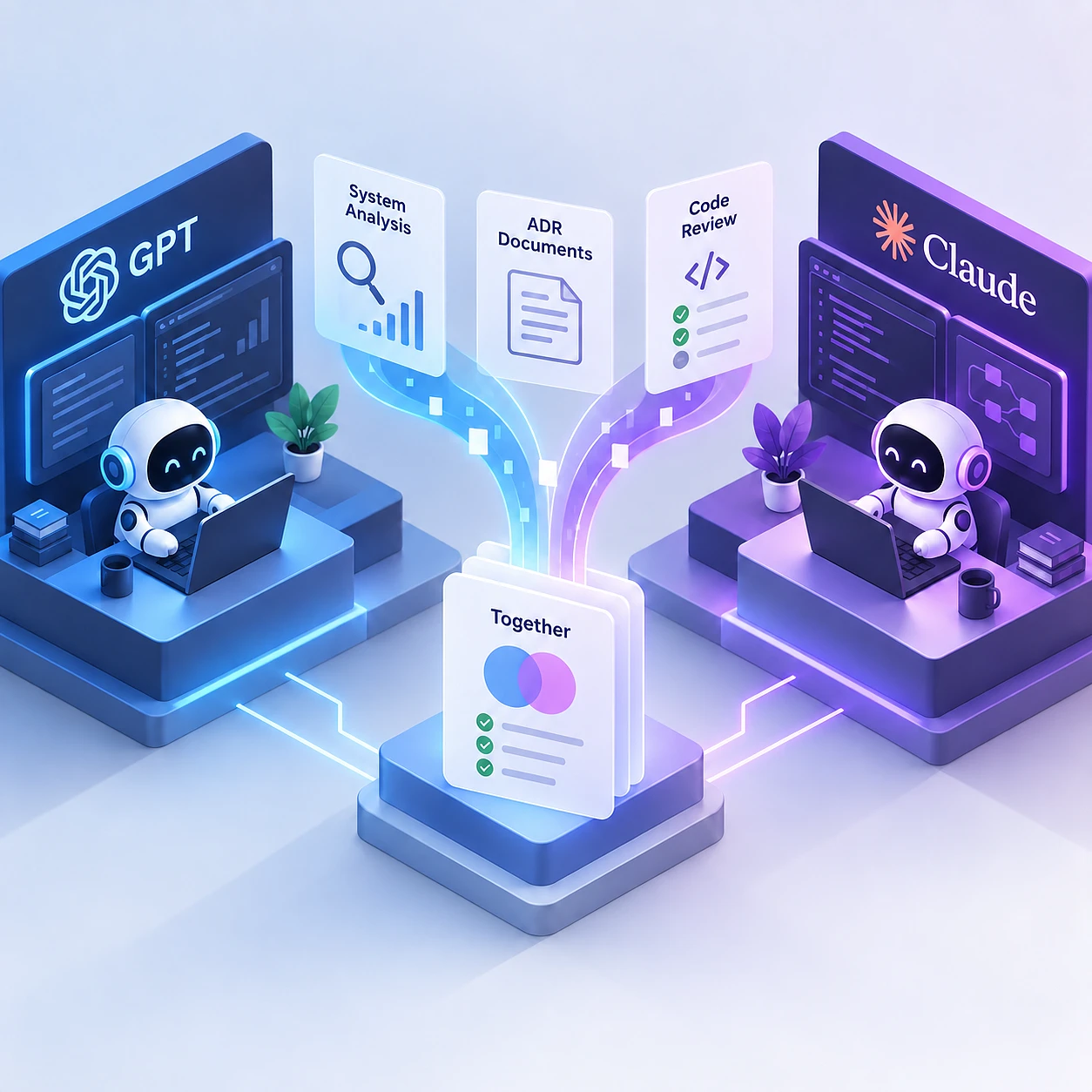
- System and module analysis by two independent frontier agents, running in parallel on the same question.
- Research merging, where the two analyses are reconciled and the disagreements are surfaced rather than averaged away.
- An architecture decision record is drafted, then critiqued by a separate agent that did not write it.
- Implementation, split across specialized agents in isolated working copies.
- Cross-provider code review, with the reviewer on a different model family from the implementer.
- Tests, integration and end-to-end, run against the actual change.
- Human approval, by the engineer who will own the consequences.
Two independent agents instead of one, because they fail differently. When both reach the same conclusion, confidence goes up cheaply. When they disagree, that disagreement is the most valuable output of the step. It points at the part of the system that is ambiguous, and ambiguity is where production incidents come from.
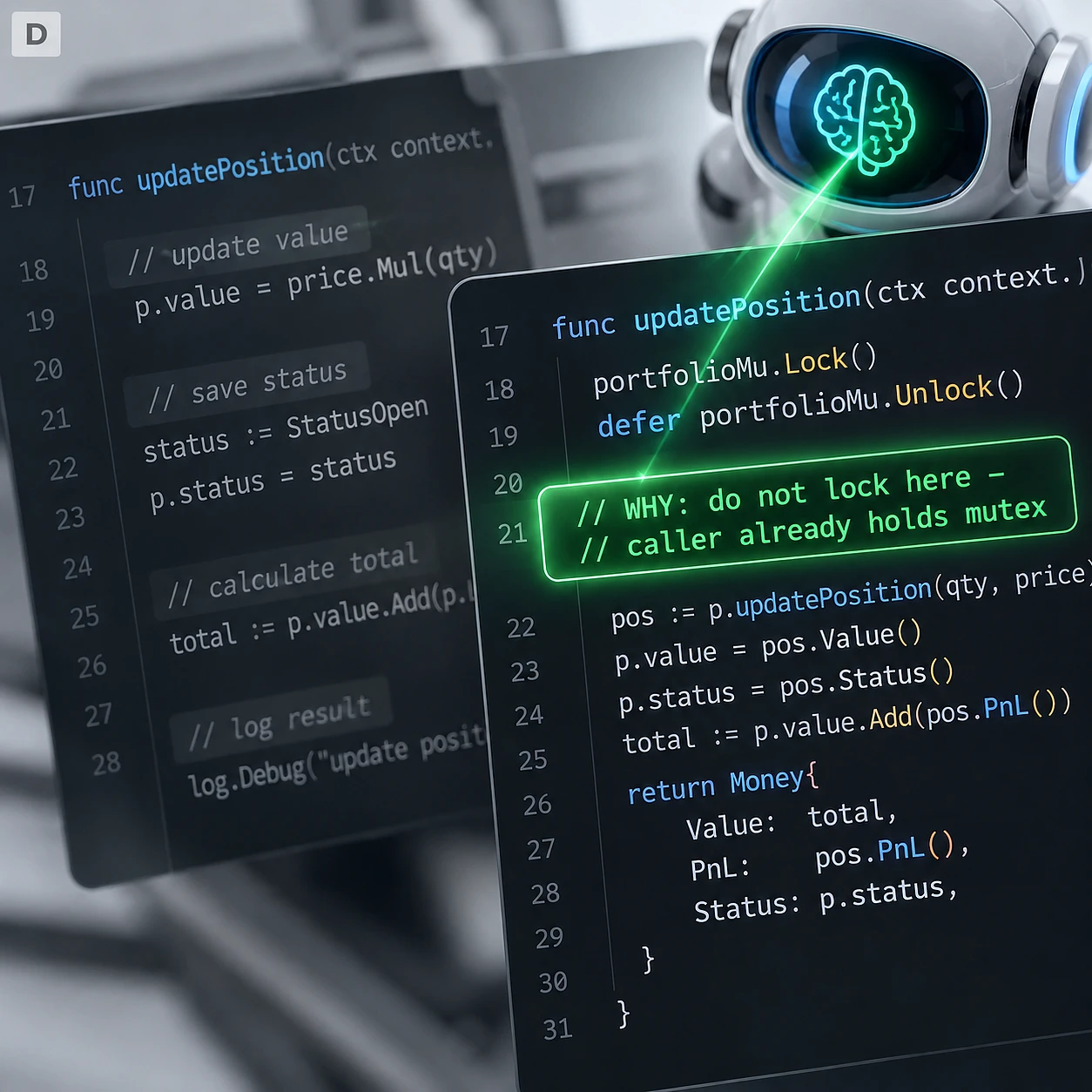
An architecture decision record, or ADR, is a short document saying what we decided, what we considered instead, and why. One page. We make agents write one because an agent that cannot explain a decision in plain words usually did not make a decision. It made a guess that compiled. The engineer then owns the merge, the release and the consequences. Human-in-the-loop is a design decision here, not a disclaimer bolted on at the end.
"The turning point for us came when we stopped treating an agent as one more chat tab. It is far more interesting to manage a task: one agent plans, several implement, a separate one verifies, and the engineer is accountable for the outcome." - Andrew Popov, CTO and Founder, Webdelo
What we ended up with is the org chart of a small team, applied to software. A planner, several doers, an independent checker, an accountable owner. That structure was not invented for AI, and the reason it works has nothing to do with the workers being human.
How we use this model for CRM, ERP, multi-repository and high-load systems
The agent team model earns its keep on exactly the projects that used to be slowest. CRM features spanning permissions and data consistency. ERP work crossing several repositories. Support of large legacy systems. Migrations with a lot of mechanical change. The shape is the same every time: isolated working copies, one agreed contract in shared context, and verification covering the whole chain rather than one service. These are real delivery patterns, described without invented numbers attached. The same patterns show up outside classic enterprise work, for example in real estate website development, where listing data and third-party integrations behave exactly like ERP data.
CRM delivery
The lead agent decomposes the feature into parts that move independently. A backend agent implements business rules and the API. A frontend agent handles interface and state. A test agent writes integration and end-to-end tests against the agreed contract. A separate reviewer checks permissions, data consistency and regressions, because those three account for most of what goes wrong after a CRM release.
ERP and multi-service architecture
One task spans several repositories. Each agent gets an isolated working copy in its own repository. Shared context holds the agreed contract, the one artifact everyone must read the same way. Integration verification then tests the whole chain. A change that passes in every service and fails between them is the classic ERP failure, and per-service tests never catch it.
Support of large existing systems and legacy modernization
The agent studies the incident, the logs and the failing tests. It prepares a bounded change, opens a separate branch and attaches the verification evidence. Bounded is the operative word. A large agent-authored change in a system nobody fully understands is a bad trade at any speed. Accountability for production stays with the engineer.
Migrations, refactoring and database migration work
Mechanical parts split cleanly across several agents. A coordinator tracks which change depends on which. A shared test suite runs after merge, not only per branch, because migration work is where changes that each pass alone combine into something broken.
B2B portals
The browser and design workflow shortens the path from a visual defect to the real component and its source file. Someone points at the broken element, the agent gets the DOM, the computed styles and a line number, and a round trip that took a day of screenshots takes minutes. From the outside, a client sees fewer surprises at acceptance, because each change arrives with evidence attached. That is also why our web design agency work and our engineering work now share the same review surface.
Browser and computer-use verification as proof of work
Code that compiles is not a finished feature. We treat a change as done when an agent has driven the real application in a real browser and the user scenario actually works. The agent opens the page, clicks through the flow, reads the DOM, takes screenshots and attaches that evidence to the change. For CRM, ERP and B2B portals this is the difference between "it built" and "it works".
We made it a hard gate for an unglamorous reason. Agent-written code passes tests at a high rate and still fails the user scenario, because the tests were written against the same misunderstanding as the code. A second look from the same brain finds nothing. Driving the running application is a genuinely independent check.
Proof of work, concretely, is a bundle attached to the change: test results, CI status, a browser run, screenshots at the key steps, and a written statement of which scenario was exercised. A reviewer scans it in a minute. A non-technical stakeholder looks at the screenshots and recognizes their own process.
Design Mode runs the same loop in the opposite direction. Instead of the agent proving the flow works, a human points at the place where it does not. Describing a visual defect in words is a lossy channel. Pointing at it is not. Computer-use verification extends this past the browser: when the product is not purely web, an agent can check a desktop flow or a native application window through the operating system itself.
Where it breaks down, honestly: flaky environments where a failure tells you nothing, authentication walls that make automated access unwise, third-party systems we have no right to drive, and judgement calls about whether a screen reads well. In those cases a human looks, and we plan for the time. The reason we invest here is trust transfer. A proof-of-work artifact is what lets a stakeholder who cannot read code believe an agent-produced change.
Why runtime is moving away from the developer laptop
The machine that stores the repository and runs the agents no longer has to be an engineer's laptop. Orca Server, Superset's remote devices, ADE, Herdr and the Codex App all point the same way. For enterprise projects this is not about comfort. A separate runtime gives real control over dependencies, credentials, network access and long-running processes, and the work continues when the laptop closes.
The trigger was mundane. Long-horizon agentic work, meaning a job that runs for hours rather than seconds, does not fit inside a session that ends when someone shuts a lid at 18:00.
What a separate runtime buys an enterprise, in the order a security team cares about: dependency control, so the environment is known rather than whatever accumulated on one machine. Credential isolation, so an agent's access is scoped to a server you administer. Network access control. Reproducible environments, so a failure can be investigated. Background jobs that survive disconnects. And a single audit point, which is hard to achieve across fifteen personal laptops.
Herdr is the clearest example of the persistence model. Sessions keep running after the client disconnects, and another agent can create sessions, dispatch jobs and poll their state through an API. Once that exists, the client is just a viewer: desktop, terminal, web or phone, all pointing at the same runtime.
The cost is real and we state it plainly. A server budget. Operational ownership, meaning somebody has to run it. One more surface to secure. For a two-person team this is a bad trade. For a company running agents against production systems it is the only responsible configuration, because if agents touch client code and client data the runtime is part of your security perimeter. Where it lives is an operating decision, not a preference, and it is the question a German or US enterprise buyer asks in the first call.
What the data actually says about AI developer productivity
The honest answer is that it depends on the kind of work. In a controlled GitHub experiment with 95 professional developers, the Copilot group finished a bounded JavaScript task roughly 55% faster. In METR's 2025 study, 16 experienced open-source developers working on 246 real tasks in repositories they knew well took about 19% longer. Both results are real. They answer different questions, and we are not going to sell you a percentage.
Adoption and trust
The Stack Overflow Developer Survey 2025 puts adoption at 84% of respondents already using or planning to use AI tools, with 51% of professional developers using them daily. Adoption is settled.
Trust is a different picture from the same survey. 46% rather distrust the accuracy of AI output, against 33% who trust it, and only 3% report high trust. So most of the profession uses these tools daily while checking the work carefully. The survey names the failure mode too: 66% called "almost correct" answers a problem, and 45% hit cases where debugging AI-generated code took longer. Almost correct is the expensive failure. Obviously wrong code gets deleted in ten seconds.
The two controlled results that disagree
The GitHub study: 95 professional developers, a bounded JavaScript task, roughly 55% faster with Copilot. A clean illustration of where AI genuinely accelerates work, with a well scoped task and an unambiguous finish line.
The METR 2025 study: 16 experienced developers, 246 real tasks, in mature repositories they already knew deeply. With early-2025 tooling, the work took about 19% longer.
The detail we find most useful is not the headline. Developers expected roughly a 24% speed-up going in. Afterwards, having actually been slower, they still believed AI had sped them up by about 20%. The perception gap survived contact with the measurement. That is a warning about every internal productivity claim made from memory, including ours. METR explicitly warns its result does not generalize to all software development, and we repeat that warning rather than borrowing the number.
The systemic reading
DORA's 2025 work supplies the frame that makes both results make sense. AI amplifies the existing engineering system. A 55% faster task inside a process where changes wait two weeks for review produces nothing at the company level.
The measurable question is never "does AI speed up programming". It is whether this kind of work, inside this engineering process, gets faster and safer. Bounded and testable, usually yes. Deep changes in a mature system the team knows cold, often no. We publish no internal Webdelo percentages, because we have run no controlled internal measurement, and after reading METR's perception gap we would not trust an informal one.
Where AI agents can slow a team down and when we deliberately do not orchestrate
Sometimes one agent beats five. Sometimes no agent beats one. We do not orchestrate when the task is small, when the codebase is unfamiliar to the agent and deeply familiar to the engineer, when acceptance criteria cannot be written down, or when coordination cost clearly exceeds the work itself. Saying this out loud is part of the service. The failure modes below are ours, and we hit all of them.
The cost of orchestration is not hidden, just rarely mentioned. More agents mean more coordination, more merge conflicts, more tokens, more compute and more verification effort. On a two-hour task, setting up three agents costs more than the task.
The "almost correct" trap is the expensive one. 66% of surveyed developers name it and 45% report debugging AI output taking longer. Plausible code that is wrong in one subtle place survives a skim review, passes tests written against the same misunderstanding, and surfaces in production. Mature repositories with deep tacit knowledge are the METR shape of the same problem. The engineer knows why a function is strange, which module is fragile, what broke last year. None of that is in the repository, so the agent produces a technically reasonable change that ignores four unwritten constraints.
Our explicit do-not-orchestrate list:
- trivial changes, where setup exceeds the work
- exploratory spikes, where the goal is a human understanding something
- incidents, which need one decisive person rather than a committee of agents
- work with no test that can prove correctness
- anything where the contract is still being argued about
In those cases we use one agent, tight scope, human driving. Or no agent at all.
"In enterprise development, autonomy starts with constraints. First we define rights, context, tests and acceptance criteria, and only then do we give the agent more freedom." - Andrew Popov, CTO and Founder, Webdelo
A vendor who cannot tell you when not to use the technology is selling the technology rather than the outcome. Ask any AI software development company for its do-not-use list. If there is not one, enthusiasm is doing the talking. The list is also the fastest way to find out whether a team has run this in production, because you learn these boundaries by crossing them.
Security, permissions, observability and governance for enterprise agents
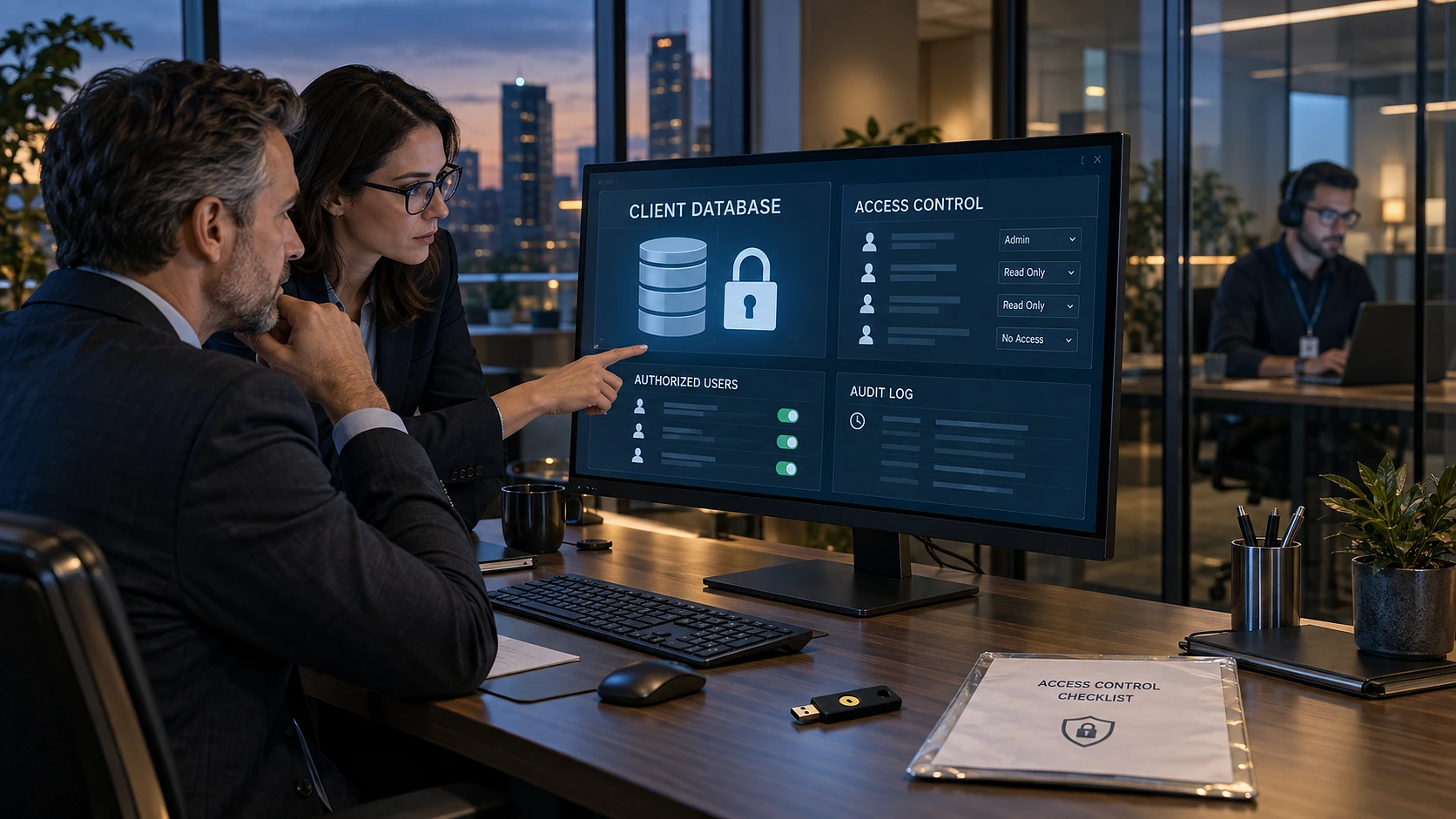
An agent is a piece of software with credentials, network access and the ability to act. Treat it like one. NIST is working on identity and authority for software agents, and OWASP's Agent Control Standard makes the point that agent behaviour must be observable, traceable and controllable at runtime. In practice that means least privilege, separated credentials, restricted tools, audit logs, approval gates and a clear escalation path to a human. This is the section an enterprise buyer reads first, so it gets real depth.
Identity, access and action boundaries
Three questions, in order. Who is the agent, as a distinct identity in your systems? What is it allowed to touch? Which tools may it call? Least privilege applies exactly as it does to a service account, and an agent working on the frontend does not need production database credentials.
Credential separation matters more with agents than with people, because agents act fast and at volume. A human with the wrong key makes one mistake. An agent with the wrong key makes two hundred. Restrict the tool set before granting autonomy. OWASP's work on agent control is the most practical starting reference we have found.
Observability and runtime monitoring
You need to answer "what did it do and why" after the fact. Audit logs of actions taken, traceability from a decision back to its inputs, behavioural monitoring while the run is in progress, and enough recorded state to reproduce it. Reproducibility is the one teams skip and the one that matters during an incident.
Human oversight and approval gates
Gates at merge, and gates at any action with an external effect: sending an email, charging a card, writing to a production system, calling a partner API. The escalation path has to be defined before the agent is blocked, not improvised while it is. An agent that is uncertain should stop and ask a named person who exists on an org chart.
Environment isolation, network control and supply chain
Sandboxed environments, so a mistake is contained. Controlled network access, so the agent reaches what it needs and nothing else. And supply chain governance over the plugins, skills and MCP servers an agent can load. An agent that installs a tool at runtime has extended your supply chain without a review, and the tooling for governing that is still immature across the whole market, ours included.
The EU and Germany angle
Briefly, and this is not legal advice. The AI Act does not carve agents out as a separate legal category, but existing requirements for AI systems may apply to relevant scenarios, and separate transparency obligations began to apply from 2 August 2026. For a German buyer the practical implication is process: know what the system does, be able to show it, and keep documentation that survives a question.
A checklist worth copying into your own vendor questionnaire: least privilege, credential separation, tool restriction, audit logs, approval gates, environment isolation, network access control, reproducibility, human escalation. Enterprise AI development has to account for data, rights, transparency and the client's jurisdiction, and the model is the least interesting variable in that list. We work in line with GDPR and DSGVO principles and build processes aligned with ISO 27001 and SOC 2 principles; the company is on the path to formal certification and holds no certificate yet.
How we integrate AI agents into client business processes
Most companies do not need to be told that AI exists. They need it wired into a real process, with safe access to data, defined accountability and a repeatable result. McKinsey found 88% of organizations using AI in at least one function in 2025, with only 7% considering it fully scaled. Deloitte, in August 2026, found about 5% of organizations process-ready for agents. That gap is the work. The same gap exists in marketing channels, which is why SEO in the USA now belongs in the same instrumented-process conversation.
The full numbers, each attributed. McKinsey, 2025: 88% using AI somewhere, 7% fully scaled. Deloitte, August 2026: roughly 5% process-ready for agents, roughly 15% with a scaled cross-functional multi-agent model, and 74% of surveyed executives expecting that within four years almost half of business processes will be redesigned around agents. Read together: near-universal experimentation, very little operational readiness, and high expectations on a short timeline.
Where we actually put agents in client operations: customer support, internal knowledge bases, sales operations, document processing, quality control and engineering processes. The common feature is a process with a defined input, a defined output and a way to tell whether the result was right. The non-negotiables we set up every time: limited rights, full logging, a defined escalation path to a named human, and a measurable acceptance criterion agreed before the work starts. The same checklist applies when agents touch digital marketing operations, where a wrong output is public within minutes.
How an engagement usually starts
A 30 / 60 / 90 shape works well. First month: pick one bounded process, instrument it, measure how it performs today. Second month: run the agent with a human gate on every output. Third month: widen scope only where the evidence holds, and leave the gate wherever it does not. We have run that shape on everything from ERP rollouts to beauty salons SEO, and the first month is always measurement.
Red flags worth checking in any vendor, including us. No audit trail. No rollback path. No named human owner. No way to measure the outcome after go-live. Any one of those means the project is a demonstration rather than an integration. Integration is a process design job with a software component. Model selection takes an afternoon. Deciding who is accountable when the agent is wrong takes the rest of the project, and that is what decides whether it survives its first bad week.
What the normal ADE may look like in the next 6-12 months
Four things are converging. Managing work replaces managing sessions. Runtime keeps moving off the laptop. The browser becomes the standard verification surface. And agent-to-agent communication turns into infrastructure: identity, roles, messages, shared state, locks, ownership, lifecycle, permissions and observability move out of home-made scripts and into the environment itself. This is a forecast with its confidence stated. We are reasonably sure about the direction and not sure about the timing. A fifth shift sits just outside engineering: GEO and AI answer engines are changing how a buyer finds a vendor at all.
Trend 1: from managing sessions to managing work. The main screen of the ADE becomes a task board, not a grid of terminals. You state an outcome, the system decomposes it, and you open a terminal only when something needs you.
Trend 2: runtime separates from the interface. Thin clients, persistent server-side agents, work that continues when you close the laptop. Already half done in shipping products.
Trend 3: the browser as the shared verification surface. Both directions of the loop: the human points at a defect, and the agent proves the flow works. This becomes table stakes rather than a differentiator.
Trend 4: agent-to-agent communication becomes infrastructure. Every serious team currently builds some version of a coordination layer itself. In a year that will look like writing your own HTTP client.
What we expect to stay unsolved in twelve months: cost control, conflict resolution across many parallel changes, and trustworthy autonomous verification, meaning an agent you can believe when it says the work is done. Tools converge, then commoditize. The teams that come out ahead are the ones with a process worth amplifying.
Glossary: the terms used in this article
Plain definitions for the terms above, all vendor-neutral.
- Agentic development environment (ADE). A workspace built to run and coordinate several autonomous coding agents, with isolation, shared context, verification and review built in.
- Agentic IDE. A code editor where an AI can plan and carry out a multi-step change inside one session. One agent, one task at a time.
- AI coding agent. A program that reads a task, decides on steps, edits code and runs commands, rather than only suggesting text.
- AI agent orchestration. Coordinating several agents so they divide work, share what they learn and combine results into one change.
- Lead or PM agent. The agent that breaks down the task, assigns roles, assembles the result and escalates to a human when needed.
- Worktree and isolation. A separate working copy of a repository, so one agent's edits cannot interfere with another's before review.
- Lane. A bundle of everything one unit of work needs: working copy, terminals, agent context, ports, environment variables, history, diff and pull request state.
- Context window. The amount of text a model can hold in view at once. Exceed it and the earliest material falls out.
- Prompt caching. Reusing already-processed background text across turns, so long sessions cost less and start faster.
- Long-horizon agentic work. A job that runs for hours or across many steps rather than finishing in one exchange.
- Multi-agent workflow. A defined sequence where different agents handle planning, implementation, testing and review.
- Parallel coding agents. Several agents working at the same time on different parts of one task.
- Architecture decision record (ADR). A short document recording what was decided, what else was considered and why.
- Cross-provider code review. Having a model from a different vendor or family review the code, so it does not share the author's blind spots.
- Human-in-the-loop. A design where a person approves defined steps, particularly anything with an effect outside the system.
- Proof of work. The evidence attached to a change: test results, CI status, a browser run, screenshots and the scenario exercised.
- Computer-use verification. Checking a result by driving the operating system itself, for products that are not purely web.
- Remote runtime. Running repositories, terminals and agents on a server, with a laptop or phone as the control client.
- MCP. A standard interface that lets agents connect to external tools and data sources in a consistent way.
- Approval gate. A point where work stops until a named person approves it.
- Least privilege. Granting the minimum access needed for the job and nothing beyond it.
What to look for when choosing an AI software development company
Ask a vendor how they verify agent output, not which model they use. A serious B2B software development company can show you isolated environments, an independent review step, proof-of-work artifacts attached to changes, an audit trail, a named human owner for every merge, and a clear list of situations where they deliberately do not use agents. The checklist below works on us as well as on anyone else, which is why we are comfortable publishing it.
- How do you verify that an agent-produced change actually works? Ask for an example artifact from a real project.
- Who reviews agent output, and is the reviewer independent of the implementer?
- What access do your agents have to our code and data, and how is it scoped?
- What is logged, and how long is it kept?
- Who is the named human owner of a merge to our production systems?
- When do you deliberately not use agents? Give three concrete examples.
- What happens when an agent is wrong and it reaches production?
The sixth question tells you the most. A team that has run this at scale has a specific list with scars on it. A team that has not will give you a general answer about the importance of oversight.
What we bring: full-cycle delivery for B2B platforms, ERP and CRM systems, integrations and high-load services, from discovery and UX through architecture, development, DevOps and long-term support, plus AI integration and automation. That full-cycle scope includes ordinary web development, not only agent-heavy projects. We have been building software since 2006, and we deliver in Germany, the United States and Eastern Europe. Our positioning is engineering maturity, predictability and reliability. We are explicitly not the cheap and fast option, and we say so early.
If you are planning a complex CRM, ERP, portal, integration or AI-agent project, book a discovery call with Webdelo. We will walk through your current process, show you where agent work fits and where it does not, and give you a concrete delivery plan for Germany, the United States or Eastern Europe.
Conclusion: why the engineering process matters more than the model name
The tools in this article will look different in a year. Some will be gone. The argument underneath them will not change, because it is not really about AI. It is about how work gets organized when the workers change shape.
Five things we would keep if we had to throw the rest away:
- The unit of work moved up a level, from a file to a feature. Everything else follows from that one shift.
- The evidence is genuinely two-sided. 55% faster on bounded work, 19% slower on deep work in mature systems. A vendor showing you only one of those numbers is selling.
- AI amplifies the engineering system you already have. Weak process gets amplified too, and faster.
- Governance, isolation and proof of work are what make agent-produced changes acceptable inside an enterprise. Without them you have speed you cannot use.
- Tools keep changing. The process, the review discipline and the named human owner survive the next model release.
We are not attached to any tool named here, including the one we run daily. We are attached to a way of working that makes the tools interchangeable.
"We do not measure AI by the amount of code generated. What matters to us is how much verified work reaches production without increasing technical debt." - Andrew Popov, CTO and Founder, Webdelo
If you have a complex system to build, modernize or integrate, book a discovery call with our team.
Frequently Asked Questions
What is an agentic development environment (ADE) and how is it different from an AI-enabled IDE?
An agentic development environment is a workspace built to run and coordinate several autonomous coding agents at once. An AI-enabled IDE helps one person edit one file, while an ADE manages isolated working copies, shared context, verification, review and pull requests. The working unit changes from an editor tab to a whole feature or business task. For a buyer that means work is tracked as outcomes, not as chat sessions.
Do AI agents really speed up enterprise software development?
It depends on the kind of work, and the public data points in two directions. In a controlled GitHub experiment with 95 professional developers, the group with an AI assistant finished a bounded task about 55% faster. In the METR 2025 study, 16 experienced developers working on 246 real tasks in code they knew well took about 19% longer. Bounded and testable work usually gets faster, while deep changes inside a mature system the team knows cold often do not.
How do you prove that code written by AI agents actually works?
We treat a change as done only when an agent has driven the running application in a real browser and the user scenario actually works. The agent opens the page, clicks through the flow, reads the page structure, takes screenshots and attaches that evidence to the change. Tests alone are not enough, because tests are often written against the same misunderstanding as the code. A named human engineer still reviews and approves every merge.
Is it safe to let AI agents work on enterprise systems and client data?
It is safe when an agent is treated like any other piece of software that holds credentials and can act. That means least privilege, separated credentials, a restricted set of tools, audit logs, approval gates and a clear escalation path to a person. OWASP's work on agent control makes the same point: agent behaviour has to be observable, traceable and controllable while it runs. An agent working on the frontend never needs production database access.
When is it better not to use AI agents on a project?
We deliberately do not orchestrate agents when the task is small, when the code is deeply familiar to the engineer and unfamiliar to the agent, when acceptance criteria cannot be written down, or when coordination costs more than the work itself. On a two hour task, setting up three agents costs more than simply doing it. Every extra agent adds merge conflicts, token cost and verification load. Ask any vendor for its do-not-use list, because a team without one has not run this in production.
What should I ask an AI software development company before signing a contract?
Ask how they verify agent output, not which model they use. A serious partner can show isolated environments, an independent review step running on a different model family, proof of work attached to every change, an audit trail, a named human owner for each merge and a list of situations where they deliberately do not use agents. That last point tells you the most, because only a team that has run this in production has a specific list. Model names change every few months, the engineering process is what you are actually buying.
Do AI agents replace developers, and who is accountable for the result?
No. Agents take over routine implementation, while engineers decide the architecture, set acceptance criteria and carry the accountability. In our process a human defines the business task, accepts the architecture decision and signs off the final review, and agents have no right to merge into the main branch on their own. If something breaks in production, a named person owns it, not a model.