Accessibility Testing in 2026: Why It Matters for Business
Accessibility testing: why 94.8% of websites have WCAG errors, how testing works, legal requirements in the US (ADA) and EU (EAA), and practical steps to integrate accessibility into your development pipeline. Includes tools, best practices, and the business case for inclusive design.

Introduction
Accessibility testing is the process of checking whether people with disabilities - or anyone using a device in difficult conditions - can actually use your website or app. According to WebAIM's 2025 research, 94.8% of the top one million homepages have detectable WCAG errors. That means most companies are already losing part of their audience without knowing it. In 2026, with the European Accessibility Act now in active enforcement across all EU member states and new US federal WCAG requirements codified into regulation for the first time, this is no longer background risk - it is a current compliance obligation in both major markets.
About 1.3 billion people - 16% of the world's population - live with a significant disability, according to the World Health Organization. This is the largest demographic group on the planet. When a website has barriers, those users leave quickly and rarely come back. The business case for fixing this is straightforward: you are either capturing this audience or handing it to competitors.
This article explains what accessibility testing is, why it matters for your business, what the legal risks look like in the US and EU, how testing actually works in practice, and how Webdelo helps teams build accessibility into their development process from the start.
What Accessibility Testing Actually Means
Accessibility testing checks whether a person with a disability can use your digital product the same way any other user can. It covers a range of conditions: visual impairments (blindness, low vision, color blindness), hearing loss, motor limitations, and cognitive differences. But the scope is broader than most people expect.
Think about the last time you tried to read your phone in bright sunlight, or used a website one-handed while holding a coffee. Those are situational limitations - and accessibility features help in those moments too. A broken arm, a noisy environment, an older device with a slow connection - these are everyday scenarios where accessible design pays off for everyone.
The standard behind the testing
WCAG (Web Content Accessibility Guidelines) is the international benchmark for digital accessibility. Version 2.2, published by W3C, was approved as ISO/IEC 40500:2025 - a formal international standard. WCAG 2.2 organizes requirements around four principles: perceivable, operable, understandable, and robust. Each requirement has three conformance levels: A, AA, and AAA. Most legal frameworks and audits target Level AA.
When we talk about "accessibility testing," we mean checking how well a product meets WCAG 2.2 Level AA requirements - and identifying the specific barriers that prevent users from completing key tasks.
Who needs to understand this
Accessibility is not just a developer concern. Business owners carry legal responsibility if their site is non-compliant. Product managers make decisions about what gets built and when - and if accessibility is not in the requirements, it gets skipped. Marketers need to know that an inaccessible site is cutting their actual audience reach. Each of these roles has a part to play.
The Business Case for Accessible Design
An accessible website opens access to a market with $6.9 trillion in disposable income - that is the combined purchasing power of people with disabilities globally, according to W3C WAI's business case research. In the US alone, this segment represents over $200 billion per year. Companies that ignore accessibility are giving this customer base to competitors.
The framing of disability as a "marginal audience" does not hold up to the data. About 26% of US adults have some form of disability, according to CDC data - roughly one in four people. Age-related changes in vision and motor control affect most people over 50, a demographic that makes up a growing share of both consumer and B2B markets. Factor in situational limitations - a broken arm, recovering from eye surgery, using a phone in bright sunlight, working in a noisy environment - and the share of users who benefit from accessible design at any given moment substantially exceeds any static disability figure.
The return on investment is real. Forrester research puts it at roughly $100 returned for every $1 invested in accessibility. One well-known case: Legal and General doubled their online sales within three months of completing an accessibility audit. The improvement in conversion did not come from new features - it came from removing barriers that were blocking users from completing purchases. This is why many companies invest in web development services that integrate accessibility from the ground up.
Accessible design is also simply good design. The curb-cut effect - the principle that features built for people with disabilities end up benefiting everyone - shows up consistently in digital products. Clear form labels help all users. Logical keyboard navigation speeds up power users. High-contrast text is easier to read in poor lighting. Products built with accessibility requirements in mind tend to be faster, cleaner, and more usable for the full audience.
The SEO connection is less obvious but real. Accessible pages tend to have proper heading structure, descriptive alt text on images, and clearly labeled form fields. These are the same signals that search engines use to understand and rank content. Professional SEO services often begin with an accessibility audit because the improvements overlap significantly. Two goals, one set of changes.
There is also a customer support angle. An interface that works for users with cognitive differences and motor limitations is generally clearer and easier to navigate for everyone. Fewer confusing flows means fewer support tickets and fewer abandoned transactions.
How Inaccessible Sites Lose Customers
When a user with a disability hits a barrier on your site, 71% of them leave immediately - according to Audioeye's accessibility statistics. They do not report the problem. They do not fill out a feedback form. They just close the tab. Only about 8% of users with disabilities actually tell a company about accessibility problems; the rest leave silently and go somewhere else.
That silent departure is the core business problem. The site analytics show a bounce, but the reason is invisible unless you specifically test for it. You cannot fix what you cannot see.
The pattern compounds over time. 83% of people with disabilities report that they limit their online purchases to websites they already know are accessible. Once someone has a bad experience on your site, winning them back is hard. They simply add your domain to a mental "does not work" list and stop trying.
For US e-commerce businesses, the aggregate cost of this pattern is estimated at $6.9 billion per year in lost sales. These are not hypothetical projections - they come from analyzing the gap between the purchasing intent of users with disabilities and what they can actually complete on current sites.
Consider how this plays out in practice. A screen reader user attempts a bank transfer on a site where the "Submit" button has no text label - only an icon. Instead of a description, they hear "button" with no context. It is unclear whether this is the confirmation button or cancel. They leave. A user with motor limitations fills out a contact form on mobile where input fields lack proper labels - autocomplete does not work, and the form is nearly impossible to complete reliably. They leave too. These are not hypothetical scenarios. They are the daily experience of millions of users - and direct revenue losses that most teams never see in their dashboards.
Some of the most common barriers that block purchases and form submissions are simple to describe:
- Form fields without labels: screen readers cannot tell the user what to type, so filling out a checkout form is impossible
- Buttons with no text: a user navigating with a keyboard reaches a button but cannot tell what it does
- Low-contrast text: unreadable for users with low vision and for anyone trying to read outside in sunlight
- Images without alt text: a user relying on a screen reader hears nothing meaningful where a product photo should be
- Modal windows that trap keyboard focus: a user pressing Tab gets stuck and cannot close the dialog or continue navigating
For B2B companies and those in regulated industries, accessibility issues carry additional weight. Enterprise buyers increasingly include accessibility requirements in procurement checklists. A product that visibly fails basic accessibility checks signals something about overall development quality and maturity - raising questions that go beyond accessibility: if this was not considered, what else was missed? A viral complaint from a user with a disability or a public lawsuit can cause reputational damage disproportionate to the original problem.
Each of these is a door that is locked for a portion of your audience. Most of them take a few hours to fix once identified. Addressing these barriers should be part of your digital marketing strategy because an inaccessible site loses customers to competitors before they even reach your conversion funnel.
What Testing Finds: The Most Common Issues
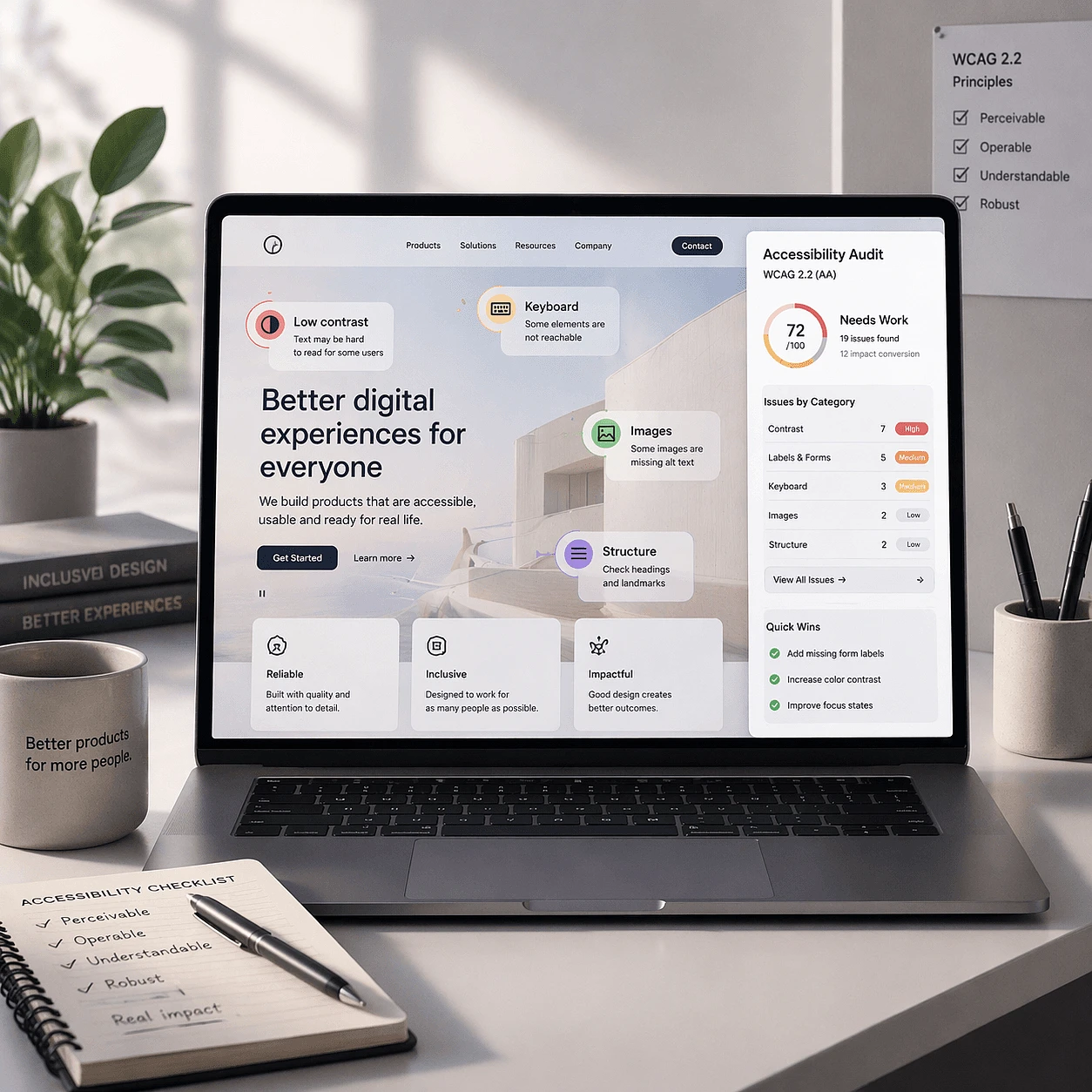
WebAIM's Million 2025 study tested the top one million websites and found an average of 51 WCAG errors per homepage. The six most common problem types account for 96% of all detected errors - which means fixing these six categories would make a dramatic difference for most sites.
| Issue | % of pages affected | Who it blocks |
|---|---|---|
| Low contrast text | 79.1% | Low vision users, anyone in bright light |
| Missing alt text on images | 55.5% | Screen reader users, broken image fallback |
| Missing form input labels | 48.2% | Screen reader users, voice control users |
| Empty links | 45.4% | Keyboard and screen reader users |
| Empty buttons | 29.6% | Keyboard and screen reader users |
| Missing document language | 15.8% | Screen readers, translation tools |
Beyond these six categories, accessibility testing also surfaces issues in keyboard navigation (can a user tab through your entire checkout flow without touching a mouse?), focus indicators (is it visually clear which element is currently active?), error handling in forms (does the error message explain what went wrong and where?), and dynamic content (does a modal window announce itself to a screen reader when it opens?).
A useful way to think about these findings: most of them are not design failures or deliberate choices. They are gaps - places where accessibility was not considered during development, so the default behavior of a browser or framework was left in place without checking whether it actually works for all users.
Legal Requirements in the US and EU
The legal context around web accessibility has shifted considerably in 2025 and continues to tighten in 2026, with new regulatory requirements entering force on both sides of the Atlantic. For companies operating in the US or EU markets, this is no longer a theoretical risk.
United States: ADA and federal courts
In the US, the Americans with Disabilities Act (ADA) covers digital services. Courts have consistently ruled that websites are "places of public accommodation" subject to ADA requirements, and the Department of Justice has issued formal guidance confirming this position.
In 2025, there were 8,667 federal lawsuits filed under ADA Title III - a 27% increase compared to the previous year. Retail, banking, and SaaS companies are among the most frequently targeted sectors. Settling a single-plaintiff ADA lawsuit typically costs between $10,000 and $75,000. The Target class action - where the company paid nearly $10 million over the inaccessibility of their website - remains the most cited example of what large-scale litigation looks like.
The ADA guidance at ADA.gov is explicit: businesses must ensure their websites are accessible to people with disabilities. The guidance points to WCAG as the technical standard to follow.
2026 brought a significant regulatory development specifically for state and local government entities. In April 2024, the Department of Justice finalized new rules under ADA Title II, setting an explicit WCAG 2.1 Level AA compliance requirement for government websites and mobile applications - the first time a specific technical accessibility standard has been codified directly in federal regulation rather than inferred from court decisions. The original compliance deadline for jurisdictions serving populations of 50,000 or more was April 24, 2026. However, on April 20, 2026, the DOJ issued an Interim Final Rule extending this deadline to April 26, 2027. Smaller jurisdictions and special districts now have until April 26, 2028.
European Union: European Accessibility Act
The European Accessibility Act (EAA) entered into force on June 28, 2025. It applies to e-commerce, banking, telecommunications, and digital platforms operating in any EU member state. Unlike previous EU accessibility directives that only covered public sector websites, the EAA extends to private businesses.
Penalties vary by country but are substantial:
- Netherlands: up to €900,000 or 10% of annual turnover
- Germany: up to €100,000 per violation
- France: up to €75,000 or 4% of revenue
Enforcement moved quickly after the deadline. Associations representing users with visual impairments in France sent formal notices to major retailers within days of the EAA taking effect. In 2026, as the EAA enters its first full year of active enforcement, national supervisory authorities across the EU are progressing from initial notices to formal compliance reviews, with e-commerce and financial services platforms receiving particular attention. For businesses operating in Germany - where Webdelo has a significant presence - the regulatory environment is now clear: accessibility is a legal requirement, not a nice-to-have.
WCAG 2.2, now approved as ISO/IEC 40500:2025, is the technical standard referenced by both ADA guidance and the EAA framework. Meeting WCAG 2.2 Level AA is the practical path to legal compliance in both jurisdictions.
How Accessibility Testing Works in Practice
Accessibility testing combines two approaches: automated scanning with tools and manual review by a person. Neither method alone gives complete coverage. Automated tools catch between 20% and 40% of issues; the rest require human judgment. The combination - often called a hybrid approach - is what section508.gov describes as the best practice for comprehensive testing.
Automated testing
Automated tools scan HTML and flag issues that can be detected algorithmically. They are fast, consistent, and work well at scale. The most widely used tools are:
- axe (by Deque Systems): available as a browser extension and a CI/CD integration; the most widely adopted automated testing engine
- WAVE (by WebAIM): browser extension that provides visual overlays showing issues in context
- Lighthouse (by Google): built into Chrome DevTools; includes an accessibility audit alongside performance and SEO checks
- Accessibility Insights (by Microsoft): browser extension with guided manual testing workflows in addition to automated checks
Automated tools are best at catching color contrast failures, missing alt text, missing form labels, empty links, and missing language declarations - the top items from the WebAIM Million findings. They are not reliable for anything that requires understanding context: does this error message make sense? Is the reading order logical? Does this interactive component behave correctly with a screen reader?
Manual testing
Manual testing is where a human works through the site using only a keyboard and with a screen reader running. The goal is to test the experience, not just the code.
Keyboard-only navigation checks whether every interactive element - links, buttons, form fields, dropdowns, modal windows - can be reached and activated using Tab, Enter, Space, and arrow keys. It also checks whether focus indicators (the visible highlight showing which element is active) are clear enough to follow.
Screen reader testing checks how the page sounds, not how it looks. Tools used include NVDA and JAWS on Windows, and VoiceOver on Mac and iOS. A tester listens to how a page announces headings, images, form fields, error messages, and dynamic content updates. Many issues that look fine visually become obvious when you hear them read aloud - an icon button with no label, a table that reads across as a stream of numbers with no column headers, a success message that appears visually but is never announced.
User scenario testing goes further: it checks whether a person can complete the key tasks on your site - submitting a contact form, creating an account, going through a checkout flow - from start to finish using only a keyboard and screen reader.
The hybrid approach
Combining automated and manual testing gives you coverage that neither can achieve alone. A practical approach: run automated tools across all key pages to catch the high-volume, easy-to-fix issues first. Then conduct manual testing on the primary user flows - the paths that drive your business goals. This gives you a prioritized list of real issues, ordered by impact, with specific recommendations for each one. Many companies pair this process with professional web design services to ensure that fixes integrate naturally with the overall user experience.
Building Accessibility into Your Development Process
Fixing accessibility problems at the design stage costs a fraction of what it costs to fix them after a product ships. W3C WAI's guidance is direct: "Evaluate early and throughout the development process to identify accessibility problems early, when it is easier to address them." A contrast issue caught in a Figma file takes minutes to fix. The same issue discovered after a component library is built and deployed to production takes days - and affects every page that uses that component.
Each stage of development has its own accessibility touchpoints:
- Design: check color contrast ratios before any code is written; design focus states for interactive elements; establish a type scale with sufficient size and spacing; review component specs for keyboard interaction patterns
- Development: use semantic HTML (the right element for each purpose, not just styled divs); add ARIA attributes where HTML semantics are insufficient; test keyboard navigation as features are built; run axe in the browser during development
- QA: run a full accessibility test suite before each release; test primary user flows with a screen reader; check all new components against the WCAG 2.2 checklist
- Post-release: run regular automated scans to catch regressions; include accessibility in the definition of "done" for new features; track and prioritize reported accessibility issues
Integrating accessibility into CI/CD pipelines using tools like axe-core means that every code change is checked automatically before it reaches production. This does not replace manual testing, but it stops a whole class of easily detectable issues from ever shipping.
The key shift is treating accessibility as a quality standard rather than a separate workstream. When it is built into the process - alongside performance testing, cross-browser testing, and security review - it stops being extra work and becomes part of how the team ships software. This is particularly important for teams scaling their GEO optimization and AI SEO strategies to new markets, where accessibility standards vary by region.
How Webdelo Approaches Accessibility Audits and Implementation
For B2B clients in the US and EU - particularly in e-commerce, FinTech, and SaaS - accessibility compliance directly affects legal exposure and market reach. Companies operating in Germany face EAA requirements that took effect in June 2025. Companies with a US presence face ADA litigation risk that has been growing steadily. An audit gives you a clear picture of where you stand and what needs to change.
The work is relevant at any stage: for a product being built from scratch, accessibility can be designed in from the start. For an existing product, an audit identifies the gaps and a remediation plan works through them systematically. Either way, the result is a product that reaches more users, carries less legal risk, and works better for everyone.
If your team is building or maintaining a product for US or EU markets, this is a good time to understand where you stand. Book a discovery call to order an accessibility audit and integrate accessibility testing into your development process with Webdelo.
Conclusion
In 2026, accessibility testing is how you find out whether your website meets current legal requirements in the EU and the US - and whether it actually works for the 1.3 billion people globally who have a disability and the many more who encounter everyday barriers like bright sunlight, a broken arm, or an unfamiliar device. Most companies do not know their current accessibility status, which means they are losing customers, revenue, and SEO value without a clear picture of why.
- 94.8% of top sites have WCAG errors - the problem is widespread, which also means fixing it is a competitive advantage
- 71% of users with disabilities leave immediately when they hit a barrier, and most never report it
- US companies face growing ADA litigation (8,667 federal lawsuits in 2025) and the ADA Title II federal rule now requires government-facing platforms to meet WCAG 2.1 Level AA; EU companies face EAA enforcement with fines up to €900,000
- Automated tools catch 20-40% of issues; full coverage requires manual testing with a keyboard and screen reader
- Fixing issues at the design stage costs a fraction of fixing them post-launch - earlier is always cheaper
- Accessible products tend to perform better in search, require less customer support, and convert better for all users
An accessibility audit is the right starting point. It shows you exactly where you stand, what the highest-priority issues are, and what to fix first. Get in touch with Webdelo to order an accessibility audit and build accessibility testing into your development process.
Frequently Asked Questions
What is accessibility testing and why does it matter for businesses?
Accessibility testing checks whether people with disabilities can use your website or app just like anyone else. When 1.3 billion people live with disabilities and represent 16% of the world's population, ignoring accessibility means losing a massive market segment. Studies show that 71% of users with disabilities leave immediately when they encounter barriers, and they rarely come back.
What are the most common accessibility issues found on websites?
According to WebAIM's research of the top one million websites, the six most common issues are: low contrast text (affecting 79% of pages), missing alt text on images (55%), missing form labels (48%), empty links (45%), empty buttons (30%), and missing document language declarations (16%). These six categories account for 96% of all detected errors. The good news is that most of these are relatively quick to fix once identified.
What are the legal risks of not meeting accessibility standards?
In the US, websites are legally required to be accessible under the Americans with Disabilities Act (ADA). In 2025, there were 8,667 federal ADA lawsuits - a 27% increase from the previous year. Settlements typically range from $10,000 to $75,000 per case. In the EU, the European Accessibility Act took effect June 28, 2025, with penalties up to €900,000 in some countries. Both standards reference WCAG 2.2 Level AA as the compliance target.
How to test a website for accessibility issues?
Accessibility testing combines two approaches: automated scanning and manual testing. Automated tools like axe, WAVE, and Lighthouse can scan your pages and flag common issues quickly - but they only catch 20-40% of problems. Manual testing involves using a keyboard only to navigate your site and using a screen reader to hear how content is announced. The hybrid approach - running automated tools first, then manually testing your primary user flows - gives you comprehensive coverage and a prioritized list of issues to fix.
What is WCAG 2.2 and how does it relate to my website?
WCAG (Web Content Accessibility Guidelines) is the international standard for digital accessibility, published by the W3C. Version 2.2 was approved as ISO/IEC 40500:2025, making it a formal international standard. It organizes requirements around four principles: perceivable, operable, understandable, and robust. It has three conformance levels - A, AA, and AAA. Most legal requirements and audits target Level AA, which is the standard referenced by both the US ADA guidance and the EU's European Accessibility Act.
How much does it cost to make a website accessible?
The cost varies significantly depending on your current state and scope. A website accessibility audit costs less than a remediation project. However, Forrester research shows a strong ROI: approximately $100 returned for every $1 invested in accessibility improvements. Legal and General doubled their online sales within three months of completing an accessibility audit. The key insight: fixing accessibility is not a cost - it is an investment that removes barriers preventing customers from completing purchases.
When to start thinking about accessibility in the development process?
The earlier, the better. W3C WAI's guidance is clear: evaluate accessibility from the design stage onwards. Fixing an accessibility issue in a Figma design file takes minutes. The same issue discovered in production can take days and affects every page using that component. Build accessibility into each stage: check contrast in design, use semantic HTML in development, test keyboard navigation during QA, and include accessibility in your definition of done for any new feature. This approach makes accessibility part of your quality standard, not extra work.
How can Webdelo help with accessibility testing and implementation?
Webdelo conducts accessibility audits using a hybrid approach: automated scanning across all key pages combined with manual keyboard and screen reader testing of your primary user flows. The deliverable is a prioritized report with specific issues, explanations of impact, and actionable recommendations. Beyond the audit, Webdelo helps teams integrate accessibility into their development pipeline through automated CI/CD checks, design review criteria, and QA process training. The goal is not just fixing current problems but building an accessible product that stays accessible as it evolves.