



Introduction
Bulk insert in PostgreSQL from Go is not a question of COPY versus INSERT. It's a question of designing an ingestion pipeline that holds up under retry pressure, handles duplicate records predictably, and plays well with your connection pool. In production high-load systems, the naive "fast" approach often trades short-term throughput for long-term operational debt. According to the PostgreSQL documentation on populating a database, COPY is the recommended method for bulk loading - but that recommendation comes with important caveats that most tutorials skip entirely.
In this article we walk through the patterns we actually use at Webdelo when building and maintaining high-load backend systems: ingestion pattern selection, session scope pitfalls with temp tables, WAL pressure, UNNEST as a practical middle-ground, and the code patterns we recommend for B2B production environments.
Why bulk loading in PostgreSQL is about more than throughput
The first question to ask about any ingestion approach is not "how fast does it write?" but "what happens when it runs twice?" In event-driven architectures, message queues, and distributed pipelines, a batch can be redelivered. If your insert path lacks idempotency, a second delivery corrupts your data. Speed without correctness is not a production-grade property.
Duplicate records in the incoming data stream are a separate problem. Even a single delivery can contain duplicates if you're aggregating from multiple sources, handling network retries, or processing batches from an at-least-once queue. An INSERT without any conflict handling will happily write every duplicate, and your downstream systems will deal with the consequences.
Connection pool behavior adds another dimension. PostgreSQL session objects - most notably temporary tables - are scoped to a single backend connection. This matters the moment you add pgxpool to the picture, because the pool can route consecutive queries to different backend connections. A temp table created on one connection is invisible on another. This is not a configuration bug; it's how PostgreSQL works at the protocol level. For teams building web development platforms on PostgreSQL, understanding connection scope is essential to avoiding race conditions and data consistency issues.
Finally, bulk insert puts pressure on the entire cluster, not just the target table. WAL write amplification, replication lag, index maintenance, autovacuum scheduling, and query planner statistics all shift when you insert millions of rows. Treating bulk insert as a local SQL concern and ignoring the operational context is one of the most common sources of production incidents we see when auditing existing systems.
COPY, INSERT, UNNEST, and staging tables: how we choose an ingestion pattern
There is no single best approach to bulk insert in PostgreSQL from Go. The right pattern depends on five questions: Do you need idempotency? What is the batch size? Is there a PgBouncer in front of your database? How complex is your conflict resolution logic? Does your staging layer need crash-safety? The answers drive you to different parts of the decision matrix.
COPY is the fastest option by a wide margin. Benchmarks on 100 million rows show COPY completing in 316 seconds versus 2,653 seconds for batch INSERT and 94,623 seconds for single-row INSERT. But COPY has no native ON CONFLICT support. It writes data or it fails - there is no upsert semantics built in.
Parameterized INSERT VALUES with batching is simple and works well for small batches. The constraint is a wire-level limit: according to the PostgreSQL frontend/backend protocol specification, the parameter count in a Bind message is encoded as Int16, which caps the extended protocol at 65,535 parameters. With 10 columns per row, you hit the ceiling at about 6,500 rows per statement. At 20 columns, that drops to about 3,200 rows.
| Scenario | Recommended pattern |
|---|---|
| Bulk load, no conflict handling needed | COPY via CopyFrom |
| Bulk load with deduplication or upsert | COPY into staging + INSERT ON CONFLICT |
| Medium batches (1k-50k rows) with ON CONFLICT | UNNEST + INSERT ON CONFLICT |
| Complex conflict policy (PostgreSQL 15+) | COPY into staging + MERGE |
| Event stream or time-series data | COPY into partitioned table |
Why we don't frame this as "COPY vs INSERT"
Framing bulk insert as a binary choice between COPY and INSERT misses the real question. The staging pattern - COPY into a temporary table, then a SQL step with conflict resolution - combines COPY's speed on the first step with full conflict policy control on the second. It also opens the staging layer for normalization, deduplication within the batch, validation, and enrichment before data ever touches the target table. This is the approach we default to for ingestion pipelines that need both performance and operational correctness.
Why the staging pattern gives you both speed and conflict control
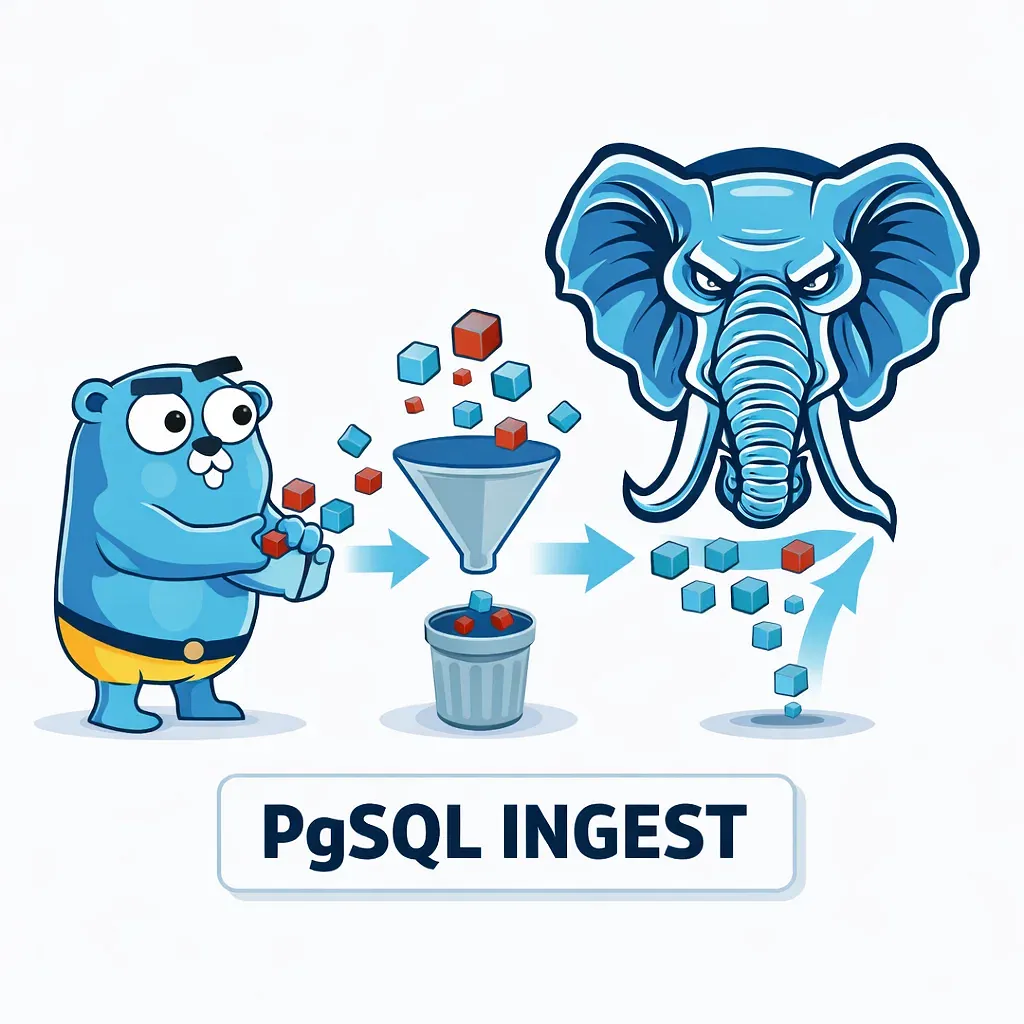
The staging pattern works in three steps: bulk load data into a temporary table using COPY, apply conflict resolution using INSERT ... ON CONFLICT or MERGE, then let the temporary table clean itself up. Each step has a clear responsibility, and that separation is the source of the pattern's production maturity. This is a pattern we've refined over years of building robust digital systems that handle billions of events at scale.
The first step benefits from COPY's full speed - no index maintenance on the staging table, no constraint checks, no conflict evaluation. The second step operates on a stable snapshot of the incoming batch using regular SQL semantics. You can deduplicate within the batch before it reaches the target table, apply conditional updates, handle MATCHED and NOT MATCHED cases independently, or enrich records with lookups. And because INSERT ... ON CONFLICT provides atomic upsert semantics, the entire pipeline is safe to retry.
Code pattern: COPY into staging with INSERT ON CONFLICT via pgx
pgx implements COPY through pgx.Conn.CopyFrom(), or through pgxpool.Conn.CopyFrom() after an explicit Acquire() call. One thing to check before using CopyFrom with enum columns: pgx uses binary wire format exclusively for COPY, which can cause type mismatch errors if enums are not handled correctly on the Go side.
// Acquire a dedicated connection from the pool
conn, err := pool.Acquire(ctx)
if err != nil {
    return err
}
defer conn.Release()

tx, err := conn.Begin(ctx)
if err != nil {
    return err
}
defer tx.Rollback(ctx)

// Create temp table without copying indexes from target
_, err = tx.Exec(ctx, `
    CREATE TEMP TABLE staging_events (
        id         BIGINT,
        user_id    BIGINT,
        event_type TEXT,
        created_at TIMESTAMPTZ
    ) ON COMMIT DROP
`)
if err != nil {
    return err
}

// Bulk load via COPY
rows := make([][]interface{}, len(batch))
for i, e := range batch {
    rows[i] = []interface{}{e.ID, e.UserID, e.EventType, e.CreatedAt}
}

_, err = conn.Conn().CopyFrom(
    ctx,
    pgx.Identifier{"staging_events"},
    []string{"id", "user_id", "event_type", "created_at"},
    pgx.CopyFromRows(rows),
)
if err != nil {
    return err
}

// Conflict resolution step
_, err = tx.Exec(ctx, `
    INSERT INTO events (id, user_id, event_type, created_at)
    SELECT id, user_id, event_type, created_at FROM staging_events
    ON CONFLICT (id) DO NOTHING
`)
if err != nil {
    return err
}

return tx.Commit(ctx)
The ON COMMIT DROP clause ensures the staging table is destroyed when the transaction commits or rolls back. No session pollution, no catalog bloat from accumulated temp tables across pool connections.
MERGE for complex conflict policy (PostgreSQL 15+)
When ON CONFLICT isn't expressive enough - for example when you need different update logic depending on whether an existing record is newer or older than the incoming one - MERGE provides a single atomic operator that can handle INSERT, UPDATE, and DELETE in one pass. It appeared in PostgreSQL 15 (released October 2022) and is the right tool when staging + ON CONFLICT would require multiple conditional statements.
MERGE INTO events t
USING staging_events s ON (t.id = s.id)
WHEN MATCHED AND s.updated_at > t.updated_at THEN
  UPDATE SET
    event_type = s.event_type,
    updated_at = s.updated_at
WHEN NOT MATCHED THEN
  INSERT (id, user_id, event_type, updated_at)
  VALUES (s.id, s.user_id, s.event_type, s.updated_at);
According to the PostgreSQL MERGE documentation, MERGE also supports a WHEN MATCHED THEN DELETE clause, which makes it a practical option for full-sync ingestion pipelines that need to remove records no longer present in the source.
What breaks in Go when you forget about session scope and connection pools
Temporary tables in PostgreSQL are session-scoped objects. They exist for the lifetime of the backend connection that created them and are invisible to all other connections. When your application uses pgxpool, each call to pool.Exec() or pool.Query() can land on a different backend connection. If you create a temp table in one call and try to use it in the next, you will get a "relation does not exist" error - not because the table was dropped, but because the second query went to a different connection that never saw it.
There are two correct patterns for managing this in Go. The first is pool.Begin(ctx): a transaction holds a single connection from acquisition to Commit or Rollback, so all operations within the transaction see the same session state. The second is pool.Acquire(ctx) with explicit conn.Release() when you're done: this is useful when you want to run multiple operations across separate transactions on the same connection.
The ON COMMIT DROP pattern
Using CREATE TEMP TABLE ... ON COMMIT DROP inside a transaction is the cleanest way to handle staging in a pooled environment. The table is created and destroyed within a single transaction, so there is no risk of name collisions across concurrent ingestion calls and no residual temp table entries accumulating in the system catalog. For write-heavy ingestion pipelines, catalog bloat from uncleaned temp tables is a real operational concern that this pattern eliminates entirely.
PgBouncer and statement cache in pgx
pgx caches prepared statements by default through its statement cache mechanism. In transaction pooling mode, PgBouncer historically made this incompatible: statements prepared on one connection are not available after PgBouncer reassigns you to a different backend. Before PgBouncer 1.21, using pgx with PgBouncer in transaction mode required disabling the statement cache entirely.
PgBouncer 1.21 introduced protocol-level prepared statement tracking via max_prepared_statements, but as Crunchy Data's analysis explains, manual DEALLOCATE calls can still break the scheme. The safest configuration for pgx behind any version of PgBouncer in transaction mode remains:
conn, err := pgx.Connect(ctx, connString)
// or via pgxpool config:
config.ConnConfig.DefaultQueryExecMode = pgx.QueryExecModeSimpleProtocol
Simple protocol disables the statement cache and sends queries as plain text, which works with any PgBouncer configuration. The performance trade-off is query planning on every execution, so evaluate this against your actual query patterns before applying it globally.
Why LIKE INCLUDING ALL is a bad default for staging tables
CREATE TEMP TABLE staging LIKE target INCLUDING ALL is a common shortcut that copies the full structure of the target table into the staging layer - including all indexes, CHECK constraints, foreign key constraints, and statistics. For a staging table that exists only to hold data during a bulk load, this is the wrong trade-off. COPY will maintain every index as it writes each row, which eliminates most of the speed advantage that made COPY attractive in the first place.
Index maintenance during bulk load is O(N * number_of_indexes). If your target table has five indexes and you're inserting a million rows, COPY into a staging table with LIKE INCLUDING ALL pays the index update cost for each of those five indexes on every row. A staging table with no indexes writes clean, fast data pages and nothing else. This is why SEO-focused database optimization for high-traffic sites begins with understanding your ingestion layer.
When to include specific options
There are legitimate cases for selective inclusion. INCLUDING DEFAULTS is useful when the staging table needs to inherit column default values from the target. INCLUDING GENERATED matters if you're working with generated columns that should be computed during the staging-to-target transfer. Indexes in the staging table are only worth creating if you need to deduplicate rows within the batch before the conflict resolution step - and even then, create only the index that supports that specific deduplication query.
The practical rule: write out your staging table DDL explicitly, with only the columns and constraints you actually need. It takes a few extra lines of code and saves you from a hard-to-debug performance regression when table structure evolves.
Where the actual bottleneck is: indexes, foreign keys, WAL, ANALYZE, and autovacuum
Most bulk insert performance problems are not in the SQL statement itself. They are in the operational environment around it. Indexes, foreign keys, WAL pressure, stale planner statistics, and autovacuum scheduling collectively determine the real throughput of your ingestion pipeline - and they are the first things we check when reviewing a system with bulk insert performance issues. When we audit backend infrastructure for modern AI-integrated platforms, database ingestion is often the first bottleneck we identify.
Indexes are the most direct factor. Every row inserted into a table updates all of that table's indexes. For bulk insert into an existing table with several indexes, this is an O(N * index_count) operation. The PostgreSQL documentation on populating a database explicitly recommends loading data into tables without indexes and adding indexes afterward when loading into empty tables. For live tables, the staging pattern achieves the same effect: the staging table has no indexes, so COPY runs fast, and index updates only happen during the INSERT step on the target table.
Foreign keys add referential integrity checks on every inserted row. Temporarily disabling FK constraint triggers via ALTER TABLE DISABLE TRIGGER ALL is a well-known technique for large bulk loads, but it requires careful re-enabling and a subsequent ANALYZE. Use it only when the data correctness guarantee is provided elsewhere in the pipeline.
WAL pressure affects the entire cluster. Large bulk inserts generate significant WAL traffic, which increases checkpoint frequency and creates I/O spikes. Increasing max_wal_size allows PostgreSQL to defer checkpoints longer, smoothing out the I/O pattern. Increasing maintenance_work_mem speeds up any index creation or FK rebuilding that follows a bulk load.
ANALYZE and autovacuum after ingestion
After a large bulk insert, the query planner's statistics for the target table are stale. Plans that were optimal before the load may be entirely wrong on the newly populated data. Running ANALYZE explicitly after bulk insert ensures planners see accurate row count and distribution estimates. For automated pipelines, this is worth adding as a standard post-load step.
Autovacuum scheduling is a subtler concern. Bulk insert creates many live tuples, and autovacuum does not run immediately after a write-heavy operation. The backlog manifests later: the next round of UPDATE or DELETE operations on that table generates dead tuples, and autovacuum may not keep up if it was not tuned for write-heavy tables. Monitoring pg_stat_user_tables.n_dead_tup and adjusting autovacuum_vacuum_scale_factor for high-write tables is part of the operational work that a mature ingestion pipeline requires.
When UNNEST, MERGE, UNLOGGED tables, and partitioning actually make sense
UNNEST is the practical middle-ground for batch sizes between one thousand and fifty thousand rows. Instead of N*M parameters (rows * columns), UNNEST takes one array parameter per column regardless of how many rows are in the batch. The query text stays constant across all batch sizes, which makes prepared statement caching effective and PgBouncer compatibility straightforward. Benchmarks show UNNEST handling 100 million rows in 533 seconds - slower than COPY's 316 seconds, but with full ON CONFLICT support and no staging overhead.
ids := make([]int64, len(batch))
userIDs := make([]int64, len(batch))
types := make([]string, len(batch))
timestamps := make([]time.Time, len(batch))

for i, e := range batch {
    ids[i] = e.ID
    userIDs[i] = e.UserID
    types[i] = e.EventType
    timestamps[i] = e.CreatedAt
}

_, err = pool.Exec(ctx, `
    INSERT INTO events (id, user_id, event_type, created_at)
    SELECT * FROM unnest($1::bigint[], $2::bigint[], $3::text[], $4::timestamptz[])
        AS t(id, user_id, event_type, created_at)
    ON CONFLICT (id) DO NOTHING
`, ids, userIDs, types, timestamps)
The limitation of UNNEST is memory: the entire batch array is materialized in Go before the query is sent. At very large batch sizes (100k+ rows), the staging + COPY pattern will be faster and more memory-efficient. The right threshold depends on your row width and available heap, but we generally switch to staging at around 50k rows.
UNLOGGED tables for staging
UNLOGGED tables skip WAL writes entirely, which makes them significantly faster for staging data. According to the PostgreSQL CREATE TABLE documentation, UNLOGGED tables are not crash-safe (data is lost on unclean shutdown) and are not replicated to standby servers. For a staging table that holds data only for the duration of a bulk load operation, these trade-offs are acceptable. For anything that needs to survive a database restart or appear on a read replica, use a regular temporary table instead.
Partitioning in ingestion pipelines
Table partitioning helps ingestion pipelines in ways that go beyond query performance. Loading data into a specific partition allows PostgreSQL to skip constraint checks and index maintenance on unrelated partitions. Managing data lifecycle through partition-level operations - attaching a new partition, detaching and dropping an old one - is dramatically faster than running DELETE on a huge table. As the PostgreSQL partitioning documentation notes, ANALYZE on individual partitions is also faster than ANALYZE on a monolithic table, which matters for high-frequency ingestion pipelines where statistics freshness is operationally important.
Code patterns we recommend for B2B high-load projects
The three production patterns we use cover most ingestion scenarios. All three share one requirement: explicit connection management. You cannot do bulk insert correctly through pgxpool's convenience methods alone when temporary tables or COPY are involved. When you're working with a professional development team, getting these patterns right from the start saves months of debugging and redesign later.
Pattern 1: CopyFrom with explicit Acquire
Use this for pure bulk load with no conflict handling needed. It gives maximum write throughput with minimal code complexity.
func bulkInsert(ctx context.Context, pool *pgxpool.Pool, rows []EventRow) error {
    conn, err := pool.Acquire(ctx)
    if err != nil {
        return fmt.Errorf("acquire connection: %w", err)
    }
    defer conn.Release()

    _, err = conn.Conn().CopyFrom(
        ctx,
        pgx.Identifier{"events"},
        []string{"id", "user_id", "event_type", "created_at"},
        pgx.CopyFromSlice(len(rows), func(i int) ([]interface{}, error) {
            r := rows[i]
            return []interface{}{r.ID, r.UserID, r.EventType, r.CreatedAt}, nil
        }),
    )
    return err
}
Pattern 2: Staging via transaction with ON COMMIT DROP
Use this when you need upsert semantics, deduplication, or any conflict resolution. The transaction guarantees connection affinity for all three steps (create, load, merge), and ON COMMIT DROP keeps the temp table lifecycle tightly bounded.
func upsertBatch(ctx context.Context, pool *pgxpool.Pool, rows []EventRow) error {
    tx, err := pool.Begin(ctx)
    if err != nil {
        return fmt.Errorf("begin tx: %w", err)
    }
    defer tx.Rollback(ctx)

    _, err = tx.Exec(ctx, `
        CREATE TEMP TABLE staging_events (
            id BIGINT, user_id BIGINT,
            event_type TEXT, created_at TIMESTAMPTZ
        ) ON COMMIT DROP
    `)
    if err != nil {
        return fmt.Errorf("create staging: %w", err)
    }

    // CopyFrom requires a *pgx.Conn, not a pgx.Tx
    // Extract the underlying connection via pgxpool.Tx
    ptx := tx.(*pgxpool.Tx)
    _, err = ptx.Conn().CopyFrom(
        ctx,
        pgx.Identifier{"staging_events"},
        []string{"id", "user_id", "event_type", "created_at"},
        pgx.CopyFromSlice(len(rows), func(i int) ([]interface{}, error) {
            r := rows[i]
            return []interface{}{r.ID, r.UserID, r.EventType, r.CreatedAt}, nil
        }),
    )
    if err != nil {
        return fmt.Errorf("copy: %w", err)
    }

    _, err = tx.Exec(ctx, `
        INSERT INTO events (id, user_id, event_type, created_at)
        SELECT id, user_id, event_type, created_at FROM staging_events
        ON CONFLICT (id) DO NOTHING
    `)
    if err != nil {
        return fmt.Errorf("merge: %w", err)
    }

    return tx.Commit(ctx)
}
Pattern 3: UNNEST + ON CONFLICT
Use this for batches in the 1k to 50k range where you want the simplicity of a single query, prepared statement compatibility, and ON CONFLICT without the overhead of a staging table. It works cleanly with PgBouncer in transaction mode when simple protocol is configured.
func unnestUpsert(ctx context.Context, pool *pgxpool.Pool, rows []EventRow) error {
    ids := make([]int64, len(rows))
    userIDs := make([]int64, len(rows))
    types := make([]string, len(rows))
    timestamps := make([]time.Time, len(rows))

    for i, r := range rows {
        ids[i] = r.ID
        userIDs[i] = r.UserID
        types[i] = r.EventType
        timestamps[i] = r.CreatedAt
    }

    _, err := pool.Exec(ctx, `
        INSERT INTO events (id, user_id, event_type, created_at)
        SELECT * FROM unnest($1::bigint[], $2::bigint[], $3::text[], $4::timestamptz[])
            AS t(id, user_id, event_type, created_at)
        ON CONFLICT (id) DO NOTHING
    `, ids, userIDs, types, timestamps)

    return err
}
Anti-patterns to avoid
- N individual INSERTs in a loop: one round trip per row, no batching. Even with a fast connection this is orders of magnitude slower than any batched approach.
- CREATE TEMP TABLE outside a transaction through a pool: subsequent operations will land on different connections and fail with "relation does not exist".
- LIKE INCLUDING ALL for staging: imports all indexes and constraints from the target table, turning COPY into a slow indexed write operation.
- Ignoring the 65,535 parameter limit: when batch size or column count grows, parameterized INSERT VALUES silently hits the protocol ceiling and returns an error.
Choosing the right bulk load path for your system
The correct ingestion pattern for a high-load system is determined not by a synthetic benchmark but by your operational constraints. Work through the decision points in order: Do you need idempotency? Does your stack include PgBouncer? What are your conflict semantics? What are your crash-safety and replication requirements for staging data? The answers narrow the options to one or two patterns, and the choice between them becomes straightforward.
| Scenario | Pattern |
|---|---|
| Simple bulk load, no conflict handling | COPY via CopyFrom with explicit Acquire |
| Bulk load with deduplication or upsert | COPY into staging + INSERT ON CONFLICT inside tx |
| Medium batches (1k-50k) with ON CONFLICT | UNNEST + INSERT ON CONFLICT |
| Complex conditional conflict policy (PG 15+) | COPY into staging + MERGE |
| High-frequency time-series or event stream | COPY into partitioned table |
| Staging without crash-safety requirements | UNLOGGED staging table |
Before deploying any ingestion pipeline to production, work through this checklist:
- Temp table operations are inside a transaction or use explicit Acquire/Release
- Staging table DDL specifies only required columns, no LIKE INCLUDING ALL
- UNNEST batch size stays below 50k rows, or staging + COPY is used instead
- pgx is configured for simple protocol if PgBouncer is in the stack
- ANALYZE is called after large batch inserts as a post-load step
- autovacuum settings on high-write tables are reviewed and tuned
- max_wal_size and maintenance_work_mem are set appropriately for bulk workloads
- Conflict resolution is idempotent - the pipeline can be safely retried
The operational side - WAL lag, autovacuum backlog, replication lag, planner statistics drift - requires the same design attention as the write path itself. Systems that handle ingestion well in development often degrade in production because the operational monitoring and tuning was skipped. Monitoring pg_stat_replication for lag, pg_stat_user_tables for dead tuple accumulation, and pg_stat_progress_copy during active loads gives you early visibility into the problems that typically surface weeks after a system goes live.
If you're building or reviewing a high-load backend system and need an engineering partner who understands this kind of production complexity - from ingestion architecture to long-term PostgreSQL operations - the Webdelo team is open to discussing your project. We work with B2B companies that need reliable, maintainable systems, not just code that ships fast. Reach out if you'd like to talk through your ingestion pipeline design or get a technical review of your current approach.
Frequently Asked Questions
What is the main difference between COPY and INSERT for bulk loading in PostgreSQL?
COPY is significantly faster - benchmarks show it completing 100 million rows in 316 seconds compared to 2,653 seconds for batch INSERT. However, COPY lacks native ON CONFLICT support for conflict handling. The staging pattern combines COPY's speed with full conflict resolution control by loading into a temporary table first, then using INSERT ON CONFLICT for upsert semantics.
Why do temporary tables created in one pool connection become invisible to other connections?
Temporary tables in PostgreSQL are session-scoped objects that exist only for the lifetime of the backend connection that created them. When using pgxpool, each call to pool.Exec() or pool.Query() can land on a different backend connection. To handle this correctly, keep temporary table operations inside a single transaction with pool.Begin(ctx) or use explicit Acquire/Release to maintain connection affinity.
What is the 65,535 parameter limit in PostgreSQL's extended protocol and how does it affect batch INSERT?
The PostgreSQL frontend/backend protocol encodes the parameter count in a Bind message as Int16, which caps extended protocol at 65,535 parameters. With 10 columns per row, this means batch INSERT hits the ceiling at about 6,500 rows per statement; with 20 columns, it drops to about 3,200 rows. Using UNNEST or the staging + COPY pattern avoids this limitation by not relying on parameterized multi-row INSERT.
Why should you avoid CREATE TEMP TABLE ... LIKE INCLUDING ALL when creating staging tables?
Using LIKE INCLUDING ALL copies all indexes, constraints, and statistics from the target table into the staging table. This forces COPY to maintain every index as it writes each row, turning the bulk load into an O(N * number_of_indexes) operation and eliminating most of COPY's speed advantage. Instead, explicitly define only the columns and constraints you actually need in the staging table.
What are the main operational factors that affect bulk insert performance beyond the SQL statement itself?
The real bottlenecks are indexes, foreign key constraints, WAL write pressure, stale planner statistics, and autovacuum scheduling. Index maintenance is O(N * index_count), foreign key checks add validation overhead, WAL pressure affects the entire cluster, and stale statistics cause suboptimal query plans. Running ANALYZE after bulk insert and tuning autovacuum settings on high-write tables are essential parts of production ingestion pipelines.
When should you use UNNEST instead of the staging + COPY pattern for bulk insert?
Use UNNEST for batch sizes between 1,000 and 50,000 rows when you need ON CONFLICT support and want to avoid staging table overhead. UNNEST takes one array parameter per column regardless of batch size, making prepared statements effective and keeping query text constant for PgBouncer compatibility. At 100 million rows, UNNEST completes in 533 seconds - slower than COPY's 316 seconds but with full conflict handling and no staging complexity.
What are the trade-offs of using UNLOGGED staging tables for bulk insert?
UNLOGGED tables skip WAL writes entirely, making them significantly faster for temporary staging data. However, they are not crash-safe - data is lost on unclean database shutdown - and they are not replicated to standby servers. For staging tables that hold data only during a bulk load operation, these trade-offs are acceptable since the data is temporary. For production systems requiring durability and replication, use regular temporary tables with ON COMMIT DROP instead.
