



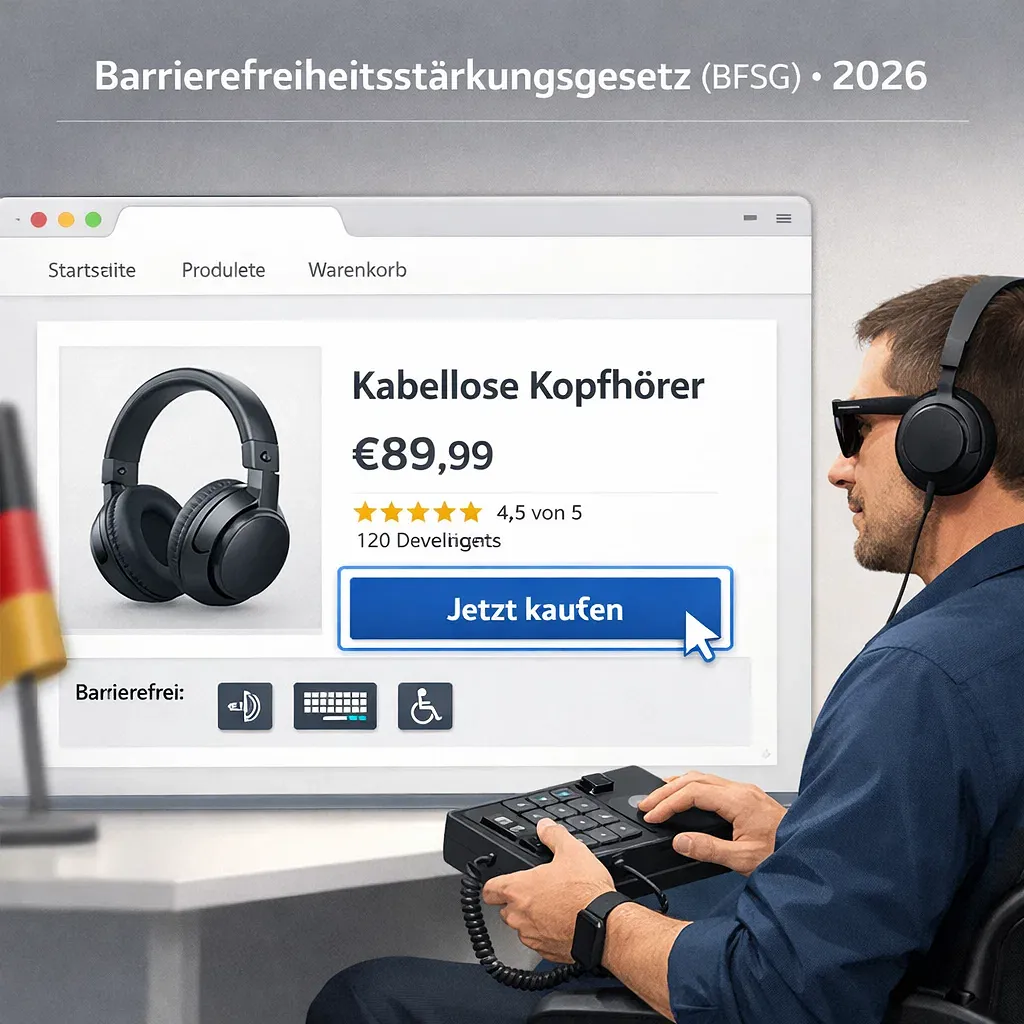
Introduction
The BFSG - Germany's Barrierefreiheitsstarkungsgesetz - has been in force since 28 June 2025. It requires companies that sell or provide services to consumers online to make their websites, online shops and apps accessible. Most German companies have not yet acted. And the enforcement authority is already operational.
According to Destatis, around 7.9 million people in Germany - 9.3% of the population - live with a severe disability. Many of them cannot use websites that ignore basic accessibility requirements: no keyboard navigation, unreadable contrast, cookie banners that block the screen. This is not a future compliance problem. It is a present one, with real consequences.
In this article we share what we have learned working with companies in Germany on web accessibility: who the law affects, what it requires, where the grey areas are, and what a practical path to compliance looks like. We write from the perspective of a team that has worked through these questions with clients - not as a textbook, but as a guide for decision-makers who need to act.
What BFSG Is and Why It Matters for Companies in Germany
The BFSG is Germany's national law implementing the European Accessibility Act (EU Directive 2019/882). It is the first German law to require private companies - not just government bodies - to make their digital products and services accessible to people with disabilities. The law came into force on 28 June 2025, and it applies now.
Before the BFSG, German private companies had no binding obligation to make websites accessible. The EAA changed that across the EU. The goal is straightforward: equal participation in digital life for people with disabilities, and consistent rules across EU member states so companies do not face a patchwork of conflicting national requirements.
The BFSG covers two categories: products (such as terminals, e-readers, ticketing machines) and services. For most companies with websites and online shops, the relevant category is services - specifically "Dienstleistungen im elektronischen Geschaftsverkehr," which means electronic commerce services.
What "electronic commerce services" means under the law
The definition is technical, but the practical meaning is clear: if a consumer can buy something, book an appointment, or register on your site, you are likely in scope. The law targets services provided on an individual basis, at the consumer's request, for the purpose of concluding a consumer contract. This covers most B2C e-commerce, booking platforms and online service portals.
A study by Aktion Mensch tested 65 online shops from Germany's top 500 e-commerce platforms in 2025. Only one in three met accessibility standards. Only 20 of those 65 sites could be operated by keyboard alone - a basic requirement for many people with visual or motor impairments. The gap between legal obligation and current reality is significant.
Which Websites, Online Shops, Portals and Apps Are Affected
The BFSG applies to companies offering electronic commerce services to consumers in Germany. Online shops are fully in scope. So are booking platforms, appointment systems, portals with consumer-facing transactional flows, and mobile apps. The defining criterion is whether a consumer contract can be concluded through the channel.
Here is a practical breakdown of what is covered:
- Online shops and e-commerce platforms: fully in scope if they serve end consumers
- Service booking and appointment systems (Terminbuchung): in scope if consumers book via the site
- Portals with login areas, account management or consumer-facing forms: in scope for the consumer-facing parts
- Mobile apps: covered under EN 301 549, Chapter 11
- Pure B2B platforms: excluded, provided no consumer contracts are concluded through the site
The micro-enterprise exception in detail
Micro-enterprises are exempt from the BFSG's service requirements - but the exemption is narrower than many companies assume. A micro-enterprise is defined as a business with fewer than 10 full-time employees (trainees are excluded from the count) and a turnover or balance sheet total of no more than 2 million euros. Even if your company qualifies, the exemption covers services only, not products.
This means a small online shop selling physical products is not automatically exempt. The product being sold may itself fall under a covered product category, and the digital service used to sell it may also be in scope. According to the Bundesfachstelle Barrierefreiheit, micro-enterprises must still assess each situation carefully before assuming they are exempt.
Where the Legal Grey Areas Begin: B2B, Hybrid Models and Transactional Flows
Pure B2B platforms - where only businesses conclude contracts, with no consumer transactions - are outside the BFSG's scope for services. But in practice, many companies operate hybrid models. And the boundary matters more than companies often realize.
If any part of a site enables a consumer to conclude a contract, that part falls under the BFSG - even if the business's primary customer base is other companies. A contact form open to the public, a booking widget accessible to individuals, or a public checkout flow are each sufficient to bring a site into scope for the consumer-facing elements.
One detail that surprises many companies: the transitional period for services provided under contracts signed before 28 June 2025 runs until 27 June 2030 (§ 38 BFSG). This sounds like a long runway. But the protection disappears the moment any content on the site is updated after 28 June 2025. An online shop that updated its homepage, added a banner, or changed a product description after that date has already lost its transitional status.
Our approach with clients in Germany is to start with a scoping assessment: identifying exactly which parts of a site or service are in scope before doing any technical work. This avoids either over-investing in areas that are not covered, or missing critical parts of the user journey that are.
What Digital Accessibility Means in Practice for Websites and User Journeys
Accessibility means that every user - including someone who navigates by keyboard, uses a screen reader, has limited vision, or processes information differently - can complete the same tasks as any other user. Under the BFSG, the entire digital journey must be "findable, accessible and usable." The official position of the Bundesfachstelle Barrierefreiheit is that a narrow interpretation - "we made the checkout page accessible" - creates legal risk, because the sections of a site are functionally connected. This is where professional web development expertise becomes critical - not just in fixing individual pages, but in ensuring the entire system is accessible from the ground up.
The parts of a website or digital service that fall under scope include:
- Registration and login flows
- Password recovery
- Contact, subscription and booking forms
- Shopping cart and checkout
- Payment screens
- Account management and dashboards
- Downloadable PDFs and documents
- Third-party integrations (cookie banners, maps, chat widgets, review widgets)
- Mobile apps
- Help centre and support flows, if they are part of the service
A barrier anywhere in the critical path - a form that cannot be completed by keyboard, a cookie banner that traps focus, a payment button with no accessible label - creates both legal and business risk. Users who cannot complete a transaction do not file accessibility complaints. They simply leave.
Why third-party components are the company's responsibility
One of the less obvious requirements: you are responsible for the accessibility of third-party components on your site, even if the barrier is in a vendor's widget. Cookie consent banners are one of the most common culprits - they are often inaccessible by default, and they appear on every page before the user can do anything else. The same applies to embedded maps, chat tools and review platforms. Comprehensive digital marketing strategies that include accessibility audits help identify these hidden barriers before they create compliance problems.
This does not mean you need to build everything from scratch. It means you need to evaluate third-party tools for accessibility, and either choose accessible alternatives, configure them correctly, or - where necessary - replace them. Working with vendors who understand accessibility is part of the compliance picture.
EN 301 549, WCAG and BFSGV in Plain Language
The BFSG references a chain of standards that can seem complicated. Here is the simplified version. WCAG 2.1 AA is the practical benchmark for web accessibility. EN 301 549 is the European technical standard that references WCAG. BFSGV is the German ordinance that connects EN 301 549 to the BFSG law. You comply with BFSG by meeting EN 301 549, which for websites means meeting WCAG 2.1 AA.
To put it more concretely:
- EAA (European Accessibility Act): the EU directive that required member states to introduce accessibility laws
- BFSG: Germany's national law implementing the EAA
- BFSGV: the German ordinance specifying the concrete technical requirements
- EN 301 549: the European ICT accessibility standard; Chapter 9 covers websites, Chapter 11 covers apps
- WCAG 2.1 AA / WCAG 2.2: the W3C guidelines that EN 301 549 references for web content; WCAG 2.2 holds ISO/IEC 40500:2025 status
For practical purposes, achieving WCAG 2.1 Level AA compliance is the goal. WCAG 2.2 is the current version and adds a small number of new criteria; starting with 2.2 is sensible for any new project.
The four WCAG principles in plain language
WCAG is organized around four principles, often referenced by the acronym POUR. Every accessibility requirement fits into one of these four categories:
- Perceivable: content can be seen, heard or felt. No information is conveyed by color alone. Images have descriptive alternative text. Captions are available for video.
- Operable: every function works by keyboard. There are no traps. Users have enough time. Nothing flashes at rates that can cause seizures.
- Understandable: language is clear. Error messages are helpful. Forms are properly labeled. Navigation is consistent.
- Robust: content works with current and future assistive technologies. The code is valid and semantic.
Why automated testing alone is not enough
Automated tools like Lighthouse, axe or BITV-Test are useful starting points. But W3C states clearly that "testing the success criteria would involve a combination of automated testing and human evaluation." Automated tools catch roughly 30 to 40 percent of accessibility issues. The rest require manual testing with real assistive technologies - screen readers, keyboard-only navigation - and where possible, testing with users who have disabilities.
A Lighthouse score of 100 is not a compliance certificate. We have seen sites with perfect Lighthouse scores that fail basic keyboard navigation tests or have screen reader announcements that make no sense. Automated testing is a floor, not a ceiling.
Common Website Barriers That Create Legal and Business Risk
Most German websites fail on a handful of recurring issues. Keyboard navigation, focus visibility and color contrast together account for the majority of barriers found in the Aktion Mensch study of 65 German online shops. These are not edge cases - they are the default state of most sites built without accessibility in mind.
The most common barriers we encounter in practice:
- Keyboard navigation absent or broken: users who cannot use a mouse cannot navigate the site at all
- Invisible or weak focus state: keyboard users cannot see which element is currently active
- Insufficient color contrast: text and graphics do not meet WCAG minimum contrast ratios
- Poor tab order: keyboard focus jumps around the page in a non-logical sequence
- Intrusive overlays: cookie banners and pop-ups that block or trap keyboard focus
- Missing alt text: meaningful images have no alternative text for screen readers
- Unclear link and button names: labels like "click here" or "more" provide no context when read in isolation
- Unlabeled form fields: screen readers cannot announce what a field expects
- Unhelpful validation errors: "invalid input" without explaining what went wrong or how to fix it
- Inaccessible custom controls: sliders, custom dropdowns and date pickers built without ARIA support
- Inaccessible PDFs: downloadable documents that are images, not text
Why these barriers also hurt business results
Accessibility problems and conversion problems are often the same problem. A user who cannot complete a checkout form because the validation errors are unclear does not appear in your analytics as an accessibility failure - they appear as a lost sale. Fixing keyboard navigation, improving form labels and clarifying error messages improves the experience for everyone, not just users with disabilities.
There is also a meaningful overlap with SEO. Correct heading structure, descriptive alt texts, clear link anchors and semantic HTML help both assistive technologies and search engines understand your content. Accessibility and SEO share a common foundation: well-structured, clearly labeled content. Many companies find that improvements to accessibility unlock better search visibility, which is why working with teams experienced in both SEO optimization and accessibility is often the most efficient path.
What Companies Must Publish: Informationen zur Barrierefreiheit
Under § 14(1) Nr. 2 BFSG in conjunction with Annex 3, any company providing covered services must publish specific accessibility information - in plain language, in an accessible format, and linked prominently from the website. This is not optional. It is a legal requirement that takes effect along with the rest of the BFSG obligations.
The required content includes:
- A general description of the service
- How the accessibility requirements are met - with reference to the relevant standards or technical specifications
- The name of the competent supervisory authority (MLBF AoR)
The publication requirements under § 12 Nr. 2 BFSGV set out how the information must be provided: accessible through multiple perception channels, easy to find (a link in the header or footer is recommended), in plain language, in text format that can be converted to alternative formats, and maintained for as long as the service is offered. For financial services, the language must be no more complex than level B2.
Common mistakes with accessibility statements
The mistakes we see most often are the same across many companies. Using a generic template without checking whether it reflects the actual state of the site is one. Publishing the statement once and never updating it is another - the information must reflect current reality, not a snapshot from the day the site launched. And burying the link deep in a sub-page that few users find defeats the purpose of the requirement.
Publishing accurate, up-to-date accessibility information is itself a form of risk management. A statement that overstates compliance creates a paper trail pointing in the wrong direction.
How Monitoring, Complaints and Sanctions Work in Germany
The MLBF AoR - Marktuberwachungsstelle der Lander fur die Barrierefreiheit von Produkten und Dienstleistungen - is the official market surveillance authority for BFSG in Germany. It has been fully operational since 26 September 2025, based in Magdeburg, and has real enforcement powers.
The MLBF can issue remediation orders, restrict or prohibit the provision of non-compliant services and products, and impose fines. Under § 37 BFSG, fines reach up to 10,000 euros for standard violations and up to 100,000 euros in more serious cases.
The MLBF is not the only enforcement channel. Consumers can file complaints directly with the authority. Consumer organizations have been granted the right to bring class actions (Verbandsklage). And competitors can issue warnings under competition law (Abmahnung) - a mechanism already used actively in Germany for other digital compliance issues, such as GDPR violations and cookie consent.
One provision worth understanding is the disproportionate burden exception. If compliance would create an unreasonable economic burden ("unverhaltnisMassige Belastung"), a company can potentially claim an exemption - but only if it has completed a documented five-year cost-benefit analysis and notified the MLBF. This is not a simple opt-out. It is a formal process that requires documentation and ongoing engagement with the authority.
A Practical Roadmap: Audit, Prioritization, Remediation and Ongoing Maintenance
Achieving BFSG compliance is a structured process, not a one-time fix. It starts with scoping and moves through audit, prioritized remediation, QA and re-check, into ongoing maintenance - because accessibility is broken by every content update or new feature that is built without it in mind. Here is how we approach this with clients.
Step 1: Scope definition
Before any technical work, identify which parts of the site or service fall under the BFSG. Map all transactional flows - checkout, registration, forms, bookings. Identify third-party integrations that are in scope. Determine whether the micro-enterprise exemption applies, and if so, what it covers in your specific situation.
Step 2: Audit
Run automated tools (ARC Toolkit, BITV-Test, Colour Contrast Analyzer) across the site. Then test manually with real assistive technologies: screen readers (NVDA, VoiceOver, JAWS), keyboard-only navigation, browser zoom. Where possible, include testing with users who have disabilities. The output is a prioritized issue list mapped to specific WCAG success criteria. A structured audit by professionals who combine technical testing with user research delivers insights that automated checks alone cannot provide.
Step 3: Prioritization
Not everything can be fixed at once. Critical paths come first: checkout, registration forms, payment flows. High-impact, low-effort fixes follow: alt texts, contrast ratios, button labels. Complex components come last: custom controls, PDFs, third-party widget replacements.
Step 4: Remediation
Developer implementation guided by specific WCAG criteria - not just "make it accessible" but "implement aria-label here, use a native button element there, update the color token to meet 4.5:1 contrast." CMS-level fixes where templates or shared components are the source of recurring issues. PDF remediation or replacement with HTML alternatives.
Step 5: QA and re-check
Re-test fixed issues using the same methods used in the audit. Verify that fixes in one area have not introduced regressions elsewhere - it is not uncommon for a focus management fix to unintentionally affect a modal dialog elsewhere on the site.
Step 6: Publish Informationen zur Barrierefreiheit
Accurate, up to date, easy to find. This should reflect the actual state of the site after remediation - not a template, not aspirational.
Step 7: Ongoing maintenance
Accessibility must be built into the development and content process on an ongoing basis. Every new feature, every template change, every content update should be evaluated against WCAG. Regular re-audits - at minimum annually, or after any significant change - keep the site in compliance as it evolves.
Why Involving an Experienced Implementation Partner Matters
An audit that ends with a list of issues is only half the job. The harder part is implementing fixes without breaking existing design, SEO or sales funnels - and building a process that keeps the site accessible as it changes. This is where the difference between a checklist and actual compliance becomes concrete.
We work with companies in Germany on this kind of project regularly. What we bring is not just a list of issues to fix, but the ability to prioritize by legal risk and business impact, implement changes across CMS platforms and custom builds, and maintain accessibility as a living requirement rather than a one-time audit. We understand how B2B and hybrid B2B/B2C projects work in the German market, and we know what regulators and competitors are looking at. Our approach to web design for accessibility combines regulatory compliance with user experience improvements that drive business results.
Automated tools cover roughly 30 to 40 percent of accessibility issues. The remaining 60 to 70 percent require human judgment - understanding context, testing real user journeys, evaluating whether a fix works in practice. Companies that run Lighthouse and consider themselves compliant are exposed to exactly the issues that manual testing would catch. This is why hiring partners with deep expertise in both technology and accessibility testing is not an expense - it is risk mitigation.
The cost of waiting is real. Technical remediation across a mature website takes time - weeks, not days. Every week of delay is a week of legal exposure. The MLBF is operational, competitors and consumer organizations can act, and the BFSG does not have a warm-up period for companies that chose to wait.
Conclusion
The BFSG has been in force since June 2025. The supervisory authority is active. Most German websites are not yet compliant. And the majority of the issues involved - keyboard navigation, contrast, form labels, focus management - are fixable with a structured process and the right technical expertise.
The key points to take from this article:
- BFSG applies to any company offering digital services to consumers in Germany - B2C e-commerce, booking platforms, online service portals
- The micro-enterprise exemption is narrower than many assume: it covers services only, not products, and requires fewer than 10 full-time employees
- The entire digital journey must be accessible - not just the homepage or the checkout page
- You are responsible for the accessibility of third-party components on your site
- Automated testing alone covers only 30 to 40 percent of issues; manual and user testing are required for the rest
- Penalties reach up to 100,000 euros; competitor warnings and consumer complaints are additional enforcement channels
- Compliance requires a structured process: scope assessment, audit, prioritized remediation, QA and ongoing maintenance
Contact Webdelo for a BFSG scope assessment, a risk analysis, and the practical implementation of accessible solutions for your website, shop or portal in Germany.
Frequently Asked Questions
Does BFSG apply to my website if I only sell to B2B customers?
No, the BFSG applies only to electronic commerce services offered to consumers. Pure B2B platforms where no consumer contracts are concluded are outside the scope. However, if your site has any consumer-facing part - such as a public contact form, booking widget, or account registration for individuals - that part falls under BFSG requirements.
Am I exempt from BFSG if my company is a micro-enterprise?
Micro-enterprises with fewer than 10 full-time employees and turnover below 2 million euros are exempt from BFSG service requirements only. The exemption does not cover products. If you sell physical goods, your products may still fall under covered product categories. Before assuming exemption, assess each service and product carefully according to the Bundesfachstelle Barrierefreiheit guidance.
What happens if I updated my website after 28 June 2025 but was previously compliant?
You lose the transitional protection period. The law allows a transition until 27 June 2030 for services under contracts signed before 28 June 2025 - but only if nothing on the site changes. Any update to content, including a banner addition or product description change, triggers full BFSG compliance requirements immediately. This is why starting accessibility work early is critical.
Are automated accessibility testing tools sufficient to prove BFSG compliance?
No. Automated tools such as Lighthouse and axe catch only 30 to 40 percent of accessibility issues. The W3C explicitly states that testing requires a combination of automated and manual evaluation. The remaining 60 to 70 percent of issues require testing with real assistive technologies, keyboard-only navigation, and ideally with users who have disabilities. A Lighthouse score of 100 is not a compliance certificate.
Who is responsible for accessibility if a third-party widget on my site is inaccessible?
You are. Even if the barrier exists in a vendor's widget, you remain responsible for accessibility under BFSG. Cookie consent banners, maps, chat tools, and review platforms must all be accessible. This means evaluating third-party tools for accessibility, choosing accessible alternatives where available, and configuring them correctly. If a vendor's widget cannot be made accessible, you must replace it.
What are the potential penalties for BFSG non-compliance?
Under § 37 BFSG, fines range from 10,000 euros for standard violations to 100,000 euros for more serious cases. Beyond fines, the MLBF AoR market surveillance authority can issue remediation orders, restrict or prohibit your service, and consumers can file formal complaints. Competitors may also issue warnings under German competition law. The MLBF has been fully operational since 26 September 2025, so enforcement is active now.
What should a company include in the mandatory Informationen zur Barrierefreiheit statement?
The statement must include a general description of your service, how accessibility requirements are met with reference to relevant standards (WCAG 2.1 AA, EN 301 549), and the name of the competent supervisory authority (MLBF AoR). The information must be accessible in multiple formats, easy to find (a header or footer link is recommended), written in plain language, and kept current as your site changes. Publishing an outdated or generic template creates legal risk.
