



Introduction
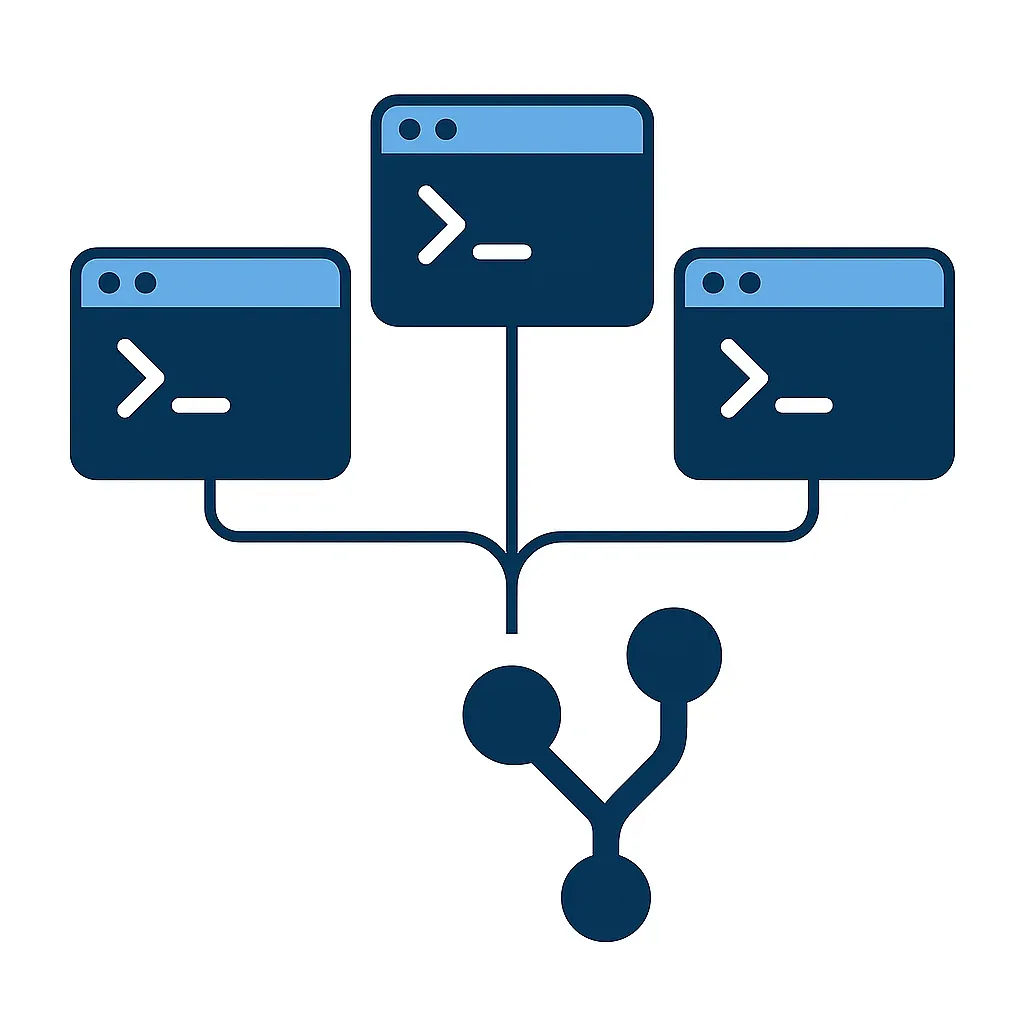
AI coding tools promise dramatic speed gains, but scaling them inside a real engineering team reveals a hidden constraint: one repository means one working directory, one checked-out branch, and one staging area. Run multiple Claude Code agents on the same repo, and they collide immediately. Git worktrees remove that bottleneck by giving each agent its own isolated checkout while sharing history and objects, and when paired with human-in-the-loop quality gates, the result is faster parallel delivery without compounding AI mistakes.
The data on AI-assisted development tells two conflicting stories. A controlled Microsoft Research experiment found GitHub Copilot accelerated developers by 55.8% on an isolated task. Yet a 2025 METR randomized controlled trial showed experienced open-source developers were 19% slower when using AI tools on real repositories. The gap between those numbers is process - specifically, whether the team has the infrastructure to run AI agents in parallel without them stepping on each other.
At Webdelo, we hit this wall when scaling Claude Code across our delivery pipeline. This article walks through the bottleneck we encountered, how git worktrees solved it, how Claude Code's built-in worktree mode compares to native Git worktrees, and what quality gates we put in place to keep speed safe. We also share an implementation checklist you can copy, along with honest trade-offs and the scenarios where this approach does not help.
Why Our AI Workflow Hit a Bottleneck
A standard Git repository has one working directory, one HEAD pointer, one index, and one set of files on disk. That design works perfectly when a single developer works on a single task. It breaks the moment you try to run multiple AI agents in parallel on the same codebase - Agent A writing a feature and Agent B fixing a bug cannot coexist without constant branch switching, stashing, and context loss. Teams investing in professional web development hit this wall as soon as they scale AI agents beyond a single session.
The cost of that limitation compounds quickly. Every stash/unstash cycle risks losing uncommitted work. Every branch switch triggers file rebuilds and cache invalidation. Interleaved changes from different agents create merge conflicts that eat more time than the AI saved. Without a structured approach, even a solid digital marketing strategy cannot compensate for delivery bottlenecks caused by tooling gaps. According to the DORA Report 2025, developers using AI complete 21% more tasks and merge 98% more pull requests individually - but organizational delivery metrics stay flat because review time grows 91%, PR size increases 154%, and bug rates climb 9%.
The Scaling Wall
One developer paired with one AI agent is manageable. The agent writes code, the developer reviews it, and the single working directory handles the flow. Scale that to three to five parallel agents per developer, and the model falls apart. The engineering team at incident.io ran into exactly this problem when operating four to five parallel Claude Code agents - they needed worktree isolation to make it work at all.
Why Git Clone Is Not the Answer
The obvious workaround is cloning the repository multiple times. Five full clones of a 200MB repository consume roughly 1GB of disk space compared to approximately 200MB with worktrees. Each clone carries its own copy of the entire object store and history. Branches created in one clone are invisible to the others, making integration harder. Diverging histories complicate merges and break assumptions that CI pipelines make about a single source of truth.
What Git Worktrees Change
A git worktree creates an additional working directory linked to the same repository. It shares history, branches, tags, remotes, and the entire object store with the main checkout, but it has its own files on disk, its own HEAD, its own MERGE_HEAD, and its own staging area. Multiple agents can work on different branches simultaneously without any interference, using a single command: git worktree add <path> <branch>.
Git Worktree vs Git Clone vs Git Stash
| Criteria | Git Worktree | Git Clone | Git Stash |
|---|---|---|---|
| Disk usage | Lightweight - shared object store | Full copy of repository | No extra disk |
| History sharing | Shared refs, branches, tags | Independent history | Same repo |
| Creation speed | Near-instant | Depends on repo size | Instant |
| Parallel branches | Yes - one branch per worktree | Yes - any branch per clone | No - single directory |
| Branch visibility | All branches visible everywhere | Branches isolated per clone | All branches visible |
| Risk of data loss | Low - proper cleanup commands | Low | Medium - manual apply/pop |
| Best for | Parallel AI agents, multi-task work | Fully independent environments | Quick temporary saves |
Practical Mechanics
Inside a linked worktree, the .git entry is a file (not a directory) that points back to the main repository's .git directory. This link is what enables shared history without duplication. The same principle of isolation drives how agencies approach SEO services at scale - separating concerns so parallel workstreams do not interfere with each other. Per-worktree configuration is supported through extensions.worktreeConfig and a dedicated config.worktree file, so each checkout can have its own settings without affecting others.
Cleanup follows a strict protocol. Use git worktree remove <path> to properly detach a worktree - never delete the directory manually, as that leaves stale references. Run git worktree list periodically to audit active worktrees and git worktree prune to clean up entries pointing to directories that no longer exist. One constraint to keep in mind: a single branch cannot be checked out in multiple worktrees simultaneously without the --force flag.
Claude Code Worktree Mode vs Native Git Worktrees
Claude Code (v2.1.50+) offers a built-in --worktree flag that automates worktree creation, naming, and cleanup. Native git worktree add gives teams full control over directory layout, branch conventions, and CI integration. The Claude Code documentation itself recommends native worktrees when teams need "more control" over their workflow.
Built-in Claude Code Worktree Mode
Running claude --worktree <name> or claude -w <name> creates a worktree at .claude/worktrees/<name>/ with a branch named worktree-<name> based on the default remote branch. Without a name argument, Claude generates a random identifier. Cleanup is automatic: if the session ends with no changes, the worktree is removed; if changes exist, the user is prompted to keep or remove it.
Sub-agents in Claude Code can use worktree isolation by adding isolation: worktree to their frontmatter configuration. Each sub-agent then operates in its own isolated worktree with its own branch, preventing any file or staging conflicts between parallel tasks.
Native Git Worktrees
Native worktrees integrate directly with existing team conventions. Branches follow established naming patterns like feat/*, fix/*, or hotfix/* that CI pipelines and branch protection rules already recognize. Directory structures can be customized freely - for example, wt/feat-auth, wt/fix-header, wt/main - rather than being confined to .claude/worktrees/.
When to Use Which
- Starting out or running ad-hoc tasks: Claude Code
--worktreehandles creation and cleanup automatically, reducing setup friction - Mature pipeline with CI, naming conventions, and team standards: native
git worktree addgives full control over the workflow - Hybrid approach: use Claude Code mode for exploration and prototyping, native worktrees for production delivery. This mirrors how teams pair rapid prototyping with a reliable web design process
Human-in-the-Loop: Quality Gates That Keep Speed Safe
AI coding tools accelerate code generation, but without structured human review at each stage, the speed gain gets consumed by larger pull requests, longer review cycles, and more post-merge bugs. The DORA 2025 data makes this explicit: individual AI-assisted developers complete more tasks, yet organizational delivery metrics do not improve - the gains are absorbed by downstream bottlenecks that only process discipline can fix.
The METR study adds important nuance. Sixteen experienced open-source developers using Cursor Pro with Claude 3.5/3.7 Sonnet were 19% slower on 246 real repository issues - even though they predicted they would be 24% faster. The overhead came from debugging AI-generated output, managing context switches, and verifying correctness. Atlassian's HULA experiment tells a similar story: only 33% of engineers felt AI-generated code fully solved the task, and 59% of AI-generated pull requests were merged - exclusively after human review.
Quality Gate Structure
- Gate 1 - Task scoping: The developer defines the task boundaries and acceptance criteria. The AI agent proposes an implementation plan. Human approves or adjusts before any code is written.
- Gate 2 - Code generation: The AI writes code in an isolated worktree. The developer reviews the diff before committing, catching structural issues early.
- Gate 3 - Automated checks: Linters, type checkers, and unit tests run inside the worktree before any merge attempt. Failures block the pipeline.
- Gate 4 - Human code review: A pull request goes through standard code review focused on logic, edge cases, and architectural fit.
- Gate 5 - Integration: Merge to main triggers the full CI pipeline including integration tests and smoke tests.
The DORA Connection
The DORA 2025 report identifies seven critical capabilities that determine whether AI accelerates or undermines an engineering organization: clear AI policies, quality data ecosystems, strong version control practices, small batch work, user-centric strategy, quality internal platforms, and structured feedback loops. Organizations that already have these capabilities see AI amplify their strengths. Organizations without them see AI amplify their dysfunctions. A thorough SEO site audit before adopting AI workflows often reveals these process gaps early. Git worktrees with quality gates address several of these capabilities at once - strong version control, small batch work, and structured review processes.
Implementation Checklist (Copy-Paste)
Setting up a git worktree workflow for parallel AI development requires four steps: creating a directory structure, isolating environments per worktree, configuring quality gates, and establishing a cleanup routine. Each step is designed to work independently, so teams can adopt them incrementally.
Step 1: Create Directory Structure
# Create integration worktree (always on main)
git worktree add wt/main main

git worktree add wt/feat-auth -b feat/auth
git worktree add wt/fix-header -b fix/header-overflow
git worktree add wt/feat-onboarding -b feat/onboarding-flow

# List all worktrees
git worktree list
Convention: one task equals one branch equals one worktree directory. Name the directory to match the branch purpose so any team member can see what each worktree is working on at a glance.
Step 2: Set Up Environment Isolation
Branch isolation alone is not enough. Two worktrees running the same application will fight over ports, databases, and caches unless each has its own environment configuration.
# wt/feat-auth/.env
PORT=3010
DB_NAME=myapp_feat_auth
CACHE_PREFIX=feat_auth_
REDIS_DB=1

# wt/fix-header/.env
PORT=3020
DB_NAME=myapp_fix_header
CACHE_PREFIX=fix_header_
REDIS_DB=2- Ports: Assign unique port ranges per worktree (3000-3009, 3010-3019, etc.)
- Databases: Use separate test databases or schema namespaces
- Caches: Namespace Redis prefixes and file locks per worktree
- Dependencies: Each worktree gets its own
node_modulesorvendordirectory - do not share them
Step 3: Configure Quality Gates
# Pre-commit hook (runs in each worktree)
npm run lint && npm run typecheck

# Pre-merge check (run manually or via CI)
cd wt/feat-auth && npm test

# PR template checklist
# - [ ] Tests pass in worktree
# - [ ] No merge conflicts with main
# - [ ] Human reviewed diff
# - [ ] Acceptance criteria met
The key principle: automated checks run inside each worktree before code ever reaches a pull request. Human review happens on the PR itself. This two-layer approach catches both mechanical errors (linting, types, tests) and judgment errors (wrong approach, missed edge case, architectural mismatch).
Step 4: Cleanup Routine
# After merge - remove worktree properly
git worktree remove wt/feat-auth

# Clean stale references
git worktree prune

# Delete merged branches
git branch -d feat/auth

# Audit active worktrees
git worktree list
Never delete worktree directories manually with rm -rf. This leaves stale entries in .git/worktrees/ that can cause confusing errors later. Always use git worktree remove, which handles both the directory and the internal references.
Results, Trade-offs, and Where It Won't Help
Git worktrees with structured quality gates allowed our team to run three to five parallel AI agent sessions per developer while maintaining code quality. Tasks that previously queued behind each other now execute simultaneously. Context-switching overhead dropped to near zero because each agent operates in its own directory with its own branch, and the shared object store keeps disk usage close to a single checkout.
What Improved
- Parallel execution: Three to five concurrent AI agent sessions per developer, each in its own worktree
- Eliminated context-switching: No more stash/unstash cycles or branch juggling between tasks
- Faster feature delivery: Independent tasks run simultaneously instead of queuing, which matters especially when engineering teams support GEO and AI SEO initiatives that demand rapid iteration
- Disk efficiency: Shared object store means five worktrees use roughly the disk space of one full clone plus working files
Honest Trade-offs
- Learning curve: The team needs to understand the worktree lifecycle - create, use, remove - and the difference between a worktree and a clone
- Environment setup overhead: Port assignment, database isolation, and cache namespacing require upfront investment in tooling and documentation
- Submodule limitation: Git worktree support for submodules is incomplete. The official documentation does not recommend multiple checkouts of superprojects
- Merge complexity: More parallel branches means more potential merge conflicts at integration time. Small, focused tasks mitigate this
Where It Won't Help
- Shared database migrations: Two worktrees running different migration sets on the same database will conflict regardless of branch isolation
- Tightly coupled features: If tasks depend on each other's code, parallel execution creates integration pain that worktrees cannot solve
- Small teams with sequential work: If tasks rarely overlap, worktrees add tooling complexity without meaningful benefit
- Legacy monoliths without test coverage: AI speed without automated tests means faster bugs reaching production
Conclusion
The single-directory bottleneck is a real constraint that blocks parallel AI-assisted development, and git worktrees are the lightweight fix. They share history and objects while isolating working files, staging areas, and branches - giving each AI agent its own workspace without the overhead of full repository clones.
- The "one working directory" problem is well-documented and directly limits how many AI agents can operate on a repository simultaneously
- Claude Code's
--worktreeflag is convenient for quick tasks and experiments; nativegit worktree addfits teams with mature CI pipelines and naming conventions - AI speed without quality gates creates downstream bottlenecks - the DORA 2025 data shows individual gains that do not translate to organizational delivery improvement
- Environment isolation (ports, databases, caches) is as important as branch isolation - worktrees solve only the Git layer
- Start with one parallel agent, add quality gates, then scale - do not parallelize without process
Book a short discovery call or request an audit of your delivery workflow and AI-assisted development setup.
Frequently Asked Questions
What problem do git worktrees solve for teams running multiple AI coding agents?
A standard Git repository has one working directory, one HEAD pointer, and one staging area. When multiple AI agents try to work on different tasks in the same repo, they collide through branch switching, stash conflicts, and cache invalidation. Git worktrees give each agent its own isolated checkout with separate files, HEAD, and staging area while sharing the same history and object store.
How does git worktree compare to git clone for parallel development?
Git worktrees are significantly more efficient. Five full clones of a 200 MB repository consume roughly 1 GB of disk space, whereas worktrees use approximately 200 MB because they share the object store. Branches created in any worktree are immediately visible to all others, while clones have isolated histories that require manual synchronization. Worktrees also create near-instantly compared to full clones.
When should teams use Claude Code's built-in worktree mode versus native git worktrees?
Claude Code's --worktree flag is best for quick ad-hoc tasks and exploration because it handles creation, naming, and cleanup automatically. Native git worktree add suits mature pipelines with established CI, branch naming conventions, and team standards because it gives full control over directory layout and integration. Many teams use a hybrid approach - Claude Code mode for prototyping and native worktrees for production delivery.
Why do AI-assisted teams need human-in-the-loop quality gates?
Research shows that AI speed without structured review creates downstream bottlenecks. The DORA 2025 report found that individual AI-assisted developers complete 21% more tasks, but organizational delivery metrics stay flat because review time grows 91% and PR size increases 154%. The METR study showed experienced developers were actually 19% slower with AI tools on real repositories due to debugging overhead. Quality gates at task scoping, code review, and automated testing stages keep the speed gains from compounding into quality problems.
What environment isolation is needed beyond git branch separation in worktrees?
Branch isolation alone is not enough. Two worktrees running the same application will fight over ports, databases, and caches. Each worktree needs unique port ranges, separate test databases or schema namespaces, namespaced Redis prefixes and file locks, and its own dependency directory like node_modules. Without this layer of isolation, parallel agents produce runtime conflicts even though their code changes are cleanly separated.
What are the main limitations of the git worktree approach?
Git worktrees do not help with shared database migrations where different worktrees run conflicting migration sets. They also add complexity without benefit for small teams with sequential work or tightly coupled features that depend on each other's code. Submodule support is incomplete, and more parallel branches increase merge conflict potential at integration time. Legacy monoliths without test coverage will see faster bugs reaching production rather than faster delivery.
How many parallel AI agent sessions can a developer run with git worktrees?
There is no hard limit in Git itself. The practical constraint is system resources including disk space, memory, and available ports. Most teams find three to five worktrees per developer to be the productive range without overloading resources or creating unmanageable merge queues. Starting with one parallel agent, adding quality gates, and then scaling incrementally is the recommended approach.
