



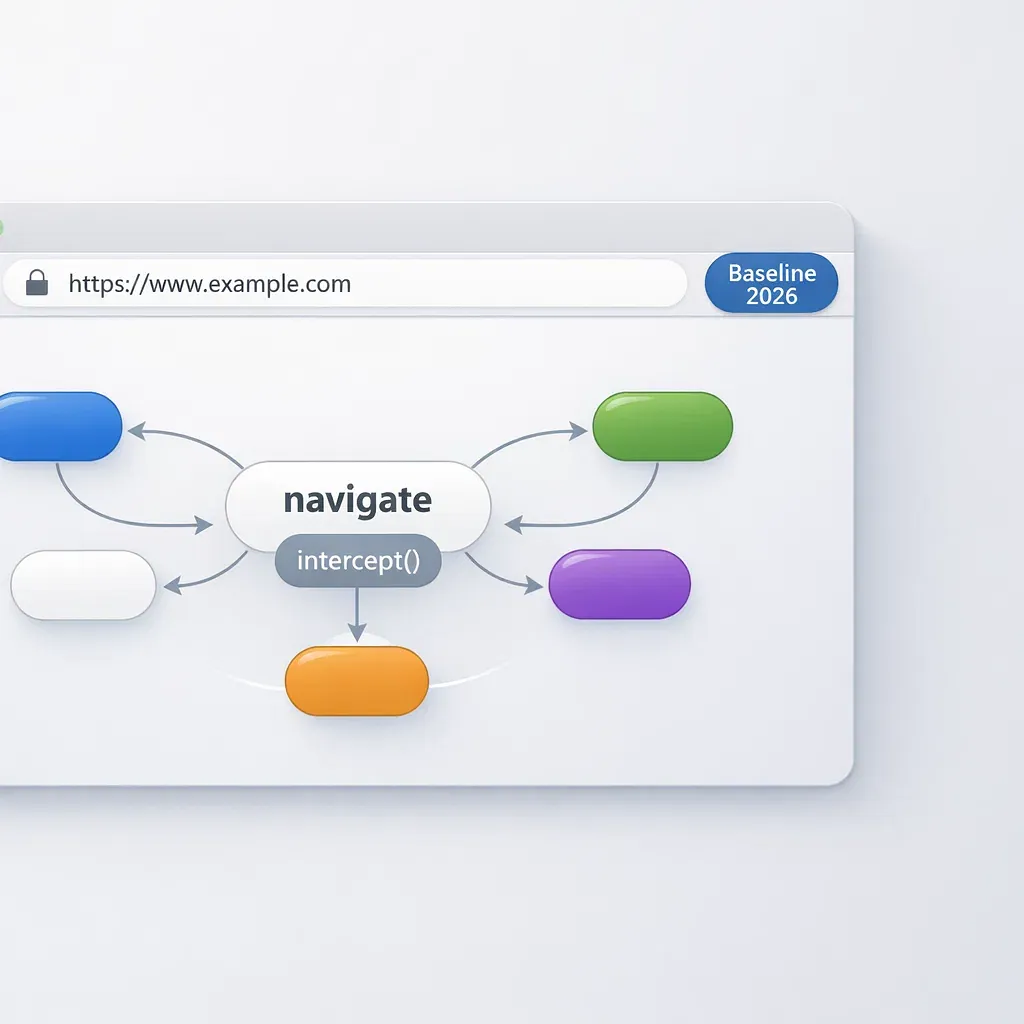
Navigation API Reaches Baseline: What This Means for SPA Routing in 2026
Navigation API became Baseline Newly available in early 2026, giving frontend teams a browser-native routing primitive that replaces the patchwork of workarounds built around History API over the last decade. For enterprise single-page applications where predictability, accessibility, and maintainability determine long-term cost, this is a practical shift in how navigation logic gets structured.
History API was never designed for SPAs. Developers layered click interceptors, popstate listeners, manual pushState calls, and form handlers on top of a minimal interface, producing a fragile stack that breaks under edge cases - back/forward inconsistencies, lost form state, scroll race conditions, silent accessibility failures. Every large SPA team has spent hours debugging these issues.
Navigation API addresses this by providing a single navigate event on the global window.navigation object that captures link clicks, form submissions, back/forward actions, and programmatic navigation in one unified handler. The browser manages URL updates, history entries, and focus - developers focus on data loading and rendering.
This article covers how Navigation API works under the hood, why it matters for production SPAs, practical enterprise patterns (access guards, request cancellation, observability), a migration strategy that does not require rewriting your existing router, and the honest limitations you should account for before adopting it.
What Changed in 2026 and What Baseline Newly Available Means
Baseline Newly available means Navigation API now works across all major browsers in their current stable releases - Chrome 102+, Firefox 147+, Safari 26.2+, and Edge 102+ - covering approximately 83.66% of global users according to Can I Use. This is the threshold where a web API shifts from "experimental" to "production-ready for modern projects" without polyfills.
The term "Baseline" comes from the WebDX Community Group, which tracks when features reach consistent cross-browser support. There are two levels. Newly available means the feature works in the latest version of every core browser (Chrome, Edge, Firefox, Safari). Widely available means it has been supported for at least 30 months, making it safe for projects that must support older browser versions. Navigation API is at the Newly available stage, which means progressive enhancement is the recommended adoption pattern.
The browser-by-browser timeline tells the story of convergence:
- Chrome and Edge shipped Navigation API in version 102 (April 2022), providing early access for Chromium-based browsers
- Firefox 147 (January 2026) added full support, as confirmed in the Firefox 147.0 release notes
- Safari 26.2 (January 2026) brought Navigation API to WebKit, and Safari 26.3 followed with AbortSignal on NavigateEvent - a critical feature for canceling in-flight work during interrupted navigations
Navigation API is also included in the Interop 2026 focus areas, which means browser vendors are actively testing cross-browser compatibility for this API. For teams building corporate SPAs, this means fewer browser-specific quirks to work around compared to earlier web platform features.
In practice, the Baseline Newly available status changes the decision matrix for enterprise projects. You can build on Navigation API as the primary routing layer for modern browsers while keeping your existing router (React Router, Vue Router, or a custom solution) as a fallback for the remaining 16% of users on older versions. Feature detection is straightforward: typeof window.navigation !== 'undefined'.
Why History API Became Technical Debt for SPA Routers
History API provides exactly two surfaces for SPA routing: popstate for reacting to back/forward navigation, and pushState/replaceState for changing the URL without a page reload. Everything else - intercepting link clicks, handling form submissions, managing focus after transitions, restoring scroll position - is left entirely to application code. In a small project this is manageable. In enterprise SPAs with dozens of routes, nested layouts, and multiple teams contributing code, this minimal surface becomes a source of compounding complexity.
The fundamental problem is fragmented navigation handling. A typical SPA built on History API needs separate mechanisms for each navigation trigger:
- Link clicks require a global click interceptor that checks if the target is an internal link, prevents default behavior, and calls
pushState - Back/forward requires a
popstatelistener that parses the URL and triggers re-rendering - Programmatic navigation requires calling
pushStatedirectly plus manually dispatching whatever custom events your router uses - Form submissions require dedicated
onsubmithandlers that prevent the default POST and route to the correct view
Each of these paths can diverge. In large codebases, different teams implement navigation differently - one module uses the router's API, another calls pushState directly, a third relies on window.location for "hard" navigation. The result is inconsistent behavior: double renders, routes that work when clicked but break on back/forward, forms that lose state on navigation. This is a recurring challenge in enterprise web development projects where multiple teams contribute to the same codebase.
Focus management compounds the problem. After pushState changes the URL, the browser does nothing about keyboard focus. Screen readers are not notified that the page content changed. Sighted keyboard users may find their focus stranded on a now-invisible element. Solving this requires manual focus management code - typically an aria-live region, or explicit focus() calls after each transition. Most teams either skip this (breaking WCAG compliance) or implement it inconsistently across routes.
Scroll restoration is another pain point. History API's built-in scroll restoration attempts to restore the scroll position when navigating back, but it races against content loading. If the browser tries to scroll before the SPA has rendered the target content, the position is wrong. The workaround (history.scrollRestoration = 'manual' plus custom logic) works but adds yet another piece of navigation infrastructure that each team must maintain.
Finally, History API gives no access to the navigation stack. history.length returns a count but no entries. history.state is available only for the current entry and can be lost. You cannot inspect where the user came from, what entries exist, or traverse to a specific entry by key. This makes features like "back to list from detail view" unreliable without maintaining a parallel state structure.
Navigation API Under the Hood: navigate, NavigateEvent, canIntercept, intercept()
Navigation API replaces the fragmented History API surface with a single event-driven model centered on the global window.navigation object. Every navigation - whether triggered by a link click, a form submission, a back/forward button, or a programmatic call - fires one navigate event. Your code handles it in one place, and the browser takes care of URL updates, history management, and accessibility focus.
The Global navigation Object
window.navigation is the central control point. Unlike window.history, it exposes the full list of same-origin navigation entries via navigation.entries(), giving you visibility into the navigation stack that History API never provided. Each entry has a url, a persistent key (stable across session), a unique id, and state accessible via getState().
The object provides navigation methods that return promises: navigate(url), reload(), back(), forward(), and traverseTo(key). Each returns an object with two promises - committed (URL updated, history entry created) and finished (handler completed). This two-phase model lets you track navigation progress programmatically, something impossible with pushState.
The navigate Event
The navigate event fires on all same-document navigation types: anchor clicks, form submissions with GET or POST, browser back/forward, and programmatic calls via navigation.navigate(). This eliminates the need for separate click interceptors, popstate listeners, and form handlers. One event listener handles all navigation in your application.
The event object (NavigateEvent) carries everything you need to make routing decisions: destination.url for the target URL, navigationType (push, replace, reload, traverse), formData for POST submissions, canIntercept for checking if interception is allowed, and signal (an AbortSignal) for canceling work if the navigation is interrupted.
event.intercept() and canIntercept
Calling event.intercept() converts a navigation into a same-document transition. The browser updates the URL, creates a history entry, and manages focus reset - your handler() function handles the application-specific work: fetching data, updating the DOM, rendering components. This separation of concerns is the core architectural improvement over History API, where the application was responsible for everything.
canIntercept is a built-in safety mechanism. It returns false for navigations that cannot or should not be intercepted: cross-origin URLs, file downloads, and certain system navigations. The destination URL must share the same origin as the current document and differ only in path, query, or fragment. This prevents URL spoofing and ensures your handler only processes navigations it can legitimately handle.
Navigation Lifecycle
The lifecycle follows a clear sequence: the navigate event fires, your code calls intercept() with a handler, the browser commits the navigation (updates URL, creates entry), the handler runs to completion, and the navigation finishes. If the handler's promise rejects, the navigation is marked as failed. If a new navigation starts before the handler completes, the previous handler's AbortSignal fires, and the new navigation takes over. This lifecycle is deterministic and observable - a significant improvement over the implicit, hard-to-trace behavior of History API navigations.
Key Capabilities: Forms, Scroll, Focus, AbortSignal
Navigation API handles four capabilities that SPA developers have traditionally implemented manually with inconsistent results: form submission interception, scroll restoration after content loads, focus management for accessibility, and request cancellation when the user navigates away. Each of these is now a first-class part of the navigation lifecycle rather than an afterthought bolted onto History API.
Form Submission Without Manual onsubmit
When a user submits a form via POST, the navigate event fires with event.formData populated as a FormData object. This means the navigation handler - the same one that handles all other navigations - also processes form submissions. No separate onsubmit event listener needed. No event.preventDefault() on the form element.
For enterprise applications, this centralizes form handling alongside routing. You can add CSRF tokens, trace IDs, and audit metadata in one place. The pattern also simplifies testing: form submissions follow the same navigation lifecycle as page transitions, with the same AbortSignal, the same error handling, and the same observability hooks.
Scroll Restoration Done Right
The classic SPA scroll bug works like this: the user navigates back to a long page, the browser tries to restore the scroll position, but the content has not loaded yet, so the page scrolls to the wrong place (or nowhere). History API's scrollRestoration property gives you a binary choice - automatic (often wrong) or manual (entirely your problem).
Navigation API introduces scroll: 'manual' in the intercept() options and a dedicated event.scroll() method. You set scroll: 'manual' to prevent premature restoration, load and render your content, then call event.scroll() when the DOM is ready. The browser handles the actual scroll positioning (including anchor links and scroll restoration for traversals) but only after your content is in place. This eliminates the race condition that has plagued SPA scroll restoration for years.
Focus Management for Accessibility
After intercept() processes a navigation, the browser automatically resets focus - either to the document body or to the first element with an autofocus attribute. This is critical for screen reader users: in a traditional SPA built on pushState, the screen reader has no way to know that the page content changed. Users may continue interacting with elements that are no longer visible or relevant.
Automatic focus reset reduces the number of manual accessibility workarounds a team needs to maintain. You no longer need custom ARIA live regions to announce page transitions, and you do not need explicit focus() calls scattered across route handlers. The behavior is consistent, predictable, and built into the navigation lifecycle rather than applied as a patch. Teams that invest in a thorough SEO and accessibility audit can now validate that focus management meets WCAG requirements without requiring custom patches for every route.
AbortSignal for Canceling In-Flight Work
NavigateEvent.signal is an AbortSignal that fires automatically when the current navigation is interrupted - the user clicks another link, hits the back button, or the browser cancels the navigation. Pass this signal to fetch() calls, and in-flight requests are canceled automatically when they are no longer needed.
Safari 26.3 specifically highlighted AbortSignal on NavigateEvent as a key production scenario. The practical impact is significant: in enterprise SPAs with heavy data fetching, abandoned navigations often leave orphaned network requests that consume bandwidth, server resources, and can cause stale data to render after the user has already moved to a different view. With event.signal, cleanup is automatic and reliable.
Enterprise Patterns: Building a Production Router Layer
In corporate SPAs, navigation is not just "switching pages" - it is part of the business process. Login flows, approval workflows, multi-step forms, role-based access, and tenant-specific routing all pass through the navigation layer. Navigation API enables a single router layer that centralizes these concerns, replacing the scattered logic that accumulates around History API in large codebases.
Pattern 1: Unified Router with Observability
A single navigate event listener replaces the combination of click interceptors, popstate handlers, and manual pushState calls. This unified entry point makes navigation observable by default: you can track analytics events at start, success, error, and abort states without instrumenting multiple code paths.
navigation.addEventListener('navigate', (event) => {
  if (!event.canIntercept || event.hashChange) return;

  const url = new URL(event.destination.url);

  event.intercept({
    scroll: 'manual',
    async handler() {
      const traceId = crypto.randomUUID();
      analytics.track('navigation_start', { to: url.pathname, traceId });

      try {
        const route = matchRoute(url);
        if (!route) {
          renderNotFound();
          event.scroll();
          return;
        }

        await route.handler({ url, signal: event.signal });
        event.scroll();
        analytics.track('navigation_ok', { to: url.pathname, traceId });
      } catch (error) {
        if (event.signal.aborted) {
          analytics.track('navigation_aborted', { to: url.pathname, traceId });
          return;
        }
        renderError(error);
        analytics.track('navigation_error', { to: url.pathname, traceId });
      }
    }
  });
});
Every navigation flows through this single handler. Trace IDs correlate frontend navigation events with backend requests in distributed tracing systems. Error boundaries catch failures in one place. Aborted navigations are distinguished from actual errors in metrics dashboards. This level of observability is essential for teams investing in professional SEO services, where page transition performance directly affects Core Web Vitals and search rankings.
Pattern 2: RBAC/ABAC Route Guards
Access control checks belong in the navigation handler, before content loads. With History API, guards are typically scattered across components - a route renders, checks permissions, and then redirects. With Navigation API, the check happens before rendering begins:
async function ensureAccess(url: URL, signal: AbortSignal): Promise<void> {
  const requiredRole = getRequiredRole(url.pathname);
  if (!requiredRole) return;

  const user = await fetchCurrentUser({ signal });
  if (!user.roles.includes(requiredRole)) {
    navigation.navigate('/unauthorized', { history: 'replace' });
    throw new Error('Access denied');
  }
}
This centralizes authorization logic. Feature flags and tenant-specific routing follow the same pattern - check before render, redirect if needed, all in one place rather than duplicated across component trees. Organizations working with a digital marketing agency benefit particularly from this centralization, as marketing campaigns often require rapid route changes and A/B testing that need reliable access control.
Pattern 3: Request Cancellation on Navigation
Binding fetch requests to event.signal provides automatic cleanup when the user navigates away mid-load. This prevents a common enterprise SPA bug: stale data rendering after the user has already moved to a different view because a slow API response arrives late and updates the DOM.
async function loadDashboardData(signal: AbortSignal) {
  const [metrics, alerts, reports] = await Promise.all([
    fetch('/api/metrics', { signal }).then(r => r.json()),
    fetch('/api/alerts', { signal }).then(r => r.json()),
    fetch('/api/reports', { signal }).then(r => r.json())
  ]);
  return { metrics, alerts, reports };
}
If the user navigates away while any of these requests are in flight, all three are canceled automatically. No manual cleanup, no stale data, no wasted server resources processing requests whose results will never be displayed.
Migration Strategy: Adopting Navigation API Without Rewriting Your Router
Migrating to Navigation API does not require replacing your existing router. The recommended approach is progressive enhancement: detect support, wrap your current router with an adapter layer that delegates to Navigation API when available, and fall back to the existing implementation on older browsers. This keeps risk low and lets you adopt the new API incrementally.
Step 1: Feature Detection
Start with a simple runtime check:
function supportsNavigationAPI(): boolean {
  return typeof (window as any).navigation !== 'undefined';
}
This check gates all Navigation API usage. On browsers without support, your existing router (React Router, Vue Router, or a custom solution) continues to work unchanged.
Step 2: Adapter Layer
Build a thin adapter that translates NavigateEvent into your internal navigation intent. This adapter sits between the browser's Navigation API and your application's routing logic:
interface NavigationIntent {
  url: URL;
  type: 'push' | 'replace' | 'traverse';
  signal: AbortSignal;
  formData?: FormData;
}

function createAdapter(onNavigate: (intent: NavigationIntent) => Promise<void>) {
  if (!supportsNavigationAPI()) return;

  navigation.addEventListener('navigate', (event) => {
    if (!event.canIntercept || event.hashChange) return;

    event.intercept({
      scroll: 'manual',
      async handler() {
        await onNavigate({
          url: new URL(event.destination.url),
          type: event.navigationType === 'traverse' ? 'traverse' : event.navigationType,
          signal: event.signal,
          formData: event.formData ?? undefined
        });
        event.scroll();
      }
    });
  });
}
Your existing route handlers receive a standardized intent object. They do not need to know whether the navigation came from Navigation API or the legacy router.
Step 3: Incremental Rollout
Enable Navigation API handling for specific sections of your application first. A feature flag controls which routes use the new adapter:
- Start with read-only pages (dashboards, reports) where navigation is simple
- Move to form-heavy flows once you have verified scroll and focus behavior
- Add back/forward traversal handling after end-to-end tests confirm consistent behavior
- Monitor navigation metrics: success rate, abort rate, error rate, time-to-interactive per route
Step 4: Risk Reduction
Use canary deployments to test Navigation API routing with a subset of users. Track navigation-related metrics separately for the canary group. Keep a rollback plan that disables the feature flag without a code deployment. For the approximately 16% of users on browsers without Navigation API support, your existing router continues to function - they experience no change.
Navigation API and View Transitions: Polished UX as Progressive Enhancement
Navigation API integrates naturally with the View Transitions API through document.startViewTransition(), enabling animated transitions between SPA views. The navigate handler is the ideal place to trigger view transitions because it controls the moment when old content is removed and new content appears.
event.intercept({
  async handler() {
    const data = await fetchPageData(event.destination.url, event.signal);

    if (document.startViewTransition) {
      const transition = document.startViewTransition(() => {
        renderPage(data);
      });
      await transition.finished;
    } else {
      renderPage(data);
    }

    event.scroll();
  }
});
In enterprise contexts, animated transitions should be treated as a visual enhancement, not a requirement. Consider user preferences: the prefers-reduced-motion media query should gate transition animations. Consider performance: on slower devices or complex layouts, transitions can delay perceived navigation speed. Consider consistency: transitions that add visual clarity (list-to-detail, tab switches) are worth implementing, while transitions on every route change create unnecessary visual noise.
The practical approach is to enable view transitions only where they improve task flow - for example, a smooth crossfade from a list view to a detail view helps users maintain spatial context. Avoid adding transitions purely for aesthetics. Collaborating with a professional web design team helps identify where transitions genuinely improve user comprehension versus where they add unnecessary visual overhead. In enterprise applications, fast and predictable navigation matters more than polished animations.
Navigation API Key Interfaces Reference
Navigation API consists of six main interfaces that together provide full control over client-side navigation. Understanding their roles and relationships is essential for building on this API effectively.
| Interface | Role | Key Properties and Methods |
|---|---|---|
| Navigation | Central control object (window.navigation) |
entries(), navigate(), back(), forward(), traverseTo(), currentEntry, transition |
| NavigateEvent | Event carrying navigation details and control methods | intercept(), scroll(), canIntercept, formData, signal, destination, navigationType |
| NavigationHistoryEntry | Single entry in the navigation history | url, key, id, index, getState(), sameDocument |
| NavigationTransition | Represents an ongoing navigation | navigationType, from, finished |
| NavigationDestination | Target of a navigation | url, key, id, index, getState(), sameDocument |
| NavigationActivation | Details of cross-document navigation | entry, from, navigationType |
Navigation Object in Detail
window.navigation replaces window.history as the primary navigation control surface. The entries() method returns an array of NavigationHistoryEntry objects for all same-origin entries in the current session - something History API never exposed. Each entry has a stable key that persists across the session, enabling reliable "navigate to specific entry" behavior via traverseTo(key).
Navigation methods return a { committed, finished } promise pair. committed resolves when the URL and history entry are updated. finished resolves when the handler's promise completes. This two-phase model enables precise tracking of navigation progress - you know exactly when the URL changed and when the content is ready.
NavigateEvent Properties
NavigateEvent is the workhorse of the API. The navigationType property distinguishes push, replace, reload, and traverse navigations. The destination property provides the target URL, state, and whether it is a same-document navigation. The formData property is non-null only for POST form submissions. The signal property provides an AbortSignal tied to the navigation's lifecycle.
The intercept() method accepts an options object with handler (async function for your routing logic), scroll (automatic or manual), and focusReset (automatic or manual). These options let you control the full navigation experience while the browser handles URL and history bookkeeping.
Limitations and Edge Cases to Address Honestly
Navigation API is a substantial improvement over History API, but it has clear boundaries that affect how you architect your application. Understanding these limitations upfront prevents surprises during implementation and helps you plan appropriate fallbacks.
- No navigate event on initial page load. The
navigateevent does not fire when the page first loads. Server-side rendered applications are unaffected, but client-side rendered SPAs need a separate initialization path for the first route. This means your bootstrap code cannot rely solely on the navigate handler. - Single-frame scope. Navigation API works within a single browsing context - either the top-level window or a single iframe. It does not handle cross-frame navigation. Micro-frontend architectures using iframes need to coordinate navigation through other mechanisms (postMessage, shared state).
- No history modification. You cannot programmatically reorder, remove, or modify entries in the navigation history.
navigation.entries()is read-only. If your application needs to clean up history entries (for example, removing a "step 2" entry when the user completes a wizard), you still cannot do this. - canIntercept restrictions. Cross-origin navigations, file downloads, and certain system navigations return
canIntercept: false. Your code must check this property before callingintercept()and have a graceful fallback for non-interceptable navigations. - Scroll race condition without explicit control. If you use the default scroll behavior instead of
scroll: 'manual', the browser may still try to restore scroll position before your content has loaded. Always use manual scroll control in SPAs with asynchronous content loading. - Browser coverage gap. Approximately 16.34% of global users are on browsers that do not support Navigation API. This is not a small number - it includes older mobile devices, corporate browsers locked to specific versions, and specialized environments. A fallback routing strategy is mandatory, not optional.
These limitations are manageable with proper architecture. The key insight is that Navigation API is designed as a same-document, same-origin navigation layer - not a universal navigation controller. Treat it as the foundation for client-side routing and handle edge cases (initial load, cross-origin, older browsers) with explicit code paths. Teams investing in GEO and AI SEO optimization should especially note these boundaries, as AI-driven crawlers and LLM agents parse SPA navigation behavior differently from traditional search bots.
How Navigation API Compares to Popular SPA Routers
Navigation API operates at the browser platform level, handling concerns that framework routers have historically implemented in JavaScript: URL management, history tracking, focus reset, and scroll behavior. Framework routers (React Router, Vue Router, Angular Router) handle application-level concerns: component tree rendering, data loading, route-specific code splitting, and layout nesting. These are complementary layers, not competitors.
| Concern | Navigation API (Platform) | Framework Router (Application) |
|---|---|---|
| URL updates | Built-in via intercept() |
Via pushState wrapper |
| History management | Full entry access via entries() |
Limited to history.state |
| Focus management | Automatic after intercept() |
Manual or plugin-based |
| Scroll restoration | Controlled via scroll() |
Custom implementation |
| Request cancellation | event.signal (AbortSignal) |
Manual AbortController per route |
| Component rendering | Not handled | Core responsibility |
| Data loading | Not handled | Loaders, suspense, etc. |
| Code splitting | Not handled | Lazy routes, dynamic imports |
Navigation API is not a drop-in replacement for React Router or Vue Router. It replaces the underlying platform primitive these routers are built on. Think of it as replacing the foundation, not the house. Framework routers will likely adopt Navigation API as their internal engine over time, offering the same developer-facing API but with better platform integration underneath.
For teams building custom routers or considering whether to adopt a framework router, Navigation API provides enough platform-level functionality to build a lightweight routing layer without depending on a third-party library for the basics. The platform handles URL, history, focus, scroll, and abort - your code handles route matching, rendering, and data management. This is especially relevant for real estate web platforms and other data-heavy industry applications where lightweight routing reduces bundle size and improves load performance.
Code Example: Complete Navigation Router for Enterprise SPA
A production-ready navigation router built on Navigation API requires feature detection, route matching, access guards, observability hooks, error handling, and scroll management - all wired through a single navigate event listener. Below is a complete TypeScript implementation showing each enterprise concern in context.
// navigation-router.ts
// Production-ready router built on Navigation API with enterprise concerns

type RouteHandler = (ctx: {
  url: URL;
  params: Record<string, string>;
  signal: AbortSignal;
  formData?: FormData;
}) => Promise<void>;

interface Route {
  pattern: URLPattern;
  handler: RouteHandler;
  requiredRole?: string;
}

const routes: Route[] = [];

export function defineRoute(
  path: string,
  handler: RouteHandler,
  options?: { requiredRole?: string }
) {
  routes.push({
    pattern: new URLPattern({ pathname: path }),
    handler,
    requiredRole: options?.requiredRole
  });
}

// Feature detection with fallback
export function bootstrapRouter(legacyRouter: () => void) {
  if (typeof (window as any).navigation === 'undefined') {
    console.info('[Router] Navigation API not supported, using legacy router');
    legacyRouter();
    return;
  }

  console.info('[Router] Navigation API detected, initializing');

  navigation.addEventListener('navigate', (event: any) => {
    if (!event.canIntercept) return;
    if (event.hashChange) return;

    const url = new URL(event.destination.url);
    const matched = routes.find(r => r.pattern.test(url));

    if (!matched) return; // Let browser handle unmatched routes

    event.intercept({
      scroll: 'manual',
      async handler() {
        const traceId = crypto.randomUUID();
        const startTime = performance.now();

        analytics.track('nav_start', {
          to: url.pathname,
          type: event.navigationType,
          traceId
        });

        try {
          // 1. Access guard
          if (matched.requiredRole) {
            const user = await fetchCurrentUser({ signal: event.signal });
            if (!user.roles.includes(matched.requiredRole)) {
              navigation.navigate('/unauthorized', { history: 'replace' });
              return;
            }
          }

          // 2. Extract route params
          const result = matched.pattern.exec(url);
          const params = result?.pathname?.groups ?? {};

          // 3. Execute route handler
          await matched.handler({
            url,
            params,
            signal: event.signal,
            formData: event.formData ?? undefined
          });

          // 4. Scroll after render
          event.scroll();

          analytics.track('nav_ok', {
            to: url.pathname,
            traceId,
            duration: performance.now() - startTime
          });
        } catch (error) {
          if (event.signal.aborted) {
            analytics.track('nav_aborted', { to: url.pathname, traceId });
            return;
          }

          console.error('[Router] Navigation failed:', error);
          renderError(error);

          analytics.track('nav_error', {
            to: url.pathname,
            traceId,
            error: (error as Error).message
          });
        }
      }
    });
  });
}
This router handles the full lifecycle in approximately 80 lines of code: feature detection with legacy fallback, route matching using the built-in URLPattern API, role-based access guards with AbortSignal support, parameter extraction, error boundaries, navigation analytics with timing, and manual scroll control. Each concern is addressed in the order it matters during a navigation.
Form Handling with CSRF and Tracing
Form submissions flow through the same router. The formData property distinguishes form navigations from regular page transitions:
defineRoute('/api/submit-order', async ({ formData, signal }) => {
  if (!formData) throw new Error('Expected form submission');

  // Add enterprise metadata
  formData.set('csrf_token', getCSRFToken());
  formData.set('trace_id', crypto.randomUUID());
  formData.set('tenant_id', getCurrentTenantId());

  const response = await fetch('/api/orders', {
    method: 'POST',
    body: formData,
    signal
  });

  if (!response.ok) {
    throw new Error(`Order submission failed: ${response.status}`);
  }

  const order = await response.json();
  renderOrderConfirmation(order);
});
CSRF tokens, trace IDs, and tenant context are injected in one place. If the user navigates away before the submission completes, the AbortSignal cancels the request automatically.
Conclusion
Navigation API in Baseline Newly available status is one of those rare cases where the browser platform has caught up with what frontend teams have been building manually for years. The unified navigation lifecycle, built-in focus management, controlled scroll restoration, and automatic request cancellation via AbortSignal address the systemic problems that made History API expensive to maintain in enterprise SPAs.
- Unified lifecycle: One
navigateevent replaces the fragmented combination of click interceptors, popstate listeners, and manual pushState calls - Accessibility by default: Automatic focus management after navigation eliminates the most common WCAG violation in single-page applications
- Reliable scroll: Manual scroll control with
event.scroll()solves the decade-old race condition between content loading and scroll restoration - Request cleanup:
event.signalcancels in-flight requests automatically when navigation is interrupted, preventing stale data renders and wasted server resources - Low-risk adoption: Progressive enhancement via feature detection means you can adopt Navigation API without dropping support for older browsers - your existing router serves as the fallback
With 83.66% global browser coverage and inclusion in Interop 2026 focus areas, Navigation API is ready for production use in modern web projects. For teams maintaining complex SPAs - especially in B2B and enterprise contexts where navigation reliability directly impacts business processes - this API reduces the custom infrastructure needed to deliver a stable, accessible, and observable routing layer.
If you are planning a corporate SPA or modernizing an existing application's navigation architecture, consider starting with the progressive enhancement strategy outlined in this article. The transition from History API to Navigation API can happen incrementally, one route at a time, with measurable improvements in code simplicity, accessibility compliance, and developer experience.
What is Navigation API and how does it differ from History API?
Navigation API is a browser-native interface for client-side routing in single-page applications that reached Baseline Newly available status in early 2026. Unlike History API, which provides only popstate and pushState as minimal building blocks, Navigation API offers a single navigate event that captures all navigation types - link clicks, form submissions, back/forward, and programmatic calls - in one unified handler with built-in focus management, scroll control, and request cancellation via AbortSignal.
Which browsers support Navigation API as of 2026?
As of early 2026, Navigation API is supported in Chrome 102+, Edge 102+, Firefox 147+, and Safari 26.2+, covering approximately 83.66% of global users according to Can I Use. Safari 26.3 additionally added AbortSignal support on NavigateEvent. The API is also included in the Interop 2026 focus areas, meaning browser vendors are actively testing cross-browser compatibility.
Can I use Navigation API alongside React Router or Vue Router?
Yes, Navigation API and framework routers serve complementary roles. Navigation API handles platform-level concerns like URL updates, history management, focus reset, and scroll restoration, while framework routers handle application-level concerns like component rendering, data loading, and code splitting. The recommended migration approach is progressive enhancement: detect Navigation API support at runtime, use it as the primary routing layer on supported browsers, and fall back to your existing router on older browsers.
How do I handle browsers that do not support Navigation API?
Use feature detection with a simple runtime check: if typeof window.navigation is not undefined, initialize your Navigation API router; otherwise, fall back to your existing History API-based router. This approach requires no polyfills and keeps both code paths active. Approximately 16.34% of global users are on browsers without support, so a fallback strategy is mandatory rather than optional for production applications.
Does Navigation API improve accessibility in single-page applications?
Yes, Navigation API significantly improves SPA accessibility. When you call event.intercept(), the browser automatically resets focus after navigation - either to the document body or to the first element with an autofocus attribute. This addresses the most common WCAG violation in SPAs where screen readers are not notified of content changes after History API pushState calls. Teams no longer need custom ARIA live regions or manual focus() calls to announce page transitions.
How does event.intercept() work and when should I use it?
Calling event.intercept() on a NavigateEvent converts a navigation into a same-document transition. The browser handles URL updates, history entry creation, and focus management, while your handler() function handles application logic like data fetching and DOM rendering. You should use it for all same-origin navigations within your SPA, but always check event.canIntercept first, as cross-origin navigations, file downloads, and certain system navigations cannot be intercepted. Use scroll: 'manual' in the options and call event.scroll() after rendering to avoid scroll restoration race conditions.
